



 | Updated:
 GO Markets Account Types in Brief
Retail traders can choose between Standard or GO Plus+ accounts available in 9 base currencies, including EUR, USD, GBP, AUD, CAD, CHF, SGD, NZD, and HKD. Standard accounts provide spread-only pricing, with zero commissions on forex trades and a minimum EUR/USD spread of 0.8 pips. This option is ideal for beginners and comes with leverage caps of 1:30 in Europe and Australia and 1:500 elsewhere.
The GO Plus+ account delivers raw spreads from 0.0 pips and an average of 0.1 pips for EUR/USD. Customers pay a commission of €2 or $2.50 each way per standard forex lot, which is lower overall compared to most rival brokers. Australian and European traders can access higher leverage with professional accounts, assuming they fulfill the broker’s eligibility criteria.
Customers outside these regions have the option to request swap-free accounts with no interest on leveraged overnight positions. The broker extends its grace period to 11 days. Forex positions held past this timeframe incur administrative fees of $40 per night. Free MetaTrader demo accounts come preloaded with $100,000 in virtual funds and expire after 30 days.
| Demo Account |  |
| Islamic Account | |
| ECN Account | |
| Pro Account | |
| MAM Account |  |
GO Markets Minimum Deposit Requirements
GO Markets imposes no minimum deposit requirement across all accounts, letting traders start small while recommending at least $200 to cover minimum margin requirements effectively. This flexibility benefits beginners and low-risk traders by removing the entry barriers and minimizing upfront costs. Deposits are supported in multiple base currencies, although the options vary based on payment method.
Customers can fund their accounts with Visa, Mastercard, Skrill, Neteller, and bank transfers. Traders from Down Under can additionally use PayPal and their local solution BPay. First-time deposits take up to 3 business days, while subsequent transactions require an hour to 2 business days. The timeframes are method-specific, but none of the available solutions attracts internal deposit fees on GO Markets’ side.
What Can You Trade at GO Markets?
GO Markets provides access to over 2,000 CFDs across forex, indices, stocks, commodities, cryptocurrencies, exchange-traded funds, and bonds. Forex stands out as the flagship product with around 50 pairs and leverage of up to 1:500 at the offshore entities. Aussies and European retail customers can access ratios of up to 1:30.
Traders will find over a dozen indices like US500 and DAX40, hundreds of stock CFDs from major exchanges, and various commodities, including gold, natural gas, and crude oil. The broker shines in terms of cryptocurrency range, offering swap-free trading on 39 digital assets, including Bitcoin and Ethereum. Over 50 ETFs and several bond CFDs round out the selection. Note that physical stocks, futures, and options remain unavailable.
Step-by-Step Registration at GO Markets – Takes 10 to 15 Minutes
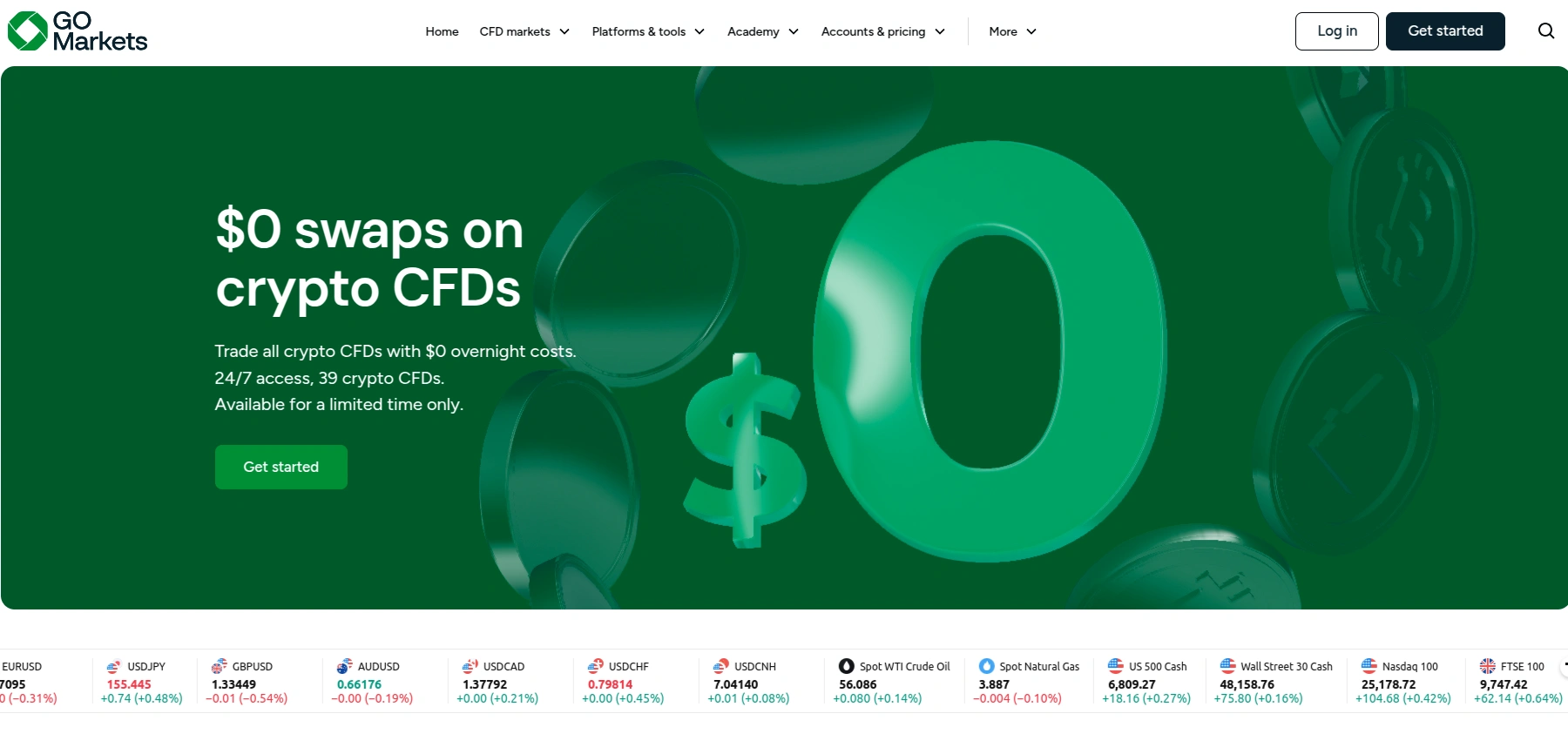
- Access the respective regulated entity of GO Markets in your mobile or desktop browser and select the Get Started button in the upper right corner. We opened an account at the CySEC-licensed branch (www.gomarkets.com/en-eu).

- Fill in your personal details in the form to register an individual retail account, including your country of residence, mobile phone number, first and last name, email and password.
- Next up, you must provide some additional personal information. This includes your current residential address and birth date. In our case, entering a tax identification number was also necessary, although this may vary from one country to the next. You must also specify whether you are a US resident for tax purposes. Tick the box at the bottom to confirm you agree with the broker’s terms of use.
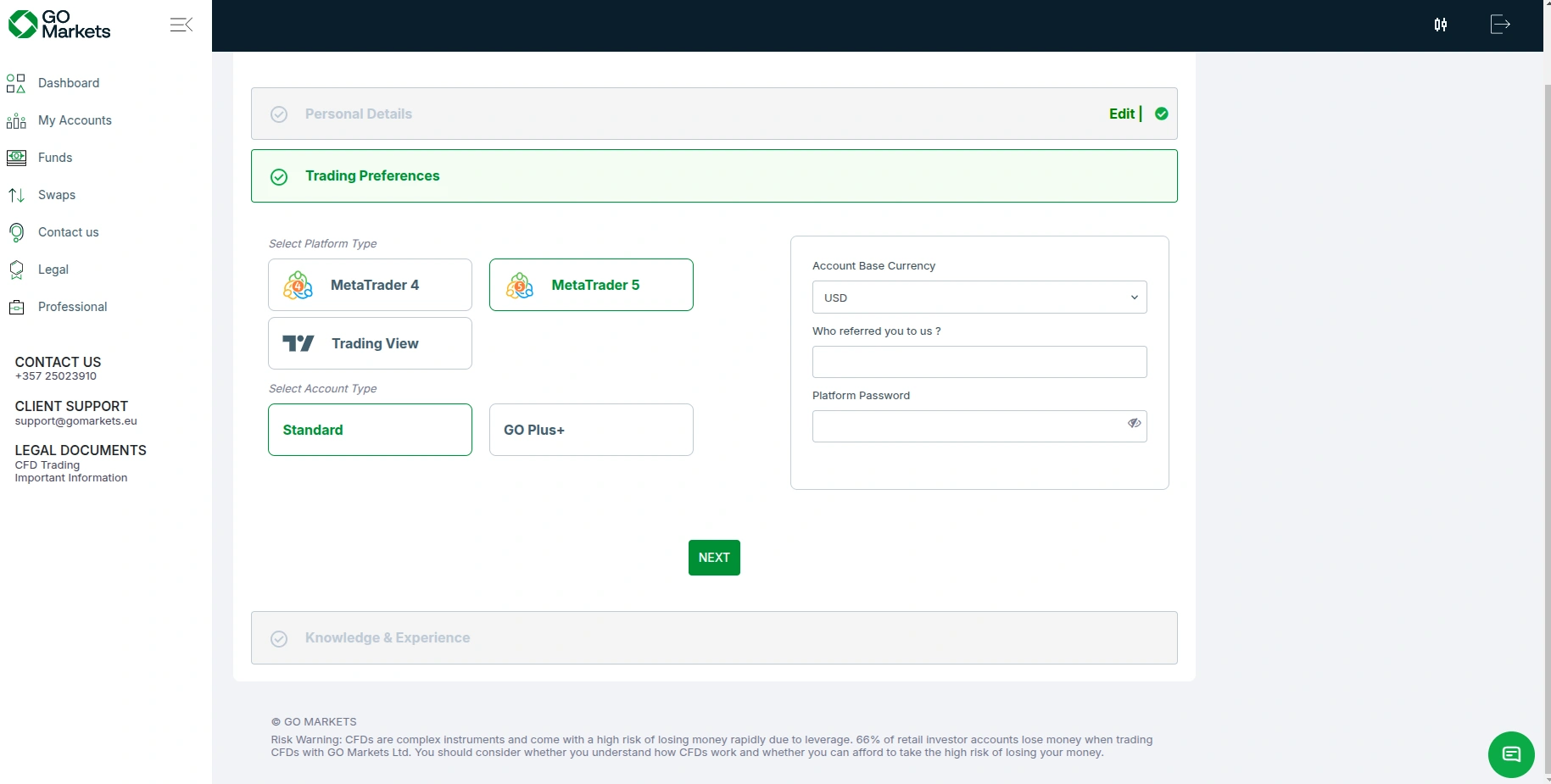
- Now you must set up your trading preferences. At this stage, customers should select their preferred trading platform, facing a choice from MT5, MT4, and TradingView. The global Mauritius-regulated branch also supports cTrader. Additionally, you must specify whether you wish to open a Standard or GO Plus+ account. Onboarding customers can check the trading conditions each option offers in our GO Markets Spreads, Fees, and Commissions publication. Last but not least, you must select your base account currency and enter a platform password.
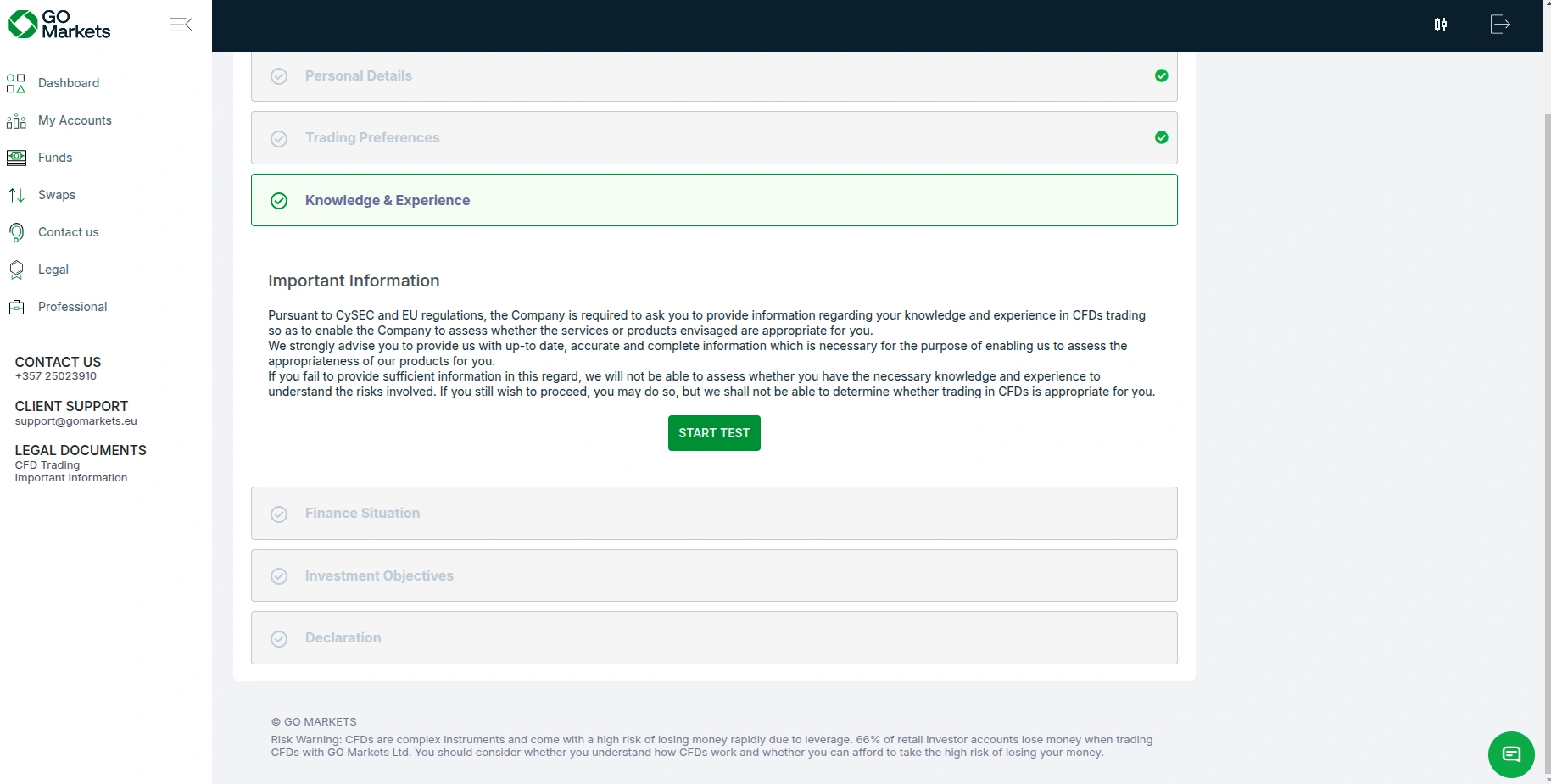
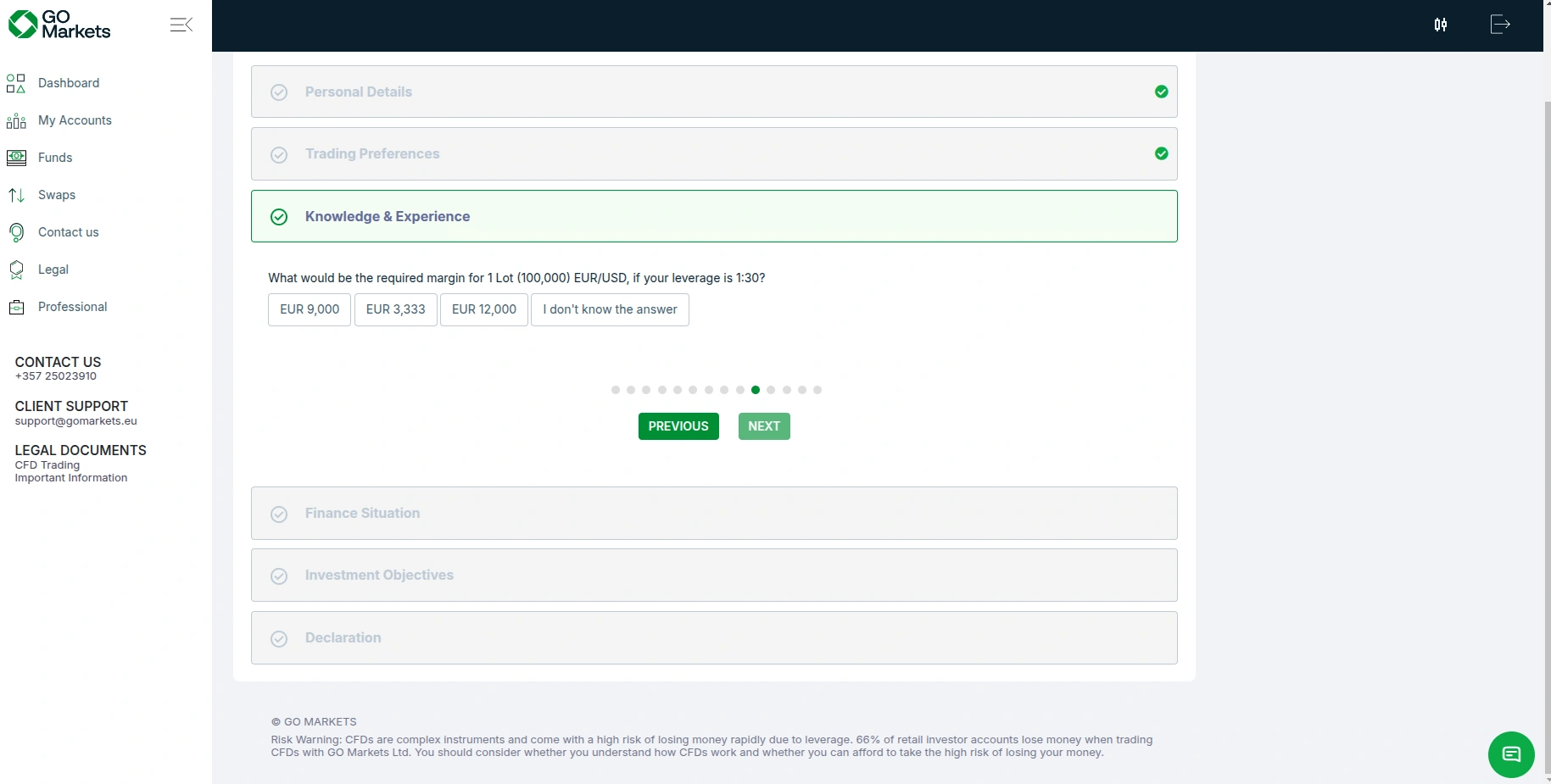
- As required under the EU and MiFID regulatory frameworks, the broker will prompt you to complete a brief client appropriateness test to assess your knowledge and experience in derivative trading. This also includes several questions related to your current employment status. You must specify whether you are employed, in which industry, what your position is, and other similar queries.
They will ask about your level of education and degree. The knowledge questions are related to the number of derivative trades you have executed and their average size. We should warn you that some of the questions are quite specific, so take your time and consider your answers carefully.
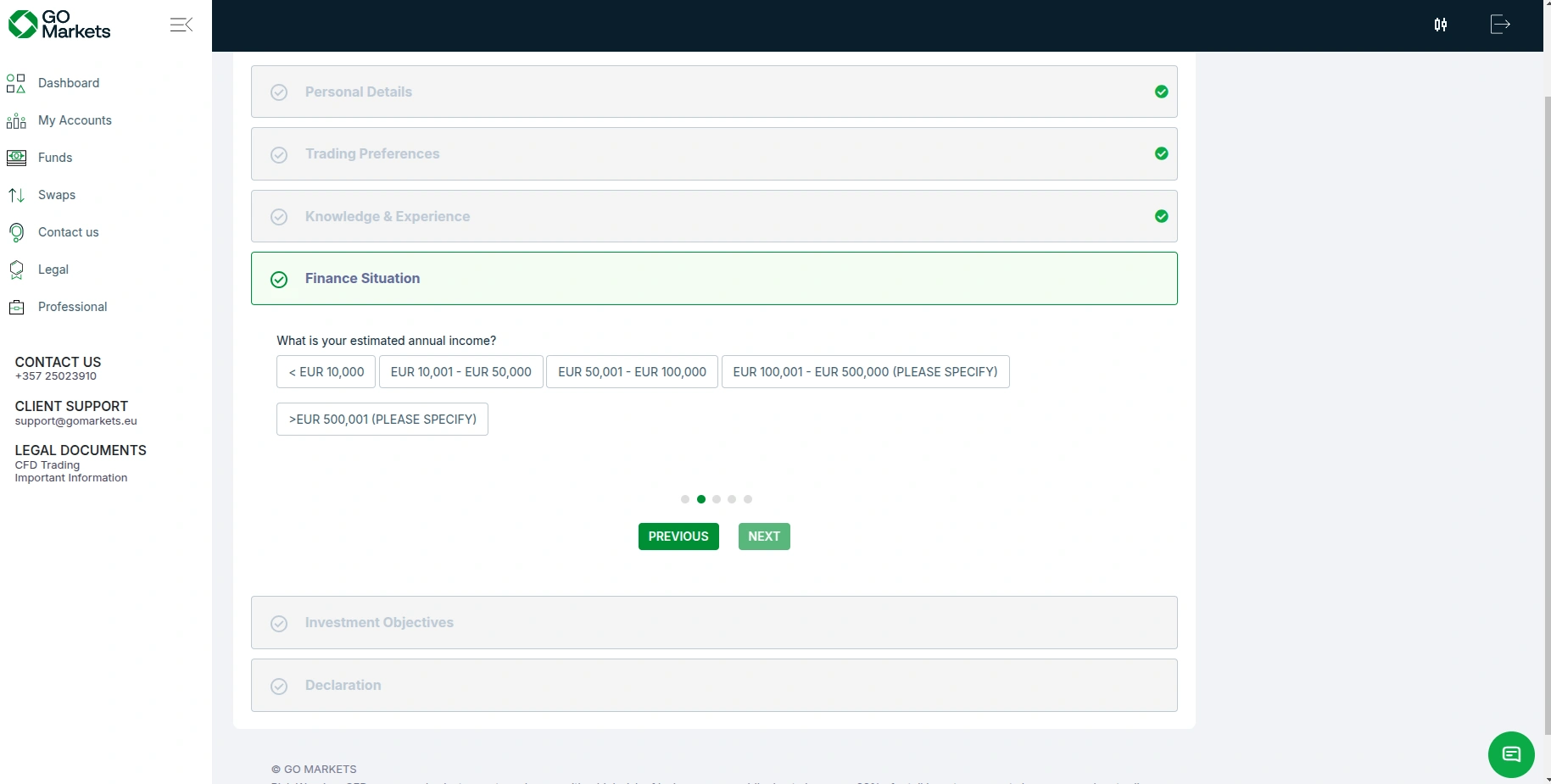
- What comes next is an evaluation of your financial situation, which includes questions related to your source of funds, your estimated annual income, your total estimated net worth, and the amount you expect to deposit over the next year.
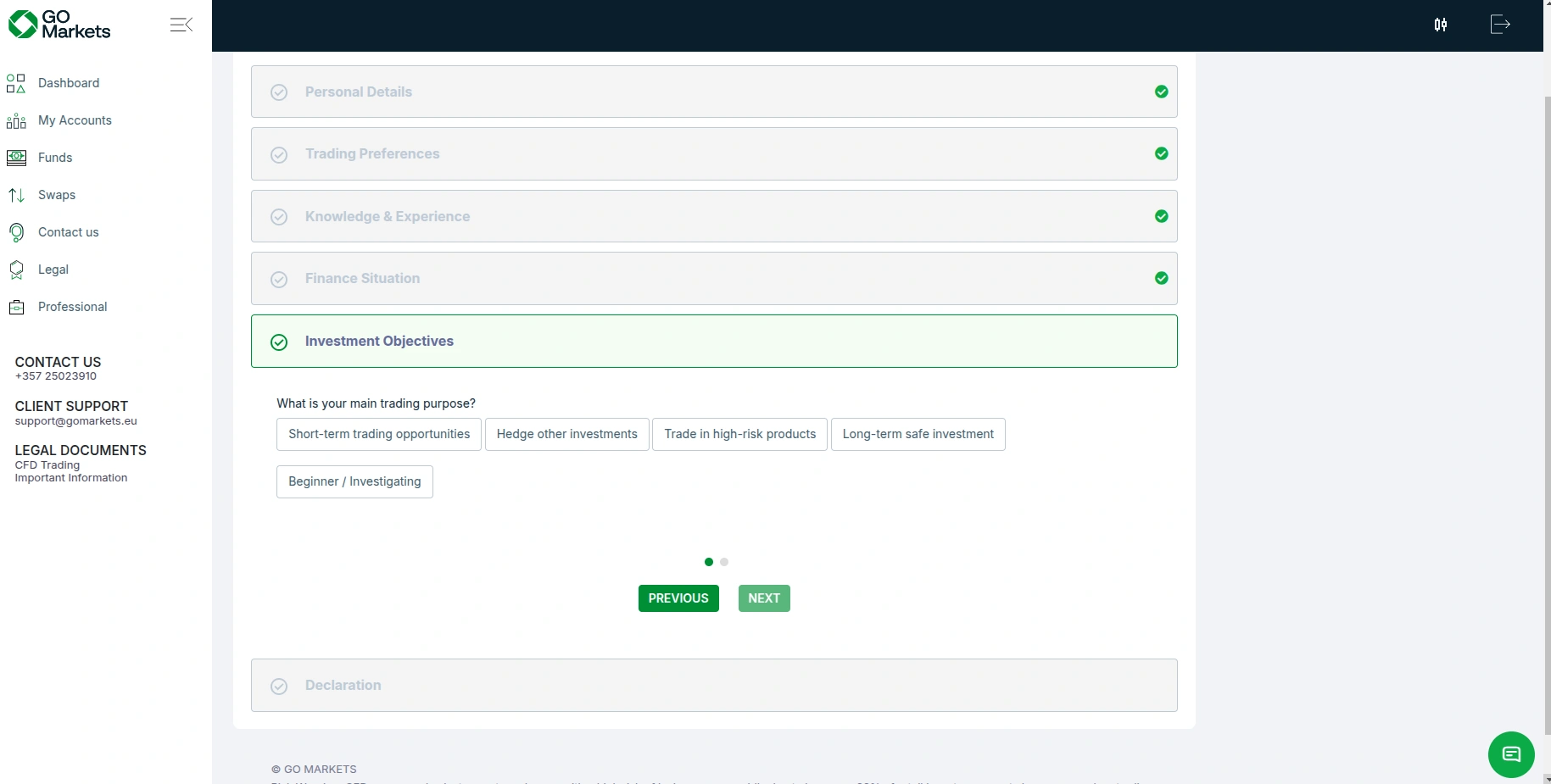
- GO Markets will ask about your investment objectives to evaluate your goals and risk tolerance. To this end, you must specify what amount of your invested capital you are willing to lose.
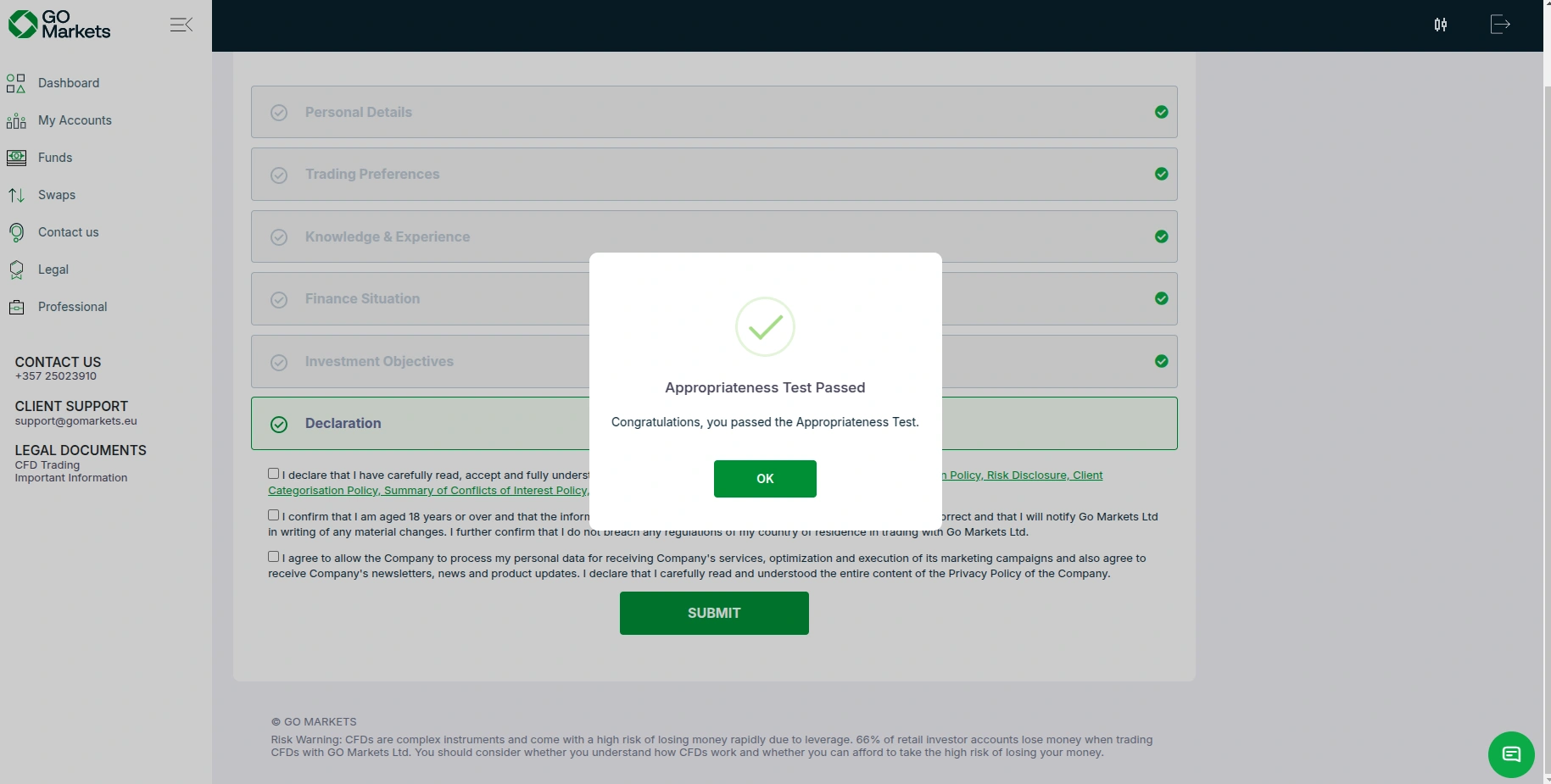
- Once you pass the appropriateness test, you must confirm you are of legal age to participate in live trading and have read the broker’s terms, risk disclosure, execution policy, and so on.
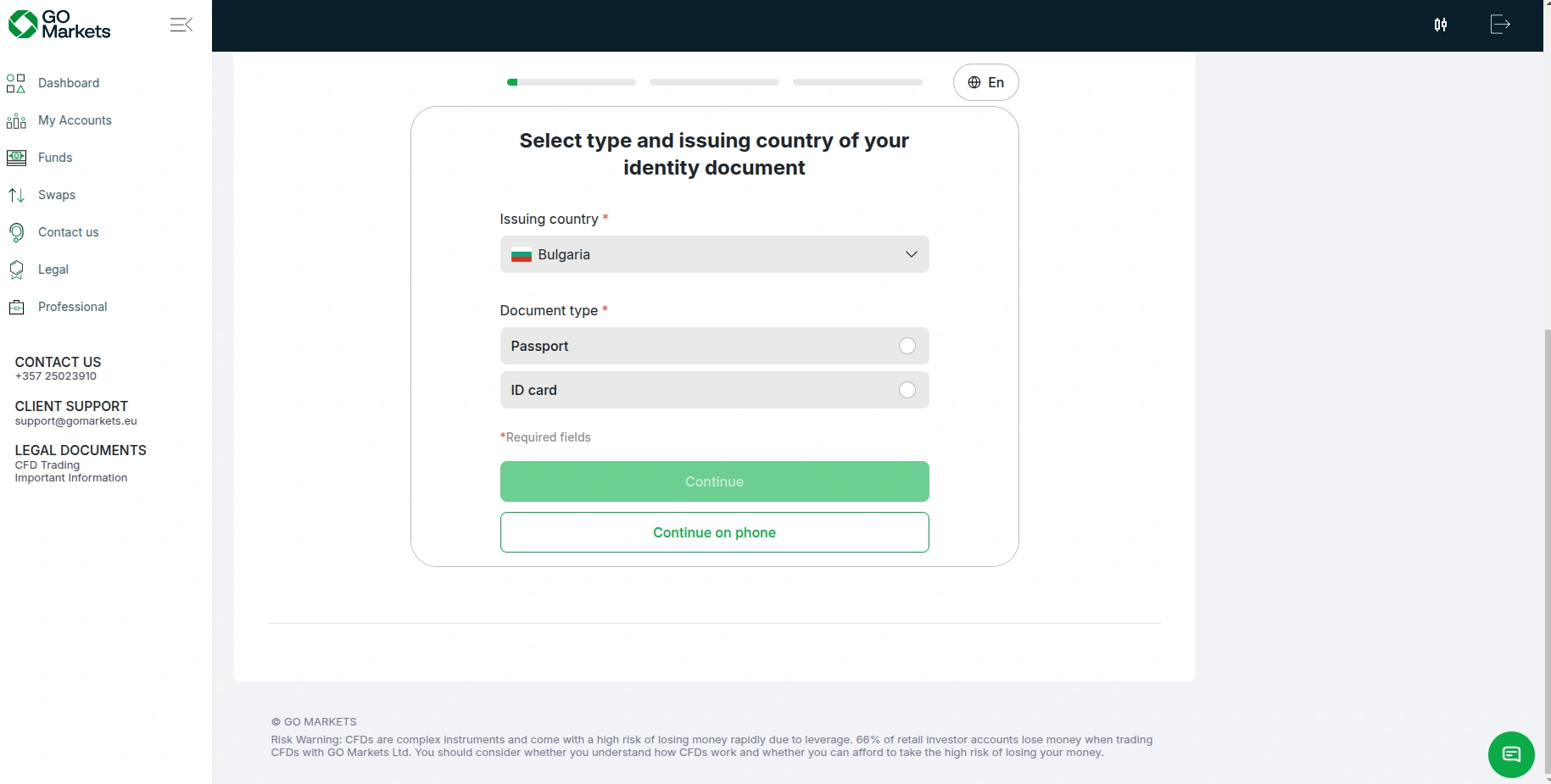
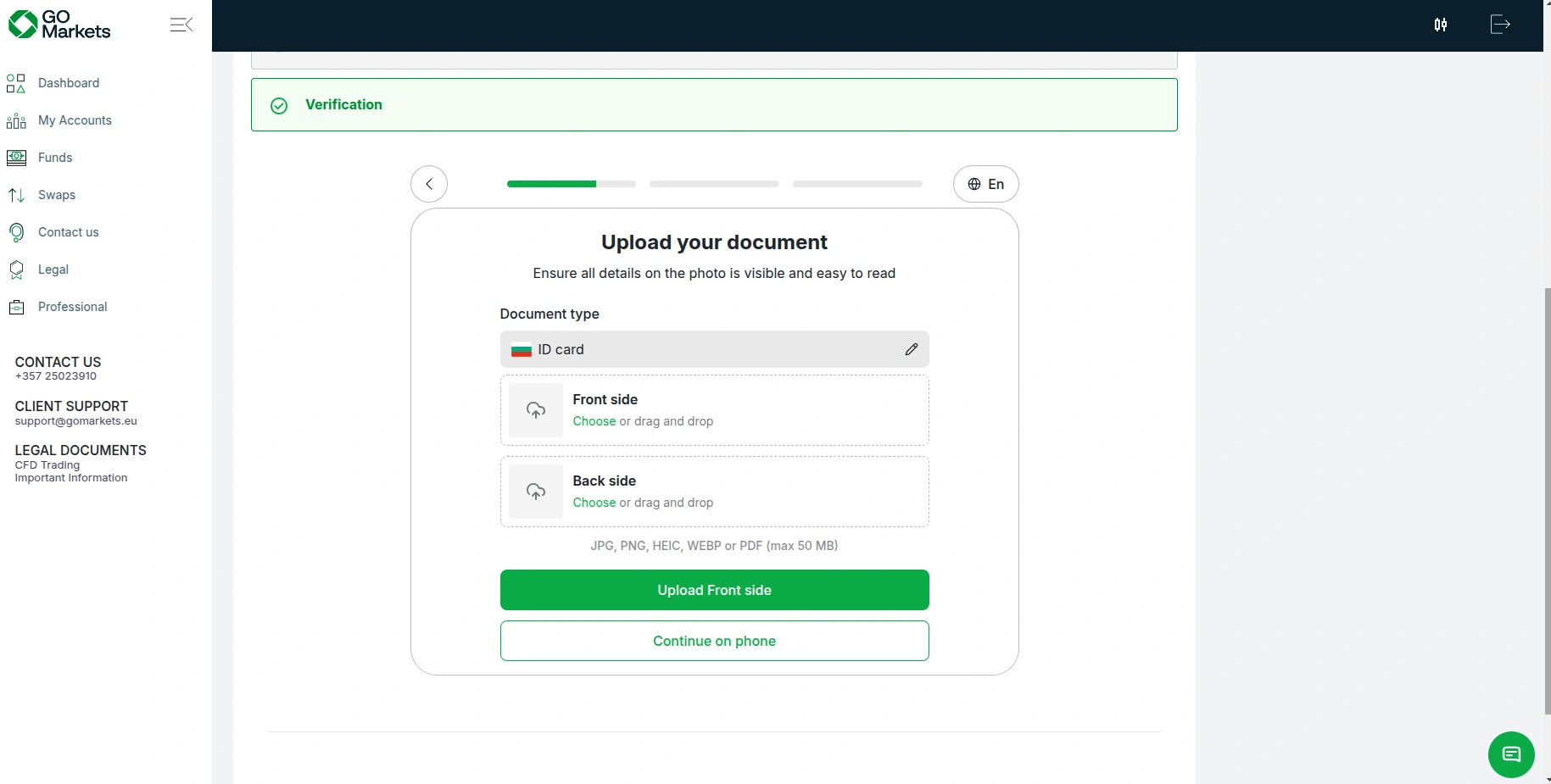
- You have now reached the final stage of the registration process, whereby you must undergo obligatory verification of your identity and address. The broker will prompt you to again select your country of residence and your preferred identity document, usually a government-issued ID card, passport, or a driver’s license.
- You must upload photos of your chosen identity document and ensure the document is not tilted more than 10 degrees in a horizontal or vertical direction. GO Markets does not accept screenshots or blurry photos. You should also refrain from using your camera flashlight as this may result in reflections that will interfere with the processing and assessment of your photos. The broker accepts documents in several formats, including JPG, PNG, WEBP, PDF, and HEIC. Your files should be no more than 50 MB in size.
- Finally, you must upload a photo of a recent utility bill, bank statement or another similar document so that the broker can verify your current residential address. Once GO Markets confirms your identity and address, you will be able to deposit and start using your live trading account.


Final Impressions
The registration process at GO Markets is pretty much standard for regulated brokers, requiring no more than 15 minutes for most onboarding customers. New clients must enter some basic personal information, select their trading preferences, complete an appropriateness test, and pass the know-your-customer verification by uploading the necessary documents. They are unlikely to experience any hiccups if their documents are in order. The entire process is simple, intuitive, and highly efficient, resulting in quick access to live trading after approval.