



 | Updated:
 Account Types at TMGM
TMGM strives to cater to the preferences of traders the world over, and its account selection reflects this. There are account types appropriate for complete novices, along with options that are better suited for individuals with extensive trading experience. Muslim traders, as well as traders on a budget, have also been taken into consideration.
The live account types that clients can pick from include:
- Classic: This is the zero-commission account. Here, the main trading cost is the spread, which starts at 1.0 pip. Opening such an account is free. Leverage caps vary based on one’s location. For Australians and users residing in New Zealand, the maximum leverage available is 1:30, while in other regions, it is 1:1000. Both MT4 and MT5 are supported.
- Edge: This account bears similarities to the Classic option, but there are some key differences. First and foremost, the spreads are far lower and can drop to 0.0 pips. However, there is a commission involved. When trading forex, users will need to pay a round-turn commission of $7, while for metals, the commission stands at $5.
- Islamic Account: If you are a Muslim trader, this is the account for you. It neither charges nor pays interest on overnight positions, making it compliant with Sharia rules. This account type replaces swaps with fixed administrative charges that range from $2 to $20, depending on the symbol, and there is a 5-day grace period.
- Cent Account: Available in Thailand, Indonesia, and other SEA locations, Cent accounts involve the usage of cent lots (which equal 1,000 currency units). This account type has a limited product range with only FX majors, minors, gold, silver, crude oil, and Bitcoin being available, but its trading conditions are better suited for traders who would like to avoid the risks associated with typical trading accounts.
| Demo Account |  |
| Islamic Account | |
| ECN Account | |
| Pro Account |  |
| MAM Account | |
TMGM Minimum Deposit Requirements
At TMGM, the typical minimum deposit when it comes to Classic and Edge accounts is advertised as $100. However, the broker has specified that the limits can differ depending on one’s payment solution.
Funding one’s balance through bank cards, bank transfers, digital wallets, and online banking involves the usual $100 requirement. If you would like to deposit through RMB Instant, on the other hand, the limit is $500. Other local payment methods have a cap of $50, and the same applies to Tether deposits.
As established, TMGM also offers a Cent account to its SEA users. Here, the minimum deposit is far lower at $15.
What Can You Trade at TMGM?
If you are interested in a diverse range of markets, TMGM more than delivers. Trading is conducted through contracts for difference (CFDs) on both the MT4 and MT5 platforms, and the broker’s FX section features more than 60 forex pairs encompassing majors, minors, and exotics.
In terms of commodities, there are several precious metals and energy commodities to pick from: gold, silver, platinum, Brent crude, and WTI crude oil. Thousands of share CFDs are on offer as well, and clients may also engage in trading index CFDs. Last but not least, TMGM also caters to crypto traders with a modest range of CFDs on coins traded against the US dollar, and examples include Bitcoin, Ethereum, and Dogecoin.
TMGM’s Cent accounts feature a more limited product range. The options available to Cent users include forex pairs (majors and minors), crude oil, Bitcoin, gold, and silver.
Step-by-Step Demo Account Registration at TMGM – Takes about 2 Minutes
TMGM allows its clients to open a demo account from the outset, making the process of creating such an account easy and quick. The steps are outlined below:
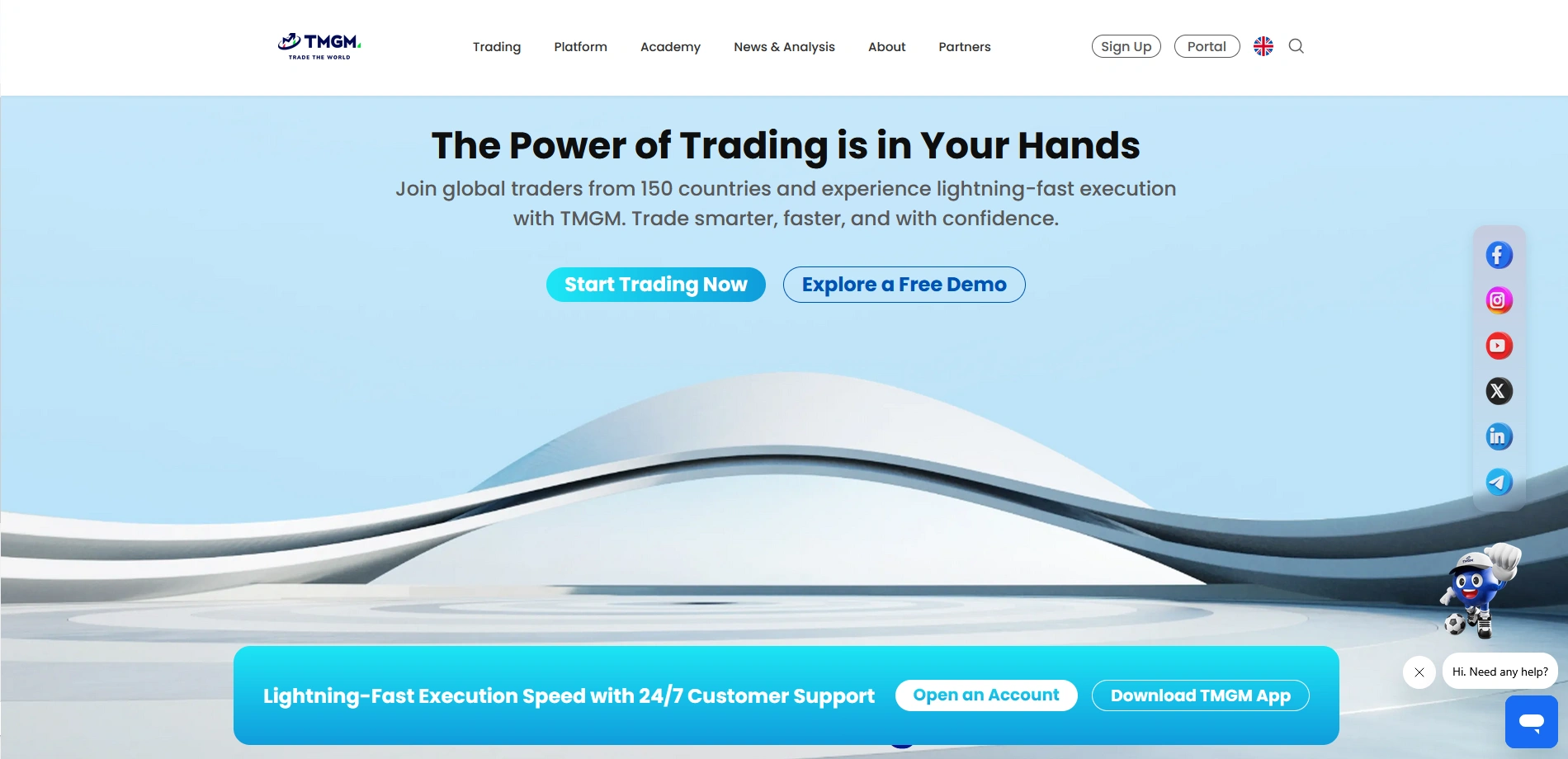
- Go to TMGM’s website and scroll down until you see the “Explore a Free Demo” link. Follow it to initiate the account creation process.

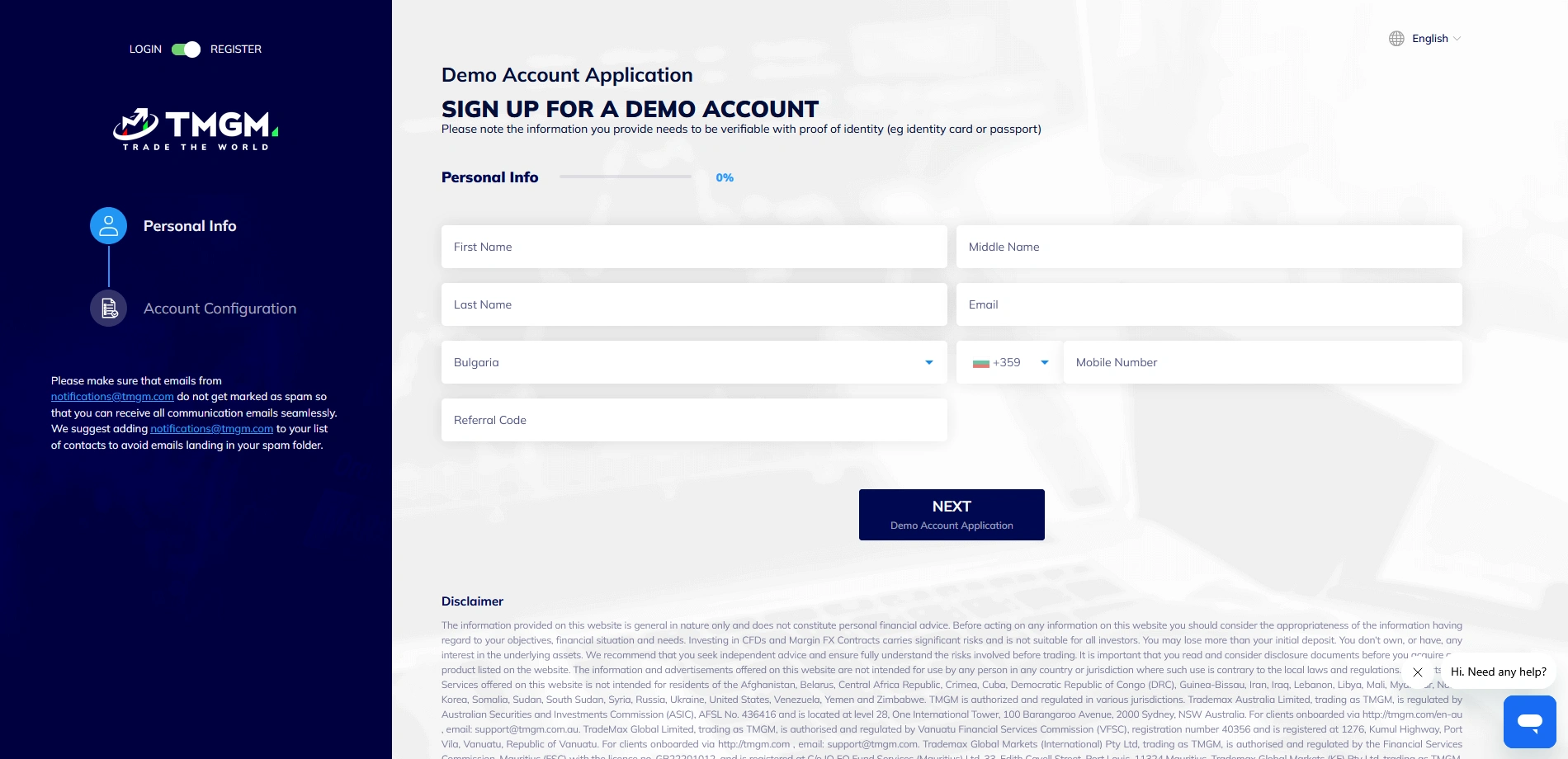
- Write your full name, email, and phone number. Choose your country of residence, and use a referral code if you have one. Once done, continue by clicking “Next.”
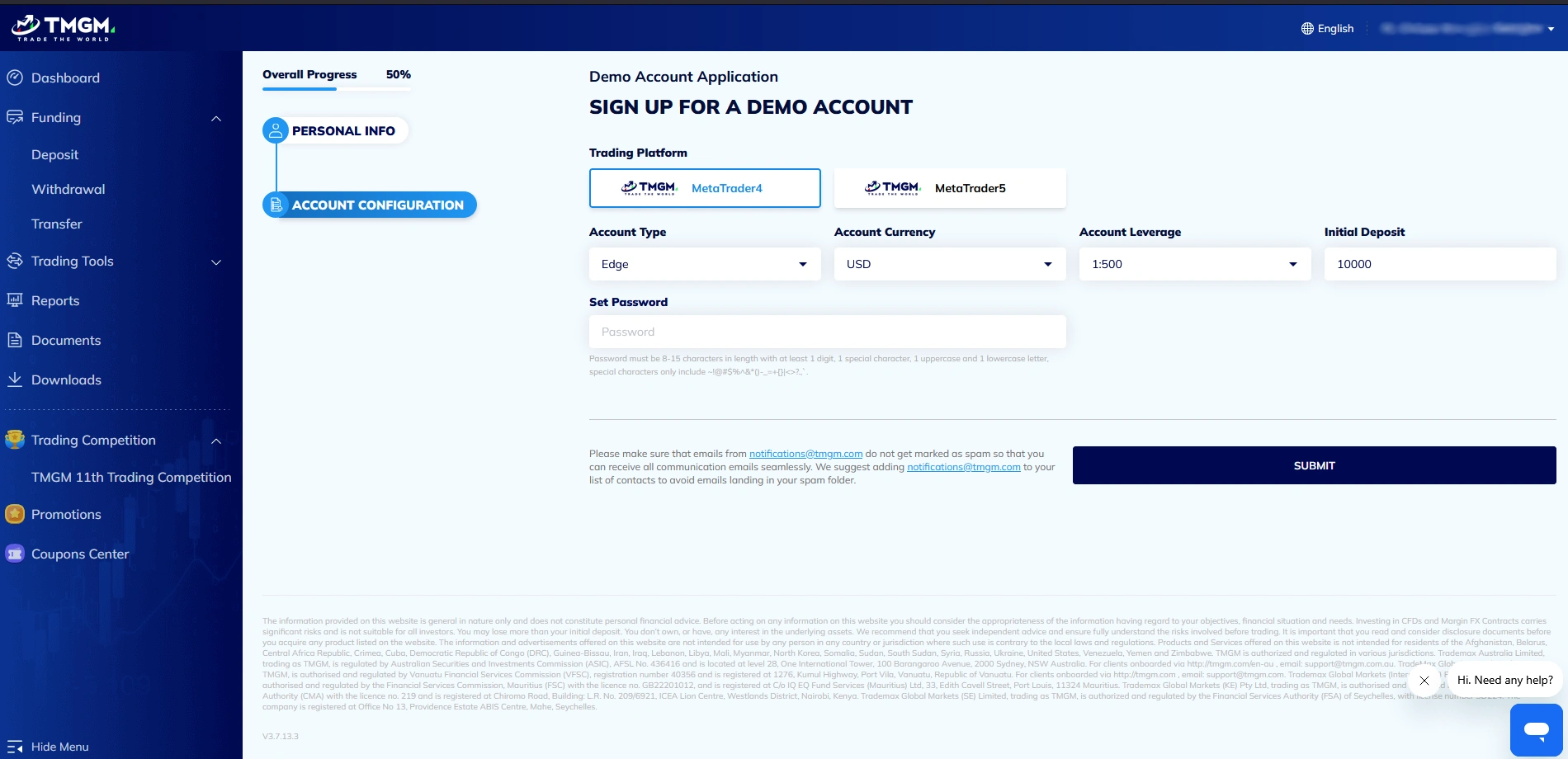
- Choose your trading platform (MT4, MT5), the account type (Edge, Classic), the account currency (USD, AUD, EUR, GBP, NZD, CAD), the leverage limit (up to 1:30 or 1:1000), and input the initial deposit that your demo account will be credited with. Last but not least, set up your account password.
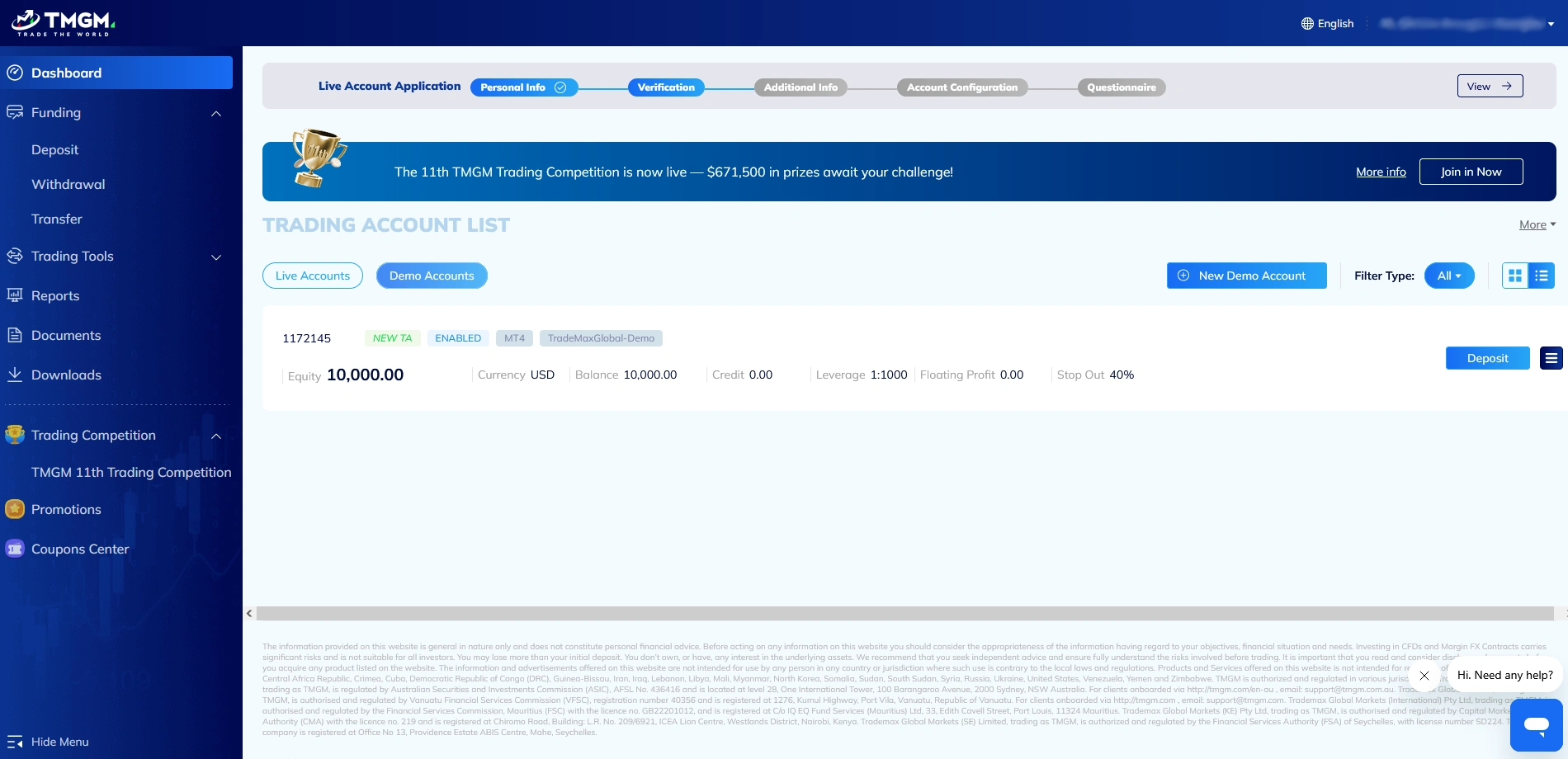
- Once your Demo account is created, you can use the account number (located above Equity) and your password to start paper trading.
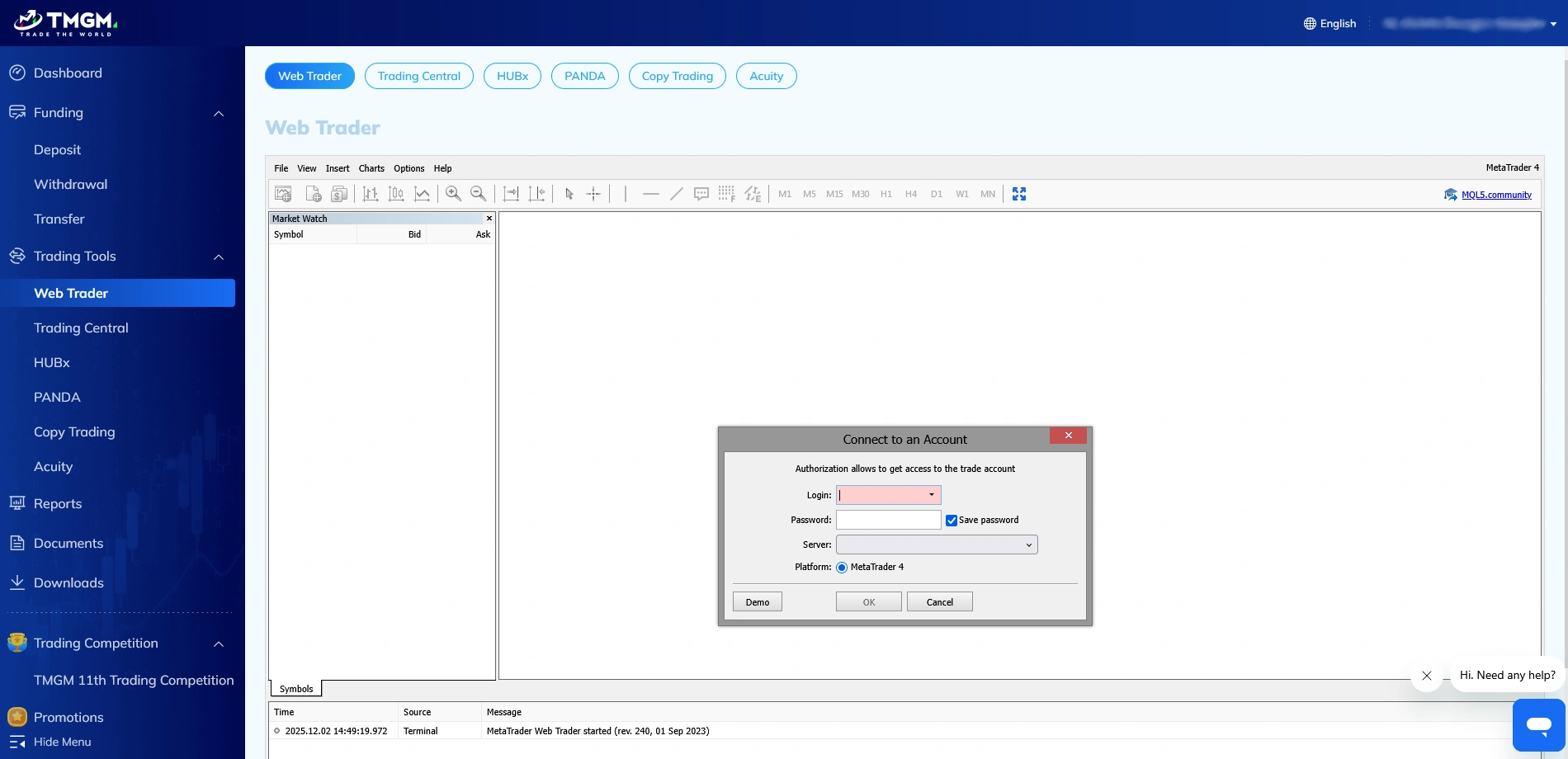
- Find the Trading Tools on the left menu, and select Web Trader. Once there, input your demo account credentials and pick the TradeMaxGlobal-Demo option from the server menu.
Step-by-Step Live Account Registration at TMGM – Takes about 10 Minutes
The process of creating a live account at TMGM is more involved and will also include verifying one’s identity.
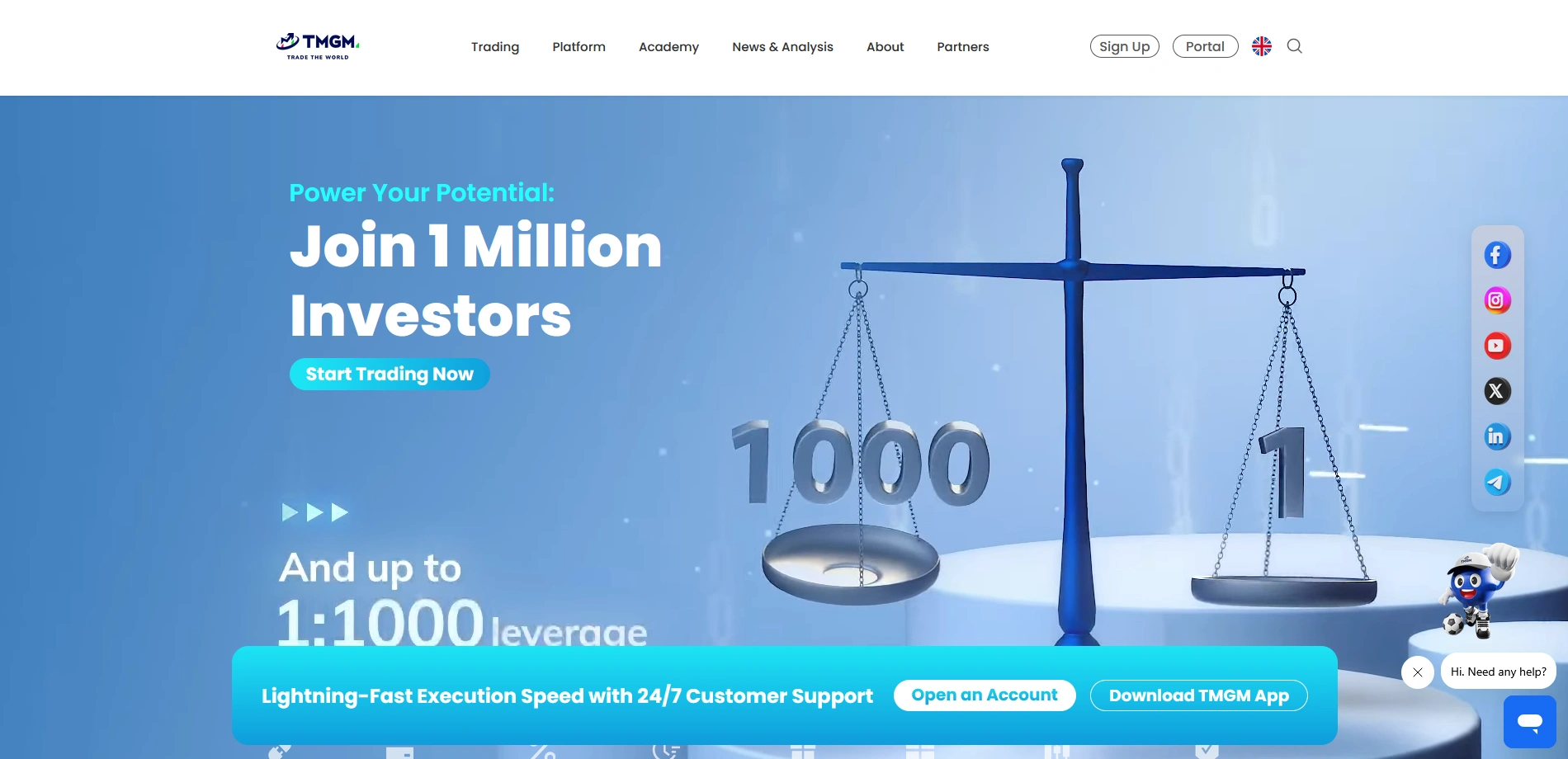
- Pay a visit to tmgm.com and select the Sign Up button, which can be found in the upper right corner.
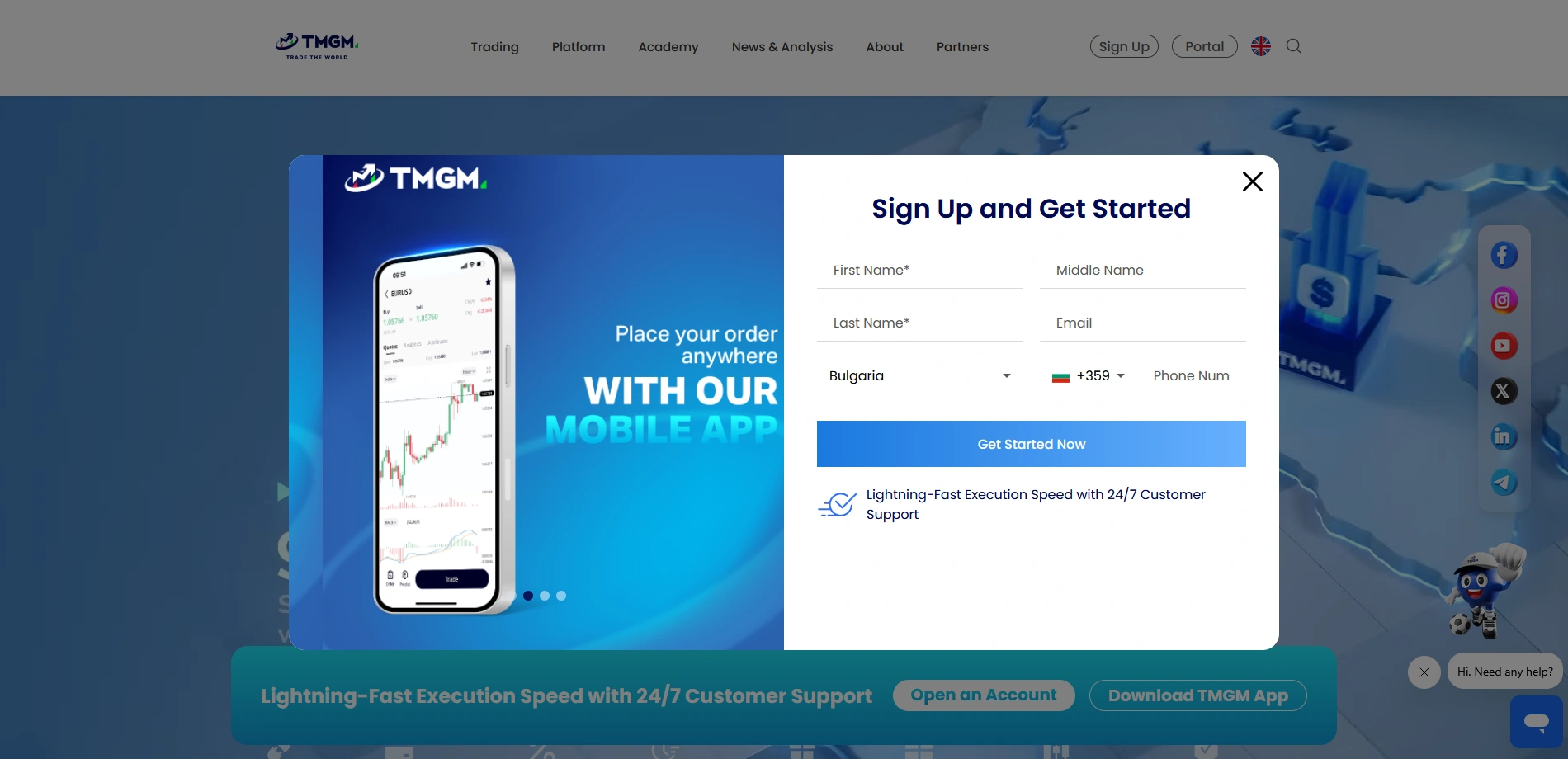
- A window will pop up requesting that you provide the broker with some basic information, such as your full name, email, country of residence, and phone number. Once done, proceed forward by clicking Get Started Now.
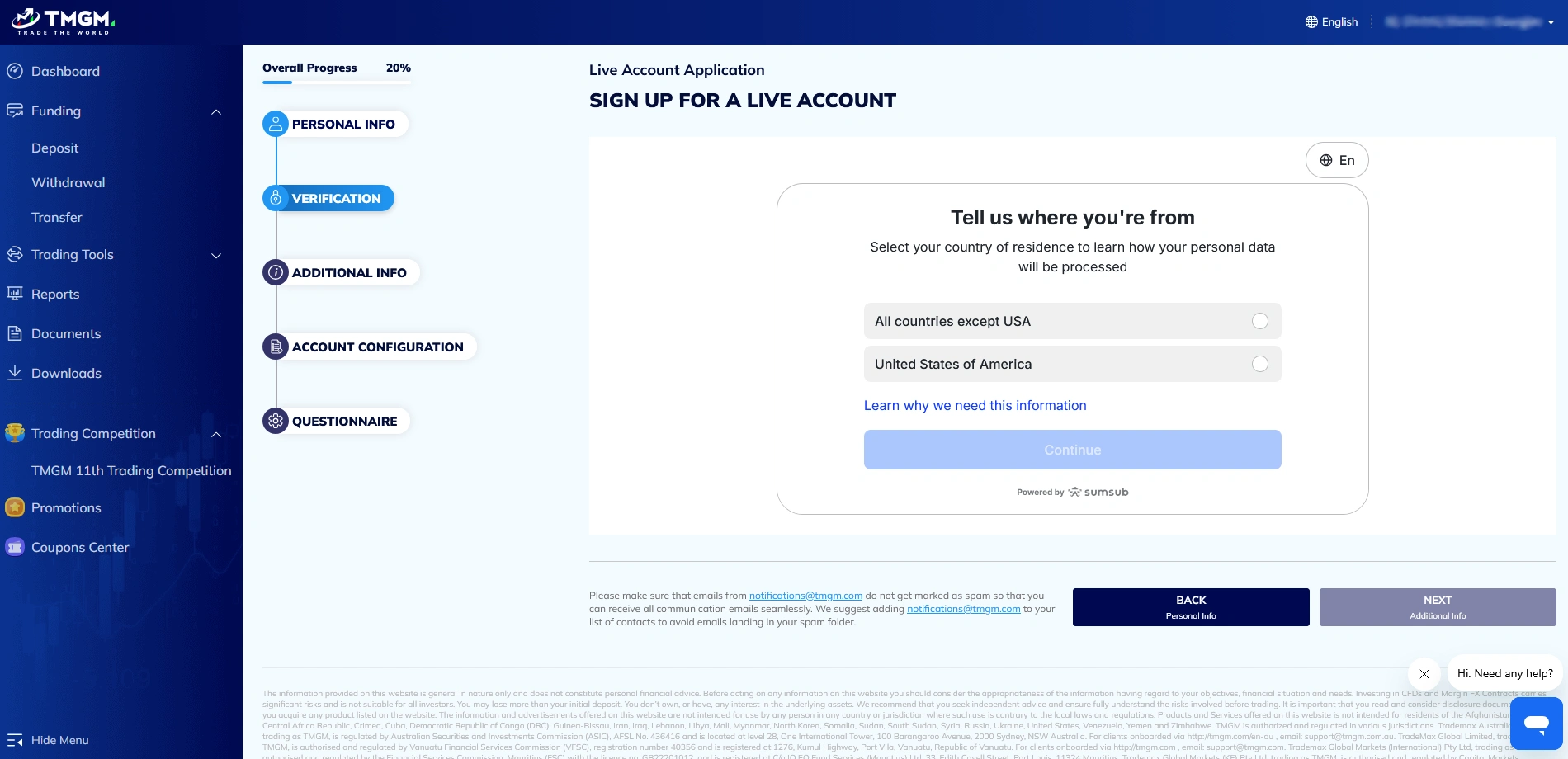
- Confirm that you are not a resident of the USA. Continuing will initiate the verification process. If you do reside in the US, you will not be able to continue as TMGM does not accept US clients.
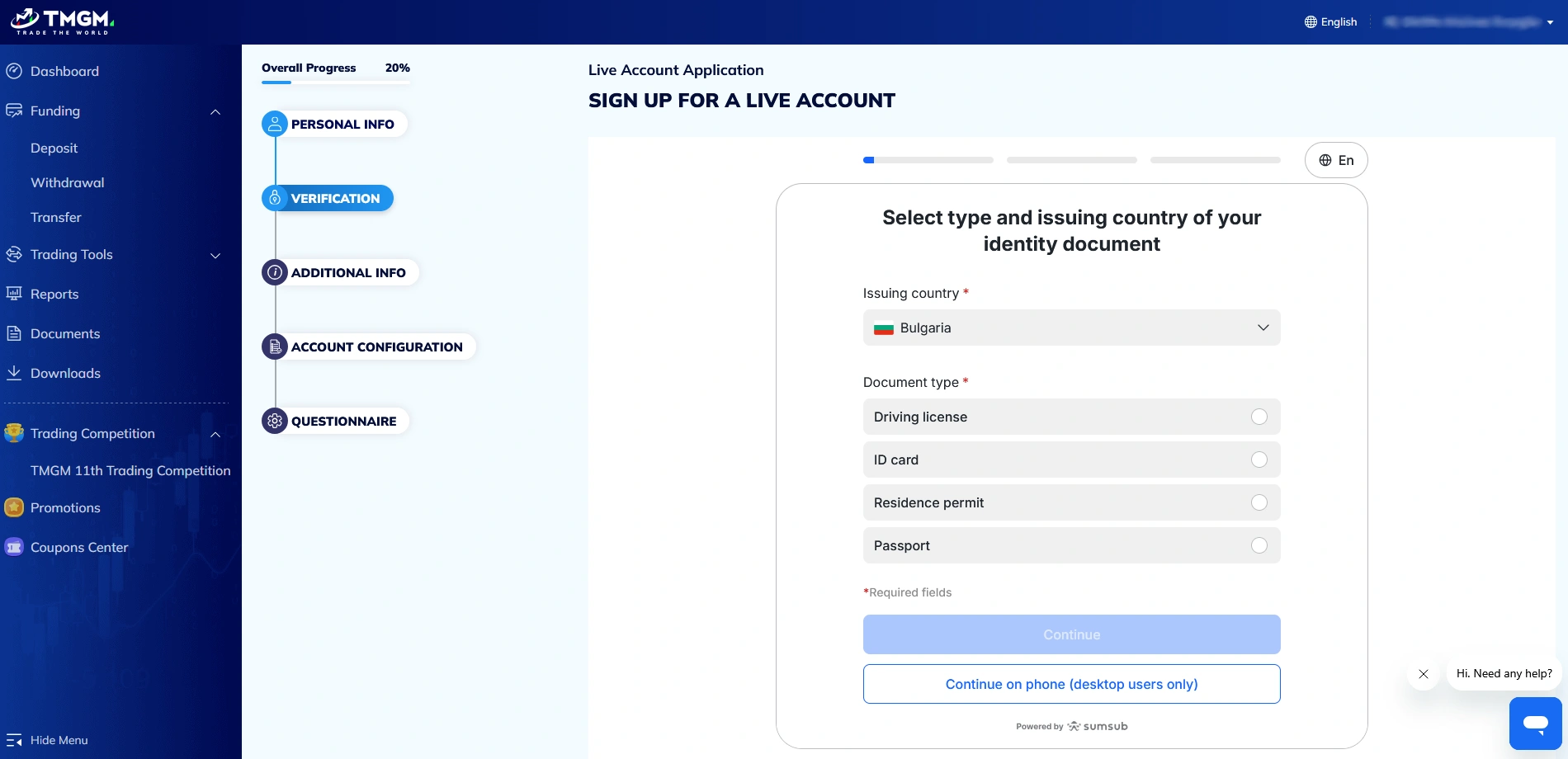
- Here, you need to select what document type you wish to provide, as well as the issuing country. The options include a driver’s license, ID card, residence permit, and passport.
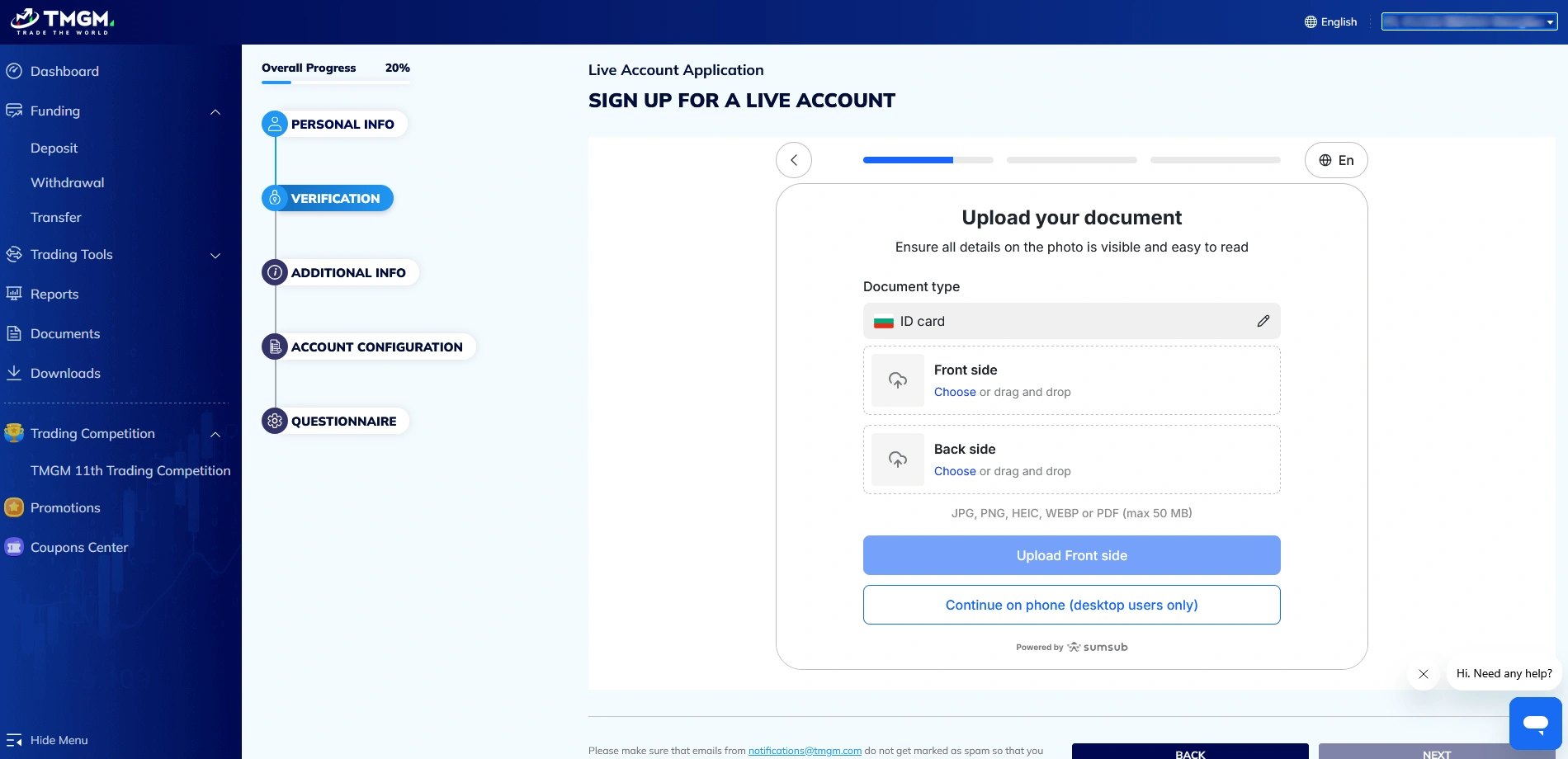
- The next page will request that you upload your chosen document type. In the case of ID cards, you need to upload photos of both the front and the back sides of your card.
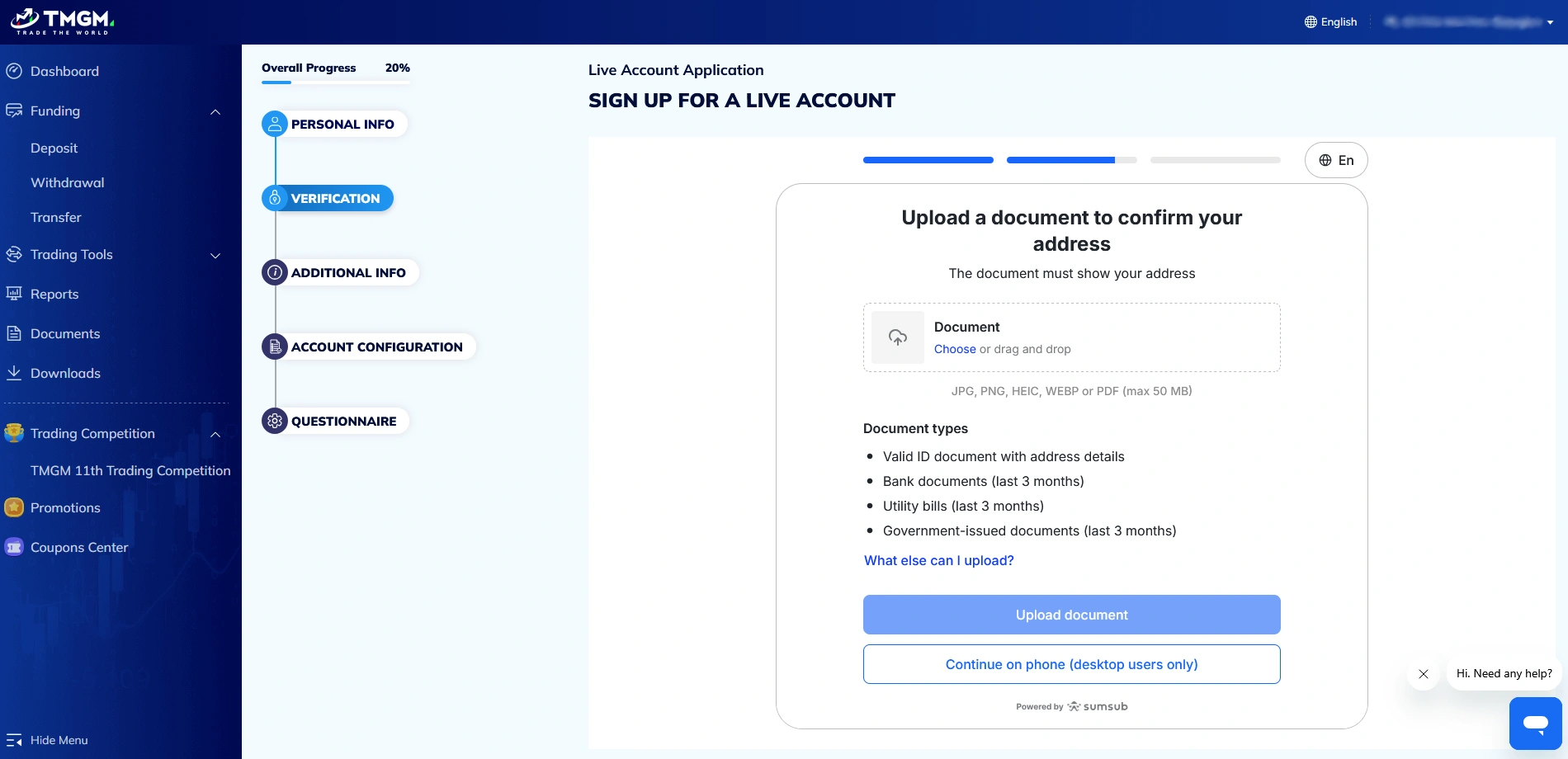
- You will also be requested to upload a document to confirm your address. The valid options include an ID document, a bank document, a utility bill, or a government-issued document. The latter three need to have been issued within the last 3 months.
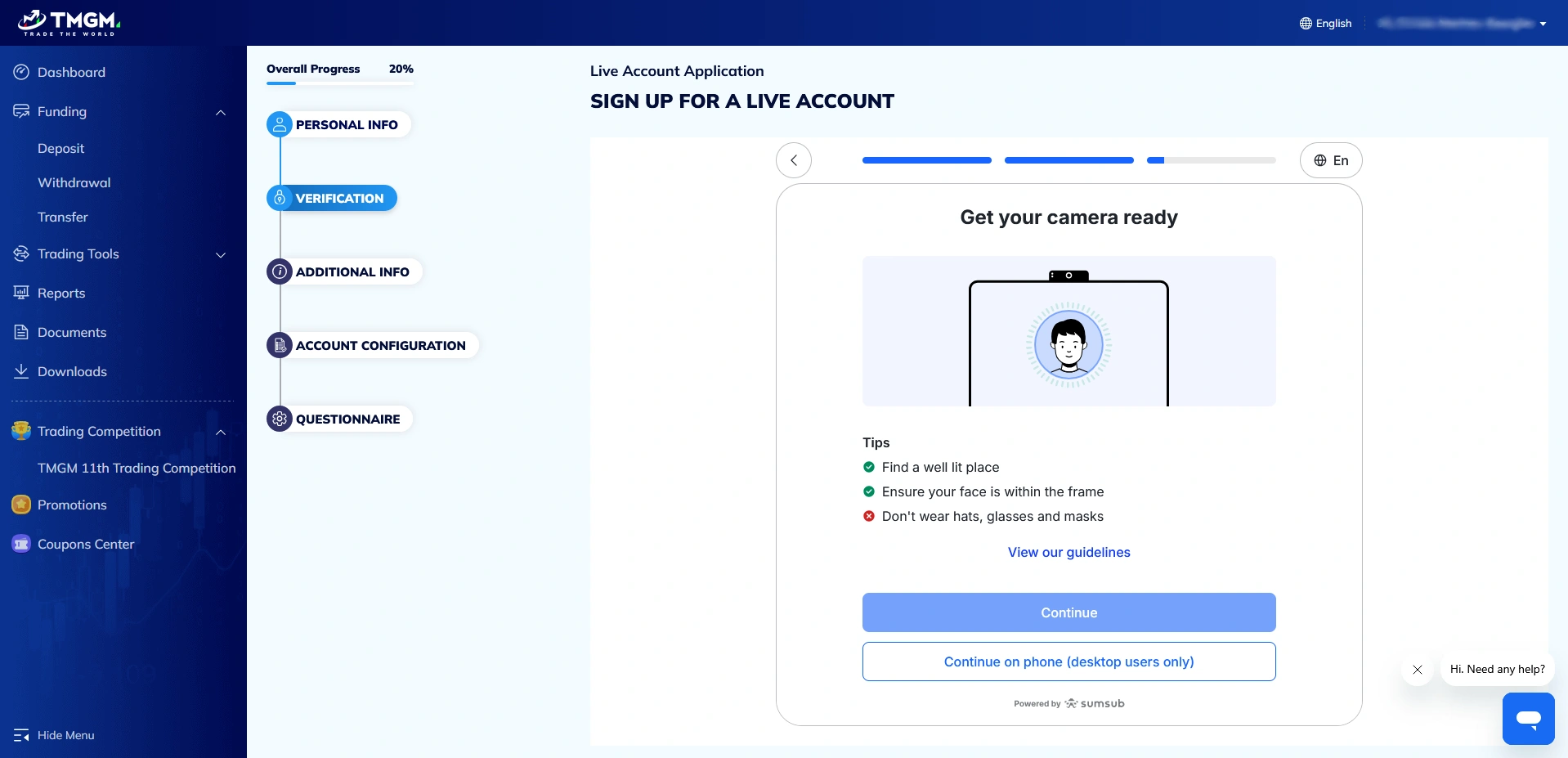
- Next, you will have to take a selfie. According to TMGM’s guidelines, the photo should be taken in a well-lit location, with your face within the frame, and you should not wear glasses, hats, or masks. Grant TMGM access to your camera and follow the broker’s instructions to complete the verification process. Note that if you are creating an account on a desktop browser, you may need to switch to your smartphone to proceed.
- The next step involves providing additional information, such as your birth date, address, and postcode.
- Then, configure your live account. You can choose between MT4 and MT5 in terms of platforms, and the available account types are Edge and Classic. The default leverage is set at 1:500 if you trade with the international entity, but you can choose to increase it to 1:1000 or lower it. The currency options include USD, EUR, AUD, GBP, NZD, and CAD.
- By clicking next, you will be taken to TMGM’s eligibility questionnaire. It includes questions regarding your financial circumstances (employment status, industry, annual income, savings, and the like) as well as questions that will test your trading knowledge. If you meet TMGM’s eligibility criteria, completing this questionnaire will finalize the live account creation process.
Overall Thoughts
All in all, TMGM has made sure that the registration process is relatively swift. It takes around 10 minutes, which is reasonable, especially when we consider that the verification procedure is mandatory. As for why verification is initiated during registration and not afterwards, the broker is fully regulated and, thus, must abide by stringent fraud-prevention measures that are mandated by its financial supervisors. On the other hand, registering for a Demo account is even faster and there is no need to provide any documentation, making it a good idea to open such an account first if you simply wish to check out what the broker has to offer before you commit.