



 Naylyan NazifovaNaylyan Nazifova is a Financial Research and Platform Testing Analyst at BestBrokers.com, where she reviews and tests online brokers across forex, stocks, investing and personal finance. Her experience in online trading content and broker analysis helps readers understand how platforms perform in practice, including their trading tools, fees, ease of use and suitability for different types of investors.
 | Expert Editor
  Eugene Lee, CFA
 Eugene Lee, CFA, is the Head of Research at BestBrokers.com, where he draws on more than two decades of experience in global markets, portfolio management, derivatives, and fintech to evaluate online brokers. His background in institutional investing and quantitative research helps ensure that broker reviews are based on data, risk assessment, and real-world trading conditions.
  | Updated:
 Software is one of the key factors traders consider when choosing a reliable forex broker. Trading firms tend to offer either proprietary software or popular third-party platforms, with MT4 and MT5 being the usual options.
Another platform that many traders gravitate toward is cTrader, which offers forex traders and those interested in other assets access to a modern trading platform. cTrader is supported by an increasing number of established brokers, and it is a feature-rich solution that caters to the preferences of various market participants.
 Fusion Markets74-89% of retail's CFD accounts lose money
 FP Markets73.33% of retail investor accounts lose money
 Pepperstone74.1% of retail investor accounts lose money
 IC Markets70.64% of retail investor accounts lose money when trading CFDs with this provider.
 Plus500 USThis content applies only to Plus500 US and clients from the United States. Trading futures involves the risk of loss.
 eToro52% of retail investor accounts lose money
Comprehensive Comparison of the Top 6 cTrader Forex Brokers
| cTrader Forex Broker | Forex Maximum Leverage | Min Deposit | Our Score | Regulators |
|---|---|---|---|---|
| 1. Fusion Markets | 1:30 for the ASIC entity (1:500 for the VFSC entity) | $0 | 4.42 ⭐ | ASIC, FSA (Seychelles), VFSC (Vanuatu) |
| 2. IC Markets | 1:30 (European and Australian retail accounts); 1:500 (Pro); 1:1000 (FSA clients) | $200 | 4 ⭐ | FSA (Seychelles), CySEC (Cyprus), ASIC (Australia), SCB (Bahamas), CMA (Kenya) |
| 3. Pepperstone | 1:30 (retail: ASIC, CySEC, FCA); 1:500 (professional); 1:400 (CMA) | $0 | 4.19 ⭐ | ASIC (No. 414530), UK FCA (No. 684312), CySEC (No. 388/20), BaFin (No. 151148), DFSA (F004356), CMA (128), SCB Bahamas (SIA-F217), FSA (SD108) |
| 4. FP Markets | 1:30 for retail clients1:500 for professional clients | $50 (AU$100) | 4.37 ⭐ | ASIC, CySEC, FSA (Seychelles), FSCA, FSA (St. Vincent and the Grenadines), SCB (Bahamas), FSC (Mauritius) |
| 5. BlackBull Markets | 1:30 (Retail)1:500 (Professional) | $0 (Standard)$0 (Prime)$20,000 (Institutional) | 4.28 ⭐ | FSA (Seychelles, No. SD045), FMA (No. FSP403326) |
| 6. FxPro | 1:30 (retail)1:500 (professional) | $0 | 3.96 ⭐ | FCA (No. 509956), CySEC (No. 078/07), FSCA (No. 45052), SCB (No. SIA-F184), FSA (No. SD120) |
Below, we cover several online forex brokers that offer cTrader. Each brand on our list is authorized by established regulators, providing a regulated trading environment for forex traders.
Top cTrader Forex Brokers
- Any
 Afghanistan
- Aland Islands
- Albania
- Algeria
- American Samoa
- Andorra
- Angola
- Anguilla
- Antarctica
- Antigua and Barbuda
- Argentina
- Armenia
- Aruba
- Australia
- Austria
- Azerbaijan
- Bahamas
- Bahrain
- Bangladesh
- Barbados
- Belarus
- Belgium
- Belize
- Benin
- Bermuda
- Bhutan
- Bolivia
- Bonaire, Sint Eustatius and Saba
- Bosnia and Herzegovina
- Botswana
- Bouvet Island
- Brazil
- British Indian Ocean Territory
- Brunei Darussalam
- Bulgaria
- Burkina Faso
- Burundi
- Cambodia
- Cameroon
- Canada
- Cape Verde
- Cayman Islands
- Central African Republic
- Chad
- Chile
- China
- Christmas Island
- Cocos (Keeling) Islands
- Colombia
- Comoros
- Congo
- Congo, Democratic Republic of the Congo
- Cook Islands
- Costa Rica
- Cote D'Ivoire
- Croatia
- Cuba
- Curacao
- Cyprus
- Czech Republic
- Denmark
- Djibouti
- Dominica
- Dominican Republic
- Ecuador
- Egypt
- El Salvador
- Equatorial Guinea
- Eritrea
- Estonia
- Ethiopia
- Falkland Islands (Malvinas)
- Faroe Islands
- Fiji
- Finland
- France
- French Guiana
- French Polynesia
- French Southern Territories
- Gabon
- Gambia
- Georgia
- Germany
- Ghana
- Gibraltar
- Greece
- Greenland
- Grenada
- Guadeloupe
- Guam
- Guatemala
- Guernsey
- Guinea
- Guinea-Bissau
- Guyana
- Haiti
- Heard Island and Mcdonald Islands
- Holy See (Vatican City State)
- Honduras
- Hong Kong
- Hungary
- Iceland
- India
- Indonesia
- Iraq
- Ireland
- Isle of Man
- Israel
- Italy
- Jamaica
- Japan
- Jersey
- Jordan
- Kazakhstan
- Kenya
- Kiribati
- Korea, Democratic People's Republic of
- Korea, Republic of
- Kosovo
- Kuwait
- Kyrgyzstan
- Lao People's Democratic Republic
- Latvia
- Lebanon
- Lesotho
- Liberia
- Libyan Arab Jamahiriya
- Liechtenstein
- Lithuania
- Luxembourg
- Macao
- Macedonia, the Former Yugoslav Republic of
- Madagascar
- Malawi
- Malaysia
- Maldives
- Mali
- Malta
- Marshall Islands
- Martinique
- Mauritania
- Mauritius
- Mayotte
- Mexico
- Micronesia, Federated States of
- Moldova, Republic of
- Monaco
- Mongolia
- Montenegro
- Montserrat
- Morocco
- Mozambique
- Myanmar
- Namibia
- Nauru
- Nepal
- Netherlands
- Netherlands Antilles
- New Caledonia
- New Zealand
- Nicaragua
- Niger
- Nigeria
- Niue
- Norfolk Island
- Northern Mariana Islands
- Norway
- Oman
- Pakistan
- Palau
- Palestinian Territory, Occupied
- Panama
- Papua New Guinea
- Paraguay
- Peru
- Philippines
- Pitcairn
- Poland
- Portugal
- Puerto Rico
- Qatar
- Reunion
- Romania
- Russian Federation
- Rwanda
- Saint Barthelemy
- Saint Helena
- Saint Kitts and Nevis
- Saint Lucia
- Saint Martin
- Saint Pierre and Miquelon
- Saint Vincent and the Grenadines
- Samoa
- San Marino
- Sao Tome and Principe
- Saudi Arabia
- Senegal
- Serbia
- Serbia and Montenegro
- Seychelles
- Sierra Leone
- Singapore
- Sint Maarten
- Slovakia
- Slovenia
- Solomon Islands
- Somalia
- South Africa
- South Georgia and the South Sandwich Islands
- South Sudan
- Spain
- Sri Lanka
- Sudan
- Suriname
- Svalbard and Jan Mayen
- Swaziland
- Sweden
- Switzerland
- Syrian Arab Republic
- Taiwan, Province of China
- Tajikistan
- Tanzania, United Republic of
- Thailand
- Timor-Leste
- Togo
- Tokelau
- Tonga
- Trinidad and Tobago
- Tunisia
- Turkey
- Turkmenistan
- Turks and Caicos Islands
- Tuvalu
- Uganda
- Ukraine
- United Arab Emirates
- United Kingdom
- United States Minor Outlying Islands
- Uruguay
- Uzbekistan
- Vanuatu
- Venezuela
- Viet Nam
- Virgin Islands, British
- Virgin Islands, U.S.
- Wallis and Futuna
- Western Sahara
- Yemen
- Zambia
- Zimbabwe
 Afghanistan
 Aland Islands
 Albania
 Algeria
 American Samoa
 Andorra
 Angola
 Anguilla
 Antarctica
 Antigua and Barbuda
 Argentina
 Armenia
 Aruba
Aruba Australia
 Austria
 Azerbaijan
 Bahamas
 Bahrain
 Bangladesh
 Barbados
 Belarus
 Belgium
 Belize
 Benin
Benin Bermuda
 Bhutan
 Bolivia
 Bonaire, Sint Eustatius and Saba
 Bosnia and Herzegovina
 Botswana
 Bouvet Island
 Brazil
 British Indian Ocean Territory
 Brunei Darussalam
 Bulgaria
 Burkina Faso
 Burundi
 Cambodia
 Cameroon
 Canada
 Cape Verde
 Cayman Islands
 Central African Republic
 Chad
Chad Chile
Chile China
China Christmas Island
 Cocos (Keeling) Islands
 Colombia
 Comoros
 Congo
Congo Congo, Democratic Republic of the Congo
 Cook Islands
 Costa Rica
 Cote D'Ivoire
 Croatia
 Cuba
Cuba Curacao
 Cyprus
 Czech Republic
 Denmark
 Djibouti
 Dominica
 Dominican Republic
 Ecuador
 Egypt
Egypt El Salvador
 Equatorial Guinea
 Eritrea
 Estonia
 Ethiopia
 Falkland Islands (Malvinas)
 Faroe Islands
 Fiji
Fiji Finland
 France
 French Guiana
 French Polynesia
 French Southern Territories
 Gabon
Gabon Gambia
 Georgia
 Germany
 Ghana
Ghana Gibraltar
 Greece
 Greenland
 Grenada
 Guadeloupe
 Guam
Guam Guatemala
 Guernsey
 Guinea
 Guinea-Bissau
 Guyana
 Haiti
Haiti Heard Island and Mcdonald Islands
 Holy See (Vatican City State)
 Honduras
 Hong Kong
 Hungary
 Iceland
 India
India Indonesia
 Iraq
Iraq Ireland
 Isle of Man
 Israel
 Italy
Italy Jamaica
 Japan
Japan Jersey
 Jordan
 Kazakhstan
 Kenya
Kenya Kiribati
 Korea, Democratic People's Republic of
 Korea, Republic of
 Kosovo
 Kuwait
 Kyrgyzstan
 Lao People's Democratic Republic
 Latvia
 Lebanon
 Lesotho
 Liberia
 Libyan Arab Jamahiriya
 Liechtenstein
 Lithuania
 Luxembourg
 Macao
Macao Macedonia, the Former Yugoslav Republic of
 Madagascar
 Malawi
 Malaysia
 Maldives
 Mali
Mali Malta
Malta Marshall Islands
 Martinique
 Mauritania
 Mauritius
 Mayotte
 Mexico
 Micronesia, Federated States of
 Moldova, Republic of
 Monaco
 Mongolia
 Montenegro
 Montserrat
 Morocco
 Mozambique
 Myanmar
 Namibia
 Nauru
Nauru Nepal
Nepal Netherlands
 Netherlands Antilles
 New Caledonia
 New Zealand
 Nicaragua
 Niger
Niger Nigeria
 Niue
Niue Norfolk Island
 Northern Mariana Islands
 Norway
 Oman
Oman Pakistan
 Palau
Palau Palestinian Territory, Occupied
 Panama
 Papua New Guinea
 Paraguay
 Peru
Peru Philippines
 Pitcairn
 Poland
 Portugal
 Puerto Rico
 Qatar
Qatar Reunion
 Romania
 Russian Federation
 Rwanda
 Saint Barthelemy
 Saint Helena
 Saint Kitts and Nevis
 Saint Lucia
 Saint Martin
 Saint Pierre and Miquelon
 Saint Vincent and the Grenadines
 Samoa
Samoa San Marino
 Sao Tome and Principe
 Saudi Arabia
 Senegal
 Serbia
 Serbia and Montenegro
 Seychelles
 Sierra Leone
 Singapore
 Sint Maarten
 Slovakia
 Slovenia
 Solomon Islands
 Somalia
 South Africa
 South Georgia and the South Sandwich Islands
 South Sudan
 Spain
Spain Sri Lanka
 Sudan
Sudan Suriname
 Svalbard and Jan Mayen
 Swaziland
 Sweden
 Switzerland
 Syrian Arab Republic
 Taiwan, Province of China
 Tajikistan
 Tanzania, United Republic of
 Thailand
 Timor-Leste
 Togo
Togo Tokelau
 Tonga
Tonga Trinidad and Tobago
 Tunisia
 Turkey
 Turkmenistan
 Turks and Caicos Islands
 Tuvalu
 Uganda
 Ukraine
 United Arab Emirates
 United Kingdom
 United States Minor Outlying Islands
 Uruguay
 Uzbekistan
 Vanuatu
 Venezuela
 Viet Nam
 Virgin Islands, British
 Virgin Islands, U.S.
 Wallis and Futuna
 Western Sahara
 Yemen
Yemen Zambia
 Zimbabwe
Showing 6 brokers with the current filter selection.
Fusion Markets was founded in 2017 with the aim of providing accessible and cost-effective trading. The broker provides access to multiple trading platforms to cater to different trading preferences. cTrader is an advanced trading platform favored for its charting capabilities and is among the supported options.
As spread-only Classic accounts are incompatible with cTrader, we tested Fusion Markets using a live Zero account, where spreads start from 0.0 pips and a $2.25 commission applies per $100,000 of notional volume per side. Core assets like EUR/USD, XAU/USD, and US500 showed average raw spreads of 0.03 pips, 9 pips, and 3.3 pips, respectively. Execution speeds averaged less than 37 milliseconds.
Fusion Markets offers desktop, mobile, and web versions of the cTrader platform, providing multiple access options for its clients. cTrader offers one-click trading, three market depth settings (standard, price, and VWAP), and the cTrader Algo trading solution. The latter enabled us to use algorithmic trading with custom cBots built in C#.
Advanced charting with 26 timeframes and 70+ built-in indicators provides traders with a complete set of features. We could easily configure different chart types, from standard candlesticks to Heikin-Ashi. Customers can use the platform’s suite of risk management tools to control their exposure.
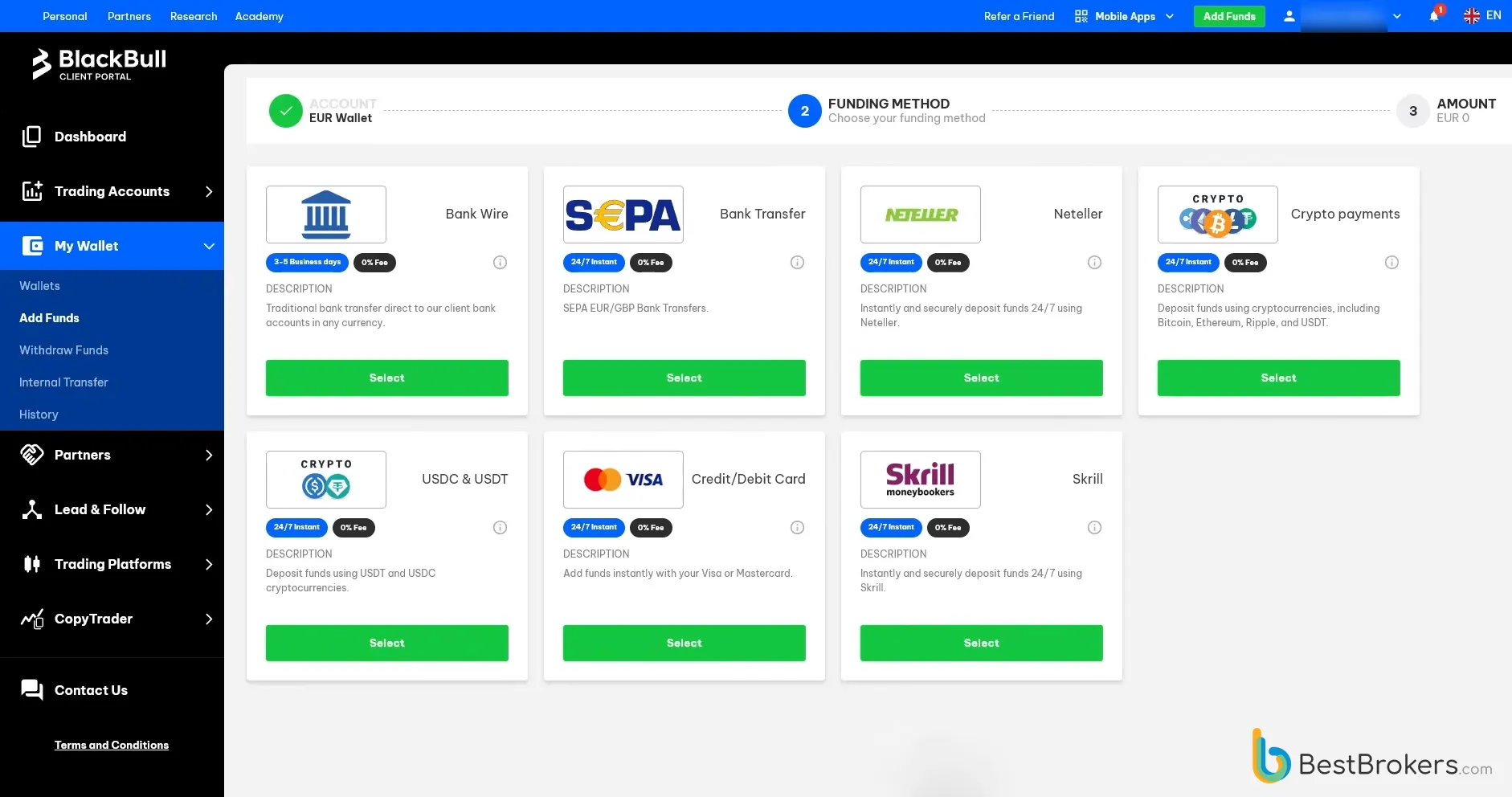
Evidence from our live-account test
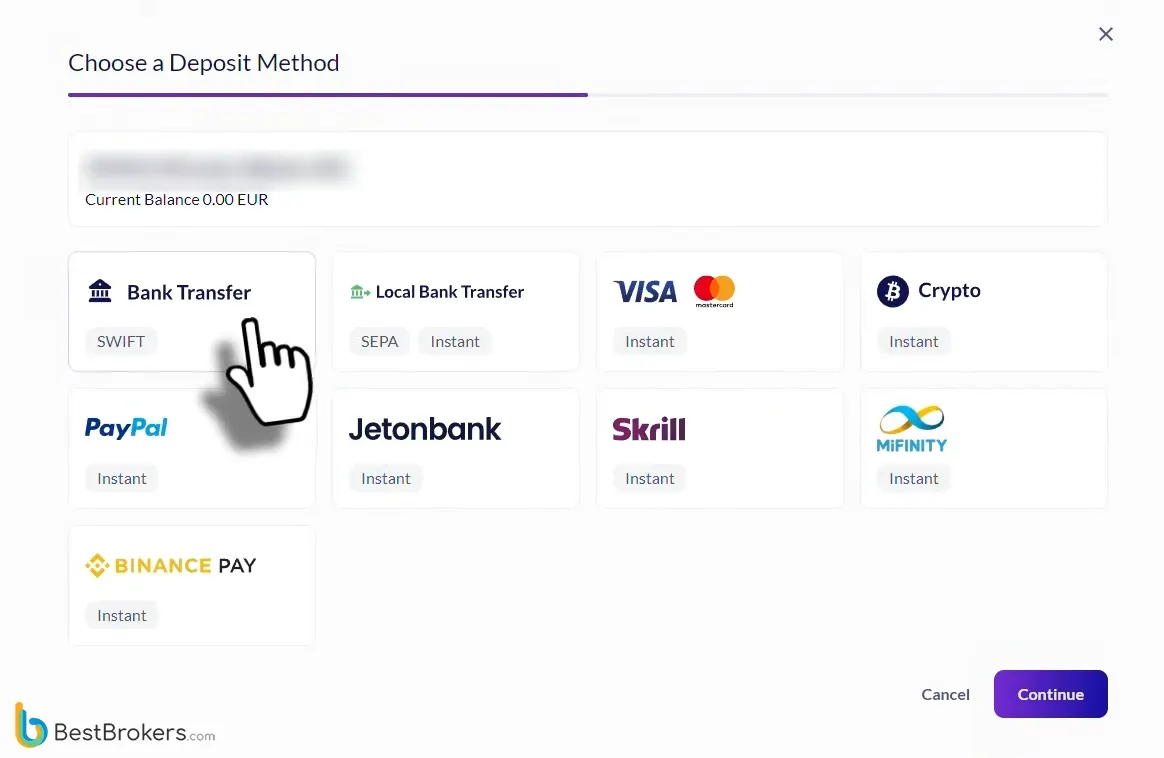
Deposit test Fusion Markets €100 card depositLive trading
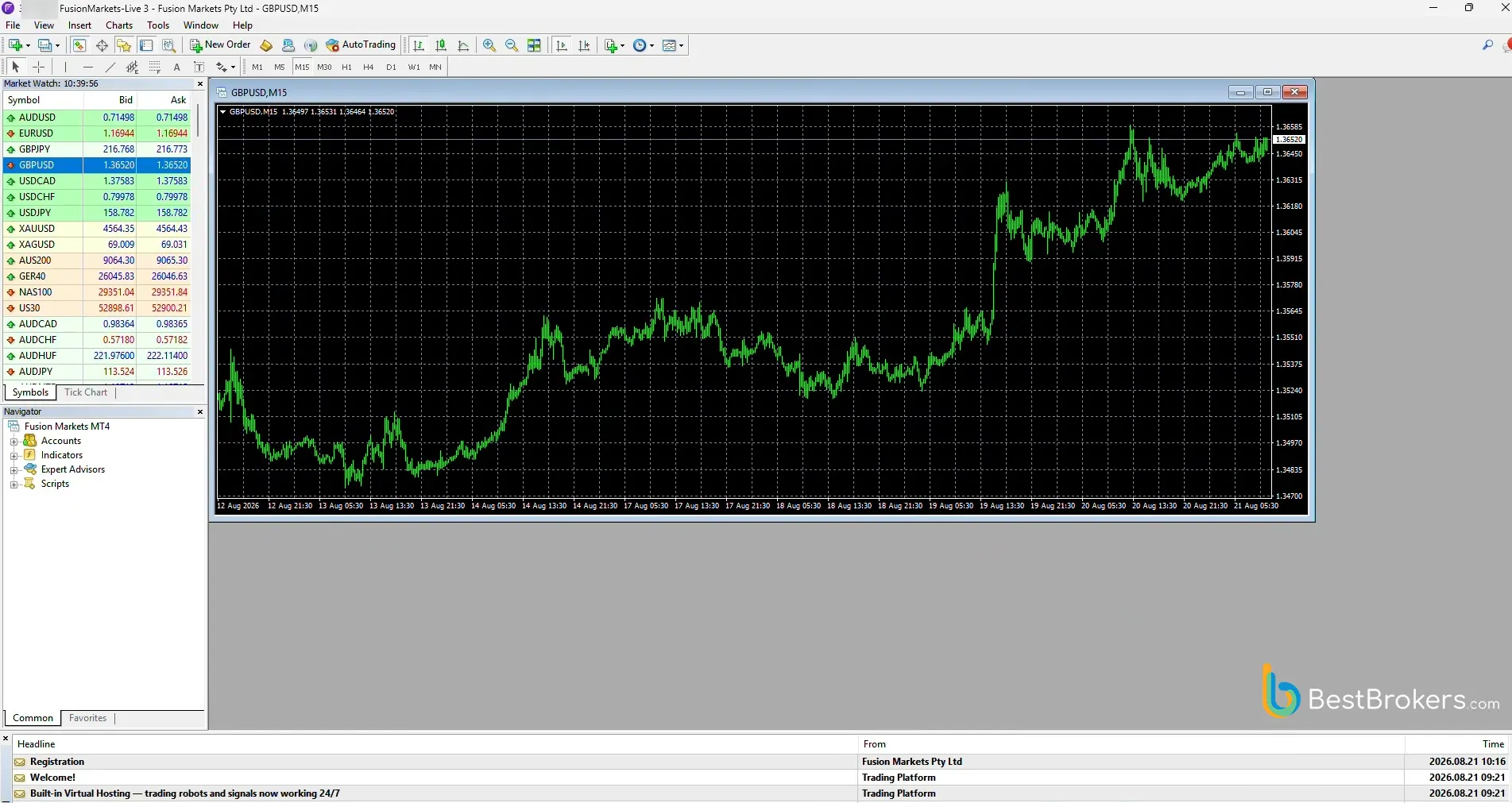
 Fusion Markets MT4 live trade GBPUSDWithdrawal test
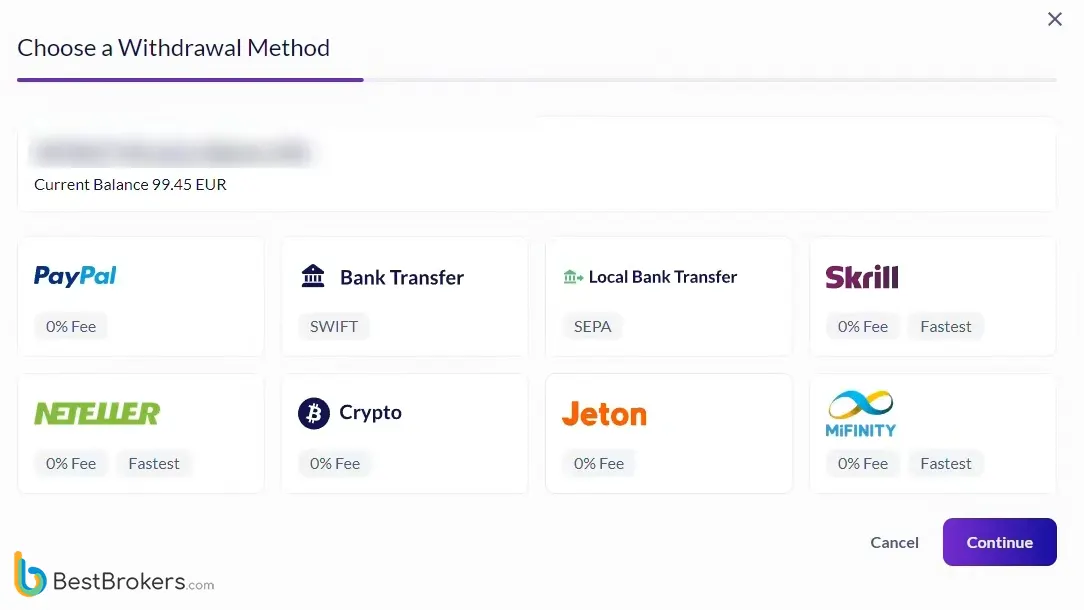
 Fusion Markets withdrawal test
- Account opened
- Real-money deposit
- Live trades performed
- Withdrawal completed
Gleneagle Asset Management Limited (ABN 29 103 162 278) trading as Fusion Markets, is the issuer of the Fusion Markets Products described in this communication. Trading in Fusion Markets Products involves the potential for profit as well as the risk of loss which may vastly exceed the amount of your initial deposit and is not suitable for all investors. You should read all of these Financial Product Service Terms, the Product Disclosure Statement (PDS) and the Financial Services Guide (available on our website) carefully, consider your own financial situation, needs and objectives for investing in these Fusion Markets Products and obtain independent financial advice.- 2. FP Markets
FP Markets launched in 2005 and is an established multi-asset broker. The broker offers tight spreads across 60+ currency pairs, educational tools, and multiple platform options. With authorizations from major regulators such as CySEC and ASIC, it caters to traders from numerous jurisdictions.
FP Markets users can choose from several platform options, with cTrader being one of them. Traders can open Standard or Raw forex accounts on the cTrader platform, and Standard account holders pay zero commission, as fees are built into the spread.
When testing the broker, we opted for a cTrader Raw account that enabled us to trade with a $7 round-turn commission and average spreads of 0.19 pips for EUR/USD, 9 pips for XAU/USD, and 2.5 pips for US500. We experienced negligible latency during testing, as orders were filled within 40 milliseconds on average under normal market conditions. cTrader stands out with its rapid order execution, Level II pricing for enhanced market depth transparency, Smart Stop-Out mechanism for effective risk management, and a versatile selection of order types to suit different trading strategies.
We installed the desktop version of cTrader on a Windows 11 computer, though the platform also supports older devices running Windows 7. It offers multi-chart layouts with timeframes from 1 minute to 1 month, along with candlestick, bar, line, Heikin-Ashi, Renko, and tick charts. We also accessed an advanced economic calendar with previous and consensus data and more than 70 integrated indicators, while cTrader Automate allowed us to develop custom indicators in C#. The Smart Stop-Out feature partially reduces positions to free up margin when equity falls below 50%, while Fair Stop-Out liquidates the largest positions first to restore margin levels.
Evidence from our live-account test
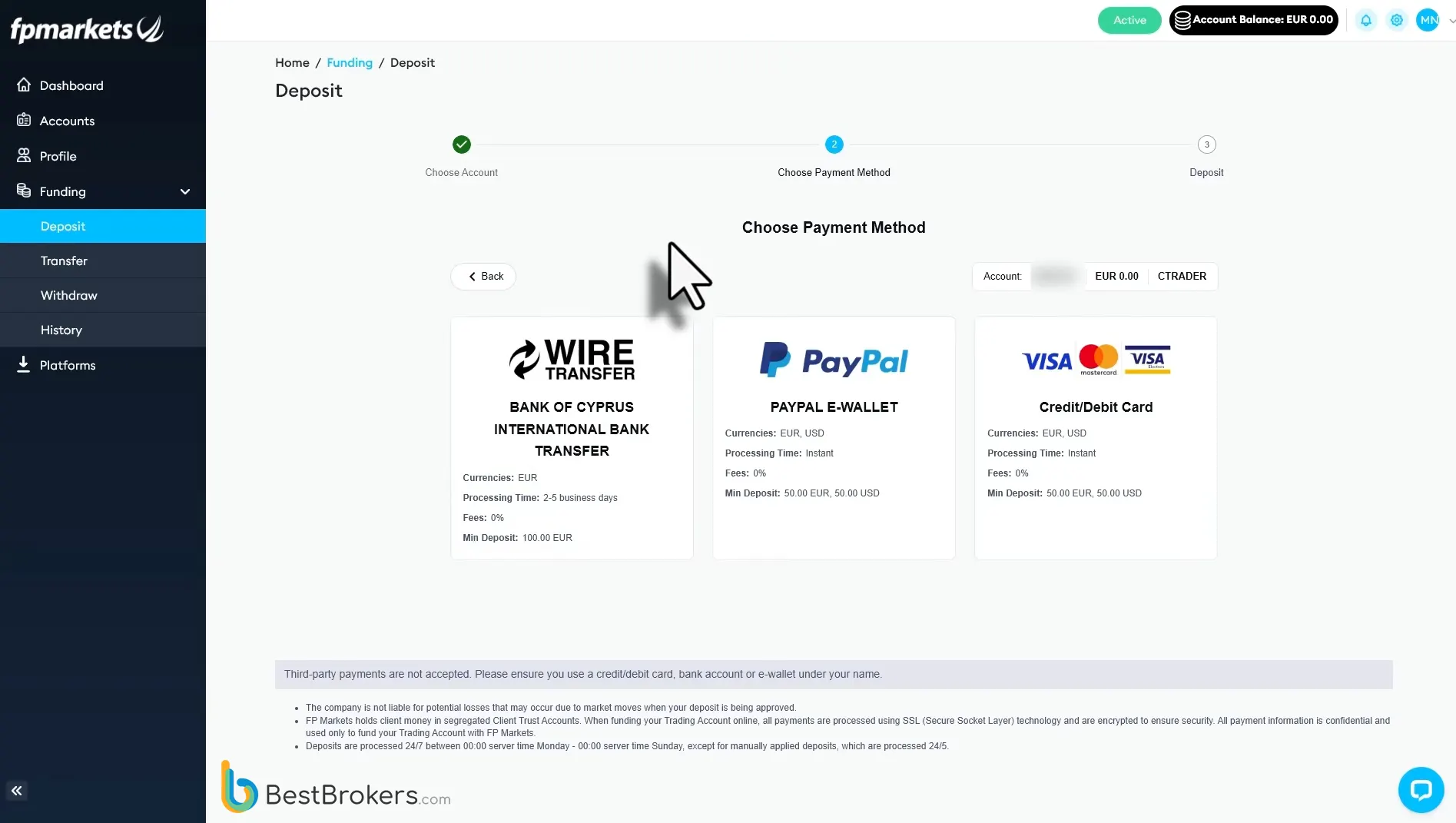
Deposit test FP Markets live depositLive trading
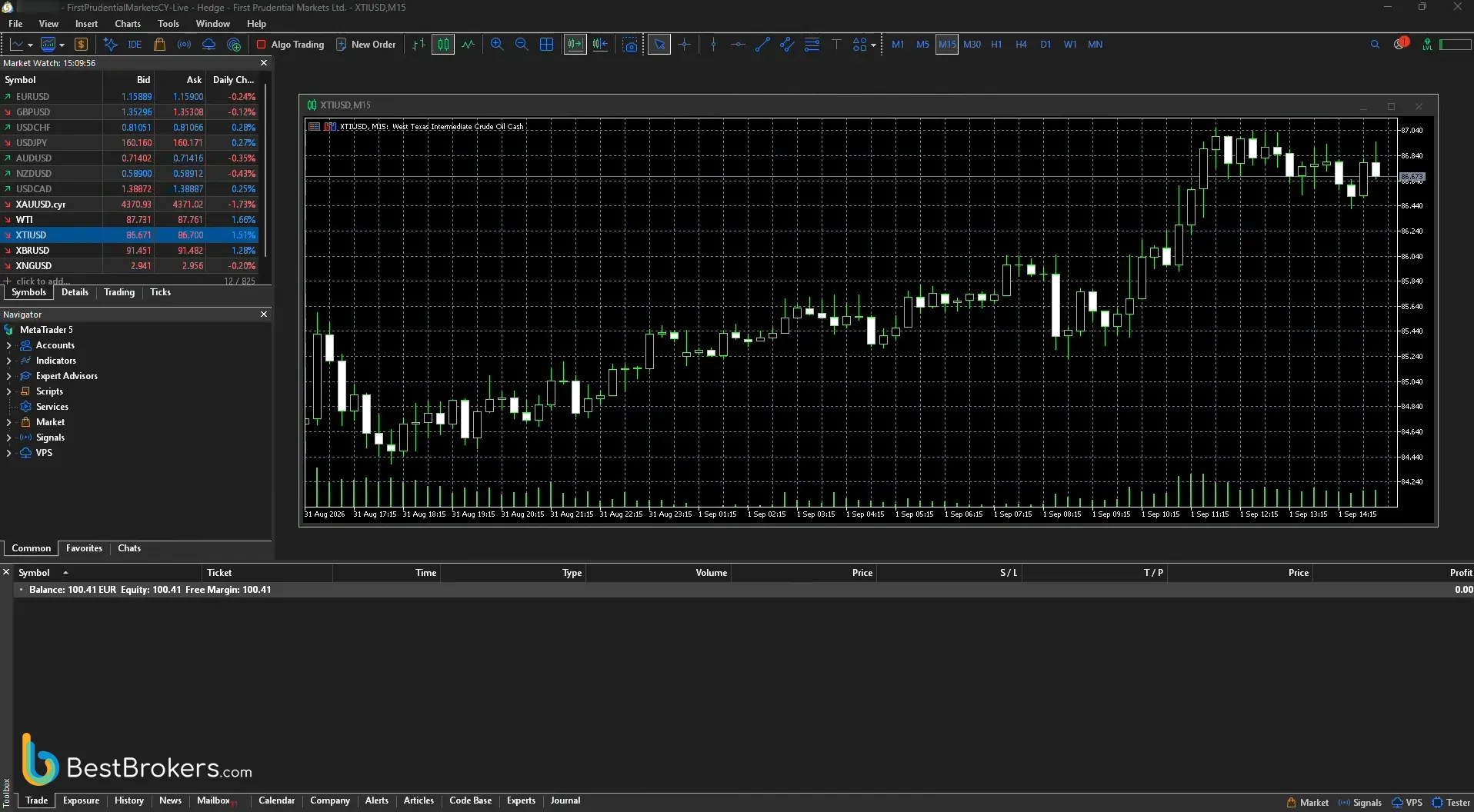
 FP Markets MT5 live trading WTI crude oilWithdrawal test
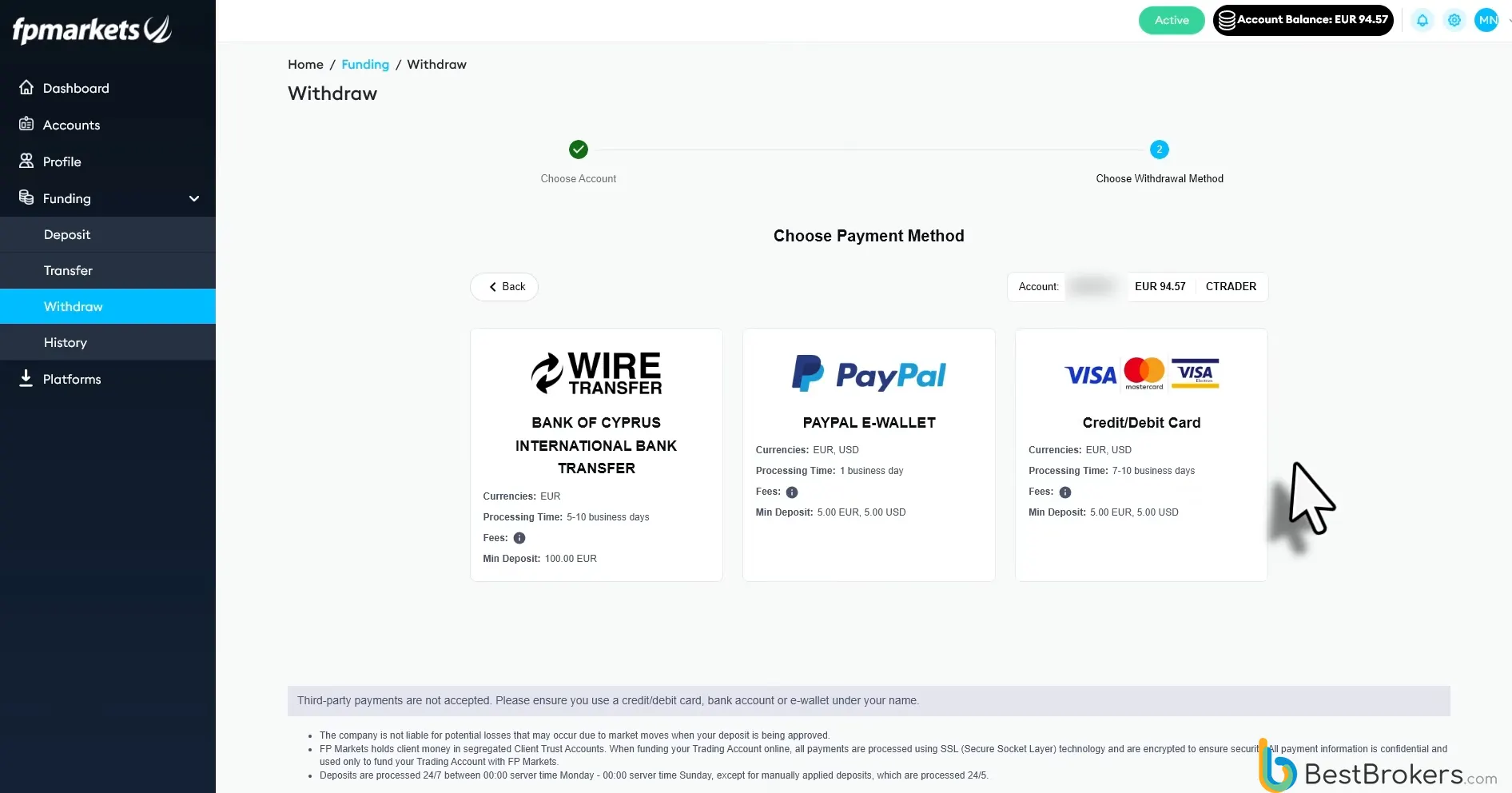
 FP Markets withdrawal test
- Account opened
- Real-money deposit
- Live trades performed
- Withdrawal completed
CFDs are complex instruments and come with a high risk of losing money rapidly due to leverage. 73.33% of retail investor accounts lose money when trading CFDs with this provider. You should consider whether you understand how CFDs work and whether you can afford to take the high risk of losing your money. BlackBull Markets is a broker that has operated since 2014. The company operates in over 180 countries and caters to thousands of traders through licenses from the Financial Markets Authority (FMA) in New Zealand and the Financial Services Authority in Seychelles.
BlackBull Markets clients can choose from several trading platforms, including cTrader, which is available with no minimum deposit requirement. For this review, we tested a live ECN Prime account connected to cTrader, recording average spreads of 0.10 pips on EUR/USD, 12 pips on XAU/USD, and 6 pips on the US500, with a $6 round-turn commission on forex and precious metals.
The platform supports algorithmic and copy trading while offering a comprehensive set of risk management tools, such as stop-loss, take-profit, pending orders, and smart stop-outs, ensuring traders can manage their positions efficiently and with greater control. During testing, our orders were executed in under 75 milliseconds on average, with limit orders averaging 52 milliseconds.
We used the platform’s charting tools alongside integrated Trading Central and FXStreet widgets to support our market analysis. The Quick Trade settings enabled us to place orders with a single or double click directly from symbol windows, charts, or DoM panels. We also reviewed the built-in economic calendar, which provides overviews of macroeconomic events and their expected market impact within cTrader. However, it does not support native alerts, so we used BlackBull Markets’ native calendar to receive event notifications via email.
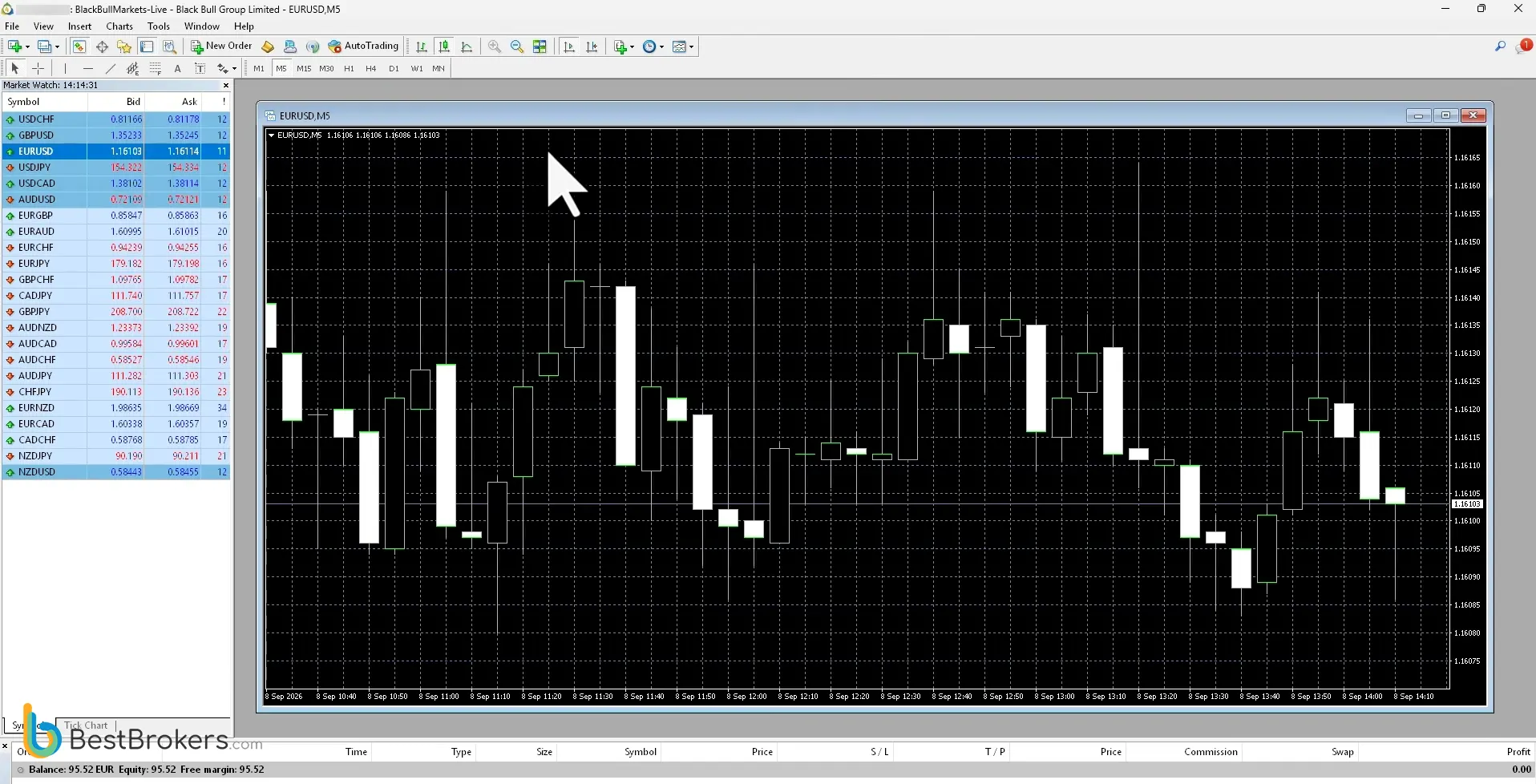
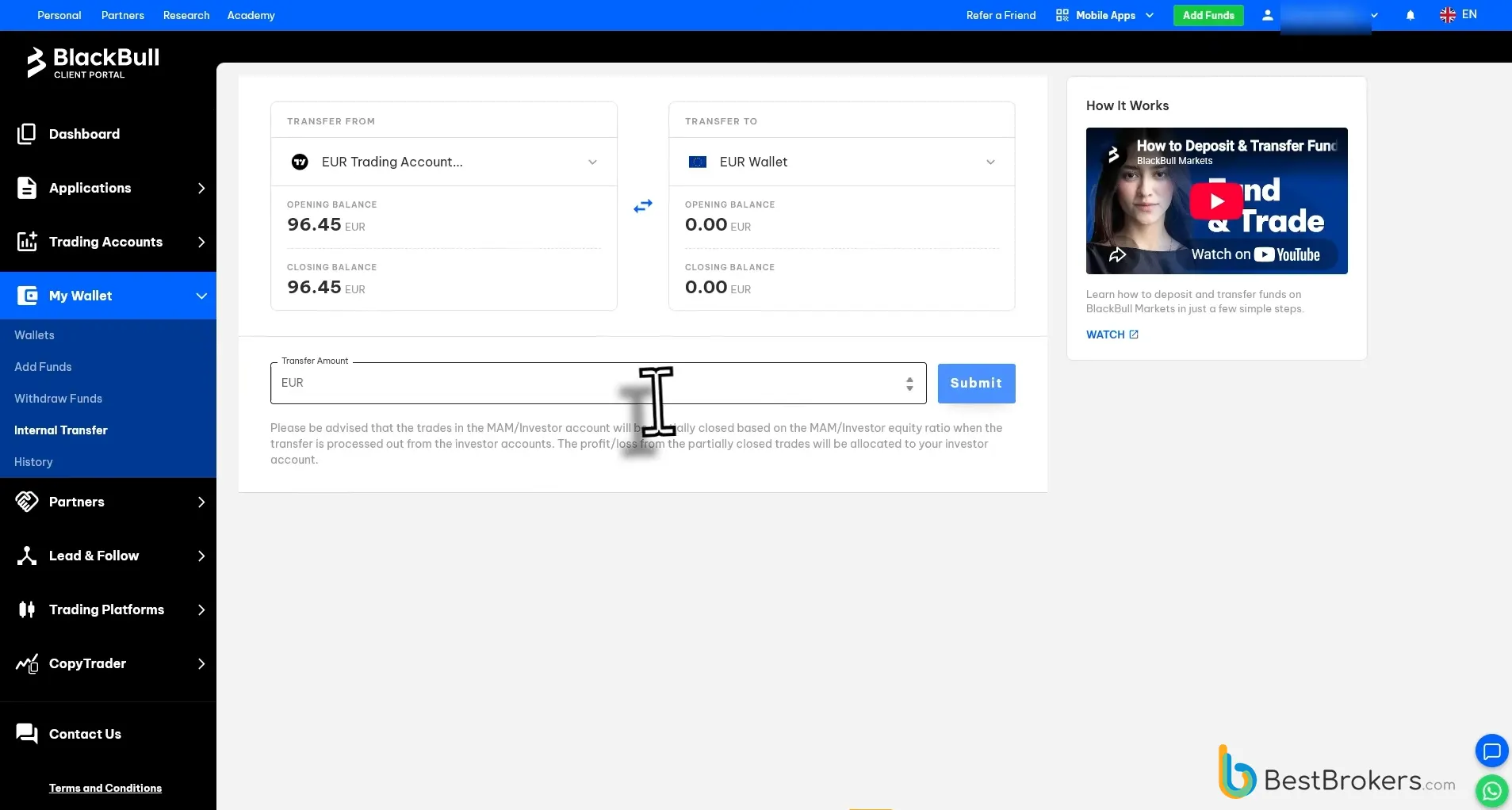
Evidence from our live-account test
Deposit test BlackBull Markets €100 live depositLive trading
 BlackBull Markets MT4 live EURUSD tradeWithdrawal test
 BlackBull Markets withdrawal test and €5 fee
- Account opened
- Real-money deposit
- Live trades performed
- Withdrawal completed
Trading foreign exchange on margin carries a high level of risk and may not be suitable for all investors. The high degree of leverage can work against you as well as for you. Before deciding to trade foreign exchange, you should carefully consider your investment objectives, level of experience, and risk appetite. The possibility exists that you could sustain a loss of some or all of your initial investment and, therefore, you should not invest money you cannot afford to lose. You should make yourself aware of all the risks associated with foreign exchange trading and seek advice from an independent financial advisor if you have any questions or concerns as to how a loss would affect your lifestyle.- 4. Pepperstone
Pepperstone offers competitive trading conditions as a cTrader broker. Founded in 2010, the broker has expanded its reach to numerous markets across the globe and holds licenses issued by the FCA (UK), CySEC, ASIC, DFSA, BaFin, and CMA. Pepperstone offers several trading platforms, including cTrader, which users can access across desktop, web, and mobile devices.
Pepperstone supports cTrader through its CFD Standard and CFD Razor accounts. We tested execution quality using a live Razor account, where round-turn commissions were $6 on forex and $7 on spot gold. Average spreads were 0.1 pips on EUR/USD, 23 pips on XAU/USD, and 4 pips on US500.
The platform combines advanced trading technology with institutional-grade conditions, including Level II pricing, 50+ built-in indicators, Smart Stop Out, and spreads from 0.0 pips. Traders can also use cTrader Automate for C# strategy development, access 24-hour US share CFD trading, and benefit from Pepperstone’s support infrastructure.
Pepperstone executed our cTrader orders in 50 milliseconds or less on average, with combined fill rates above 99.30% during the 30-day test. The platform supports market, limit, stop, and stop-limit orders, while the interface offers multiple workspaces, light and dark themes, and detachable charts. Its C# API supported strategy development and backtesting, while Smart Stop Out reduced losing positions incrementally to maintain margin requirements.
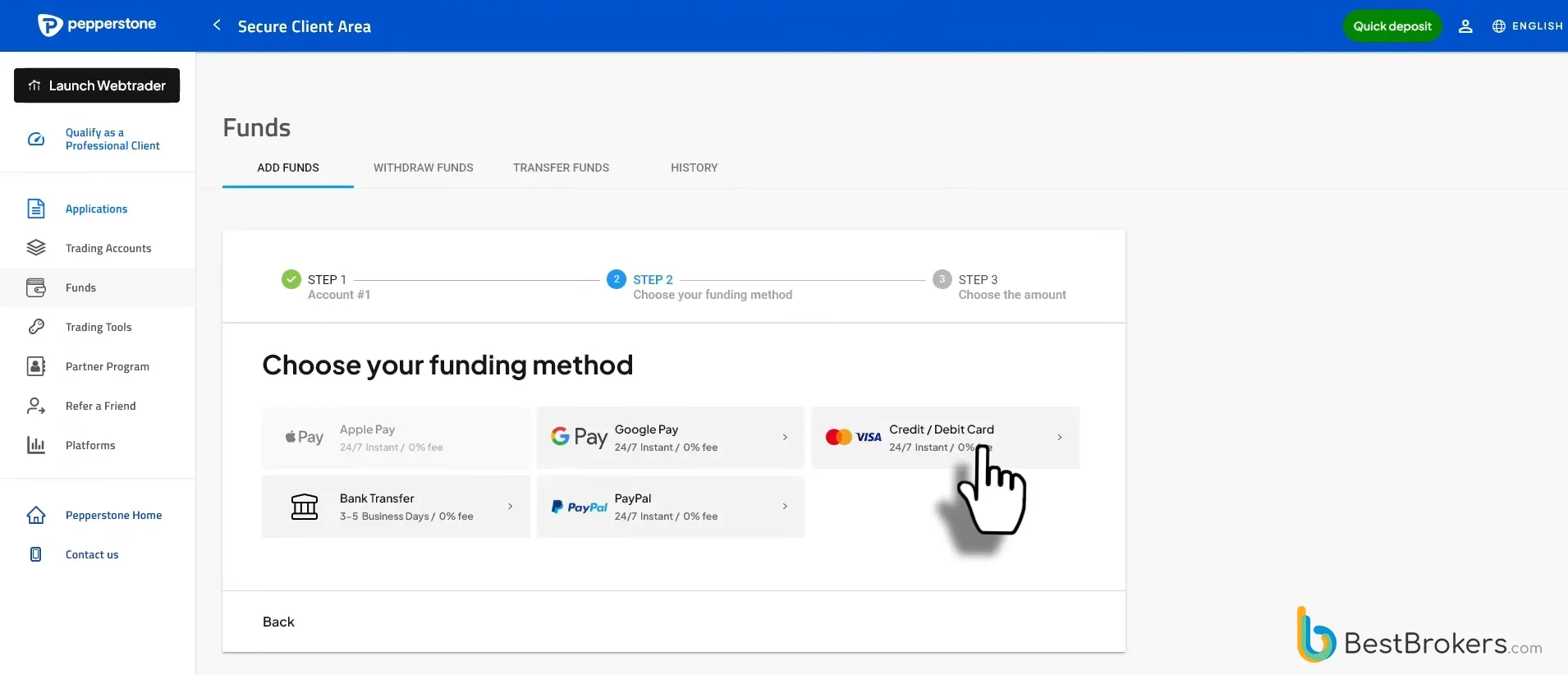
Evidence from our live-account test
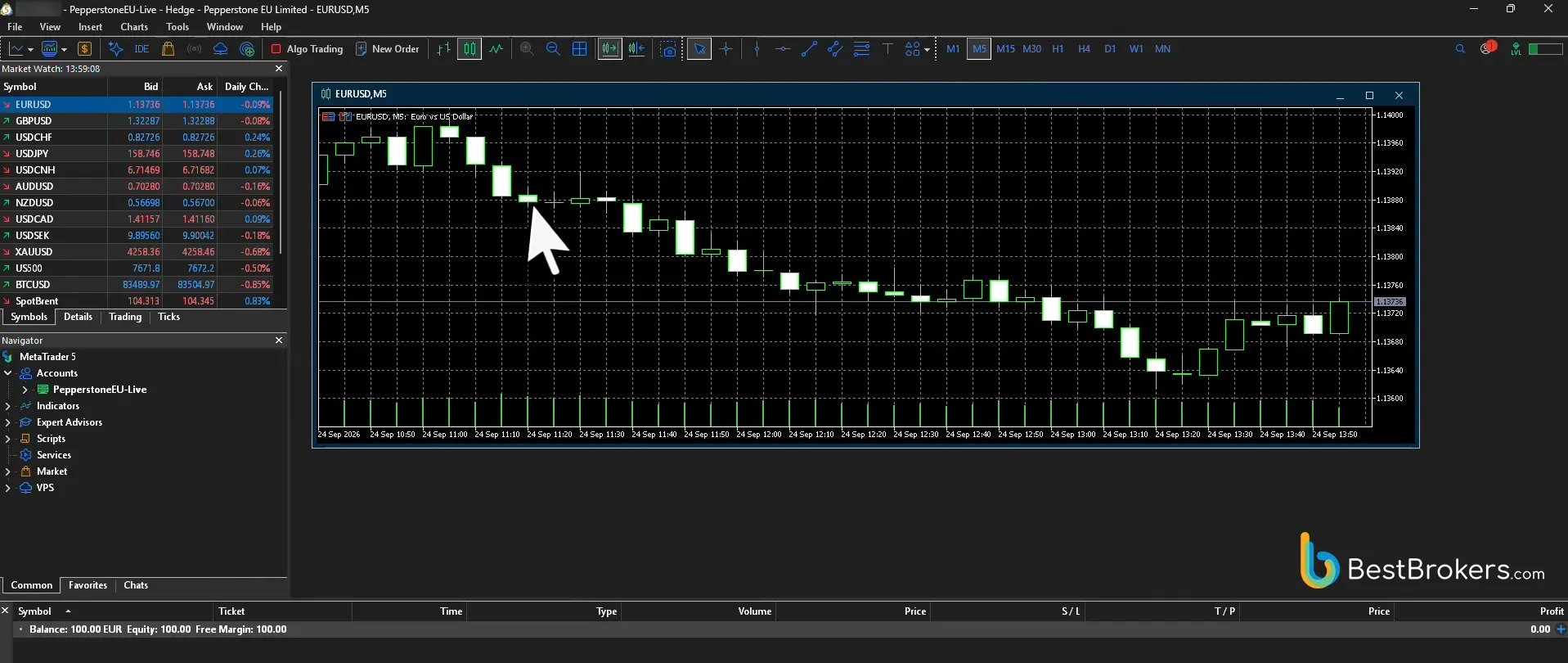
Deposit test Pepperstone €100 debit card depositLive trading
 Pepperstone MT5 live EURUSD tradeWithdrawal test
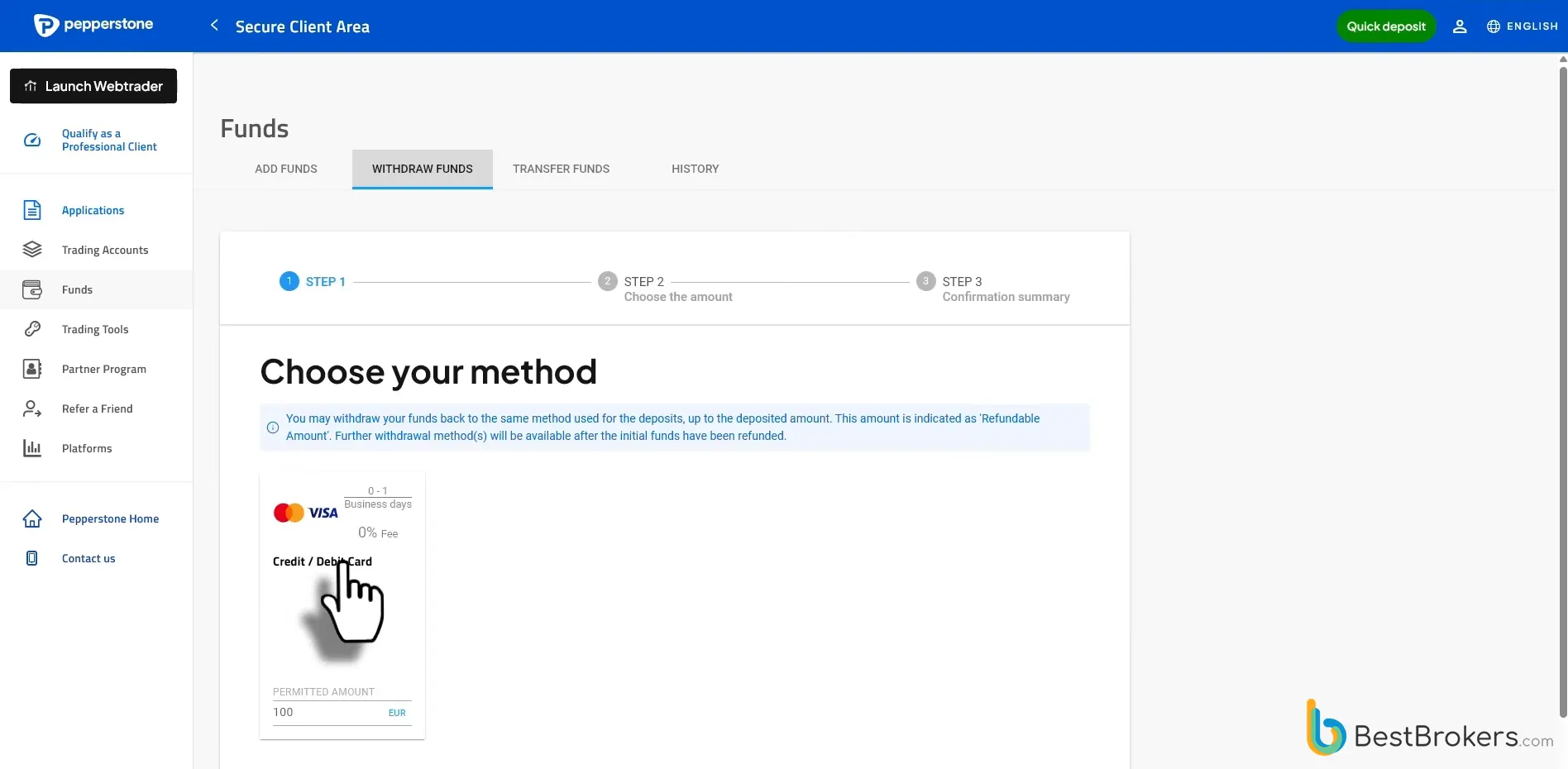
 Pepperstone withdrawal test
- Account opened
- Real-money deposit
- Live trades performed
- Withdrawal completed
CFDs are complex instruments and come with a high risk of losing money rapidly due to leverage. 74.1% of retail investor accounts lose money when trading CFDs with this provider. You should consider whether you understand how CFDs work and whether you can afford to take the high risk of losing your money. - 5. IC Markets
Australian-based IC Markets is an established broker for forex traders and has offered competitive trading conditions since its inception in 2007. The brand is authorized by several regulators, including ASIC and CySEC, providing regulatory oversight for client funds. Additional security measures such as negative balance protection and leverage limits are also in place.
Our team registered a live Raw Spread account on cTrader, with a $6 round-turn commission for every $100,000 traded. The commission is converted into the account’s base currency at the prevailing spot rate. Average spreads with this account type came in at 0.06 pips on EUR/USD, 19 pips on spot gold, and 3.6 pips on the US500.
Our live tests showed that IC Markets streams raw prices from 25 liquidity providers directly to its cTrader server, hosted in the LD5 IBX Equinix data center. Our orders were filled within 35 to 40 milliseconds on average. We installed cTrader on a Windows 11 desktop and found it stable and responsive, though it can also run on Windows 7 devices with a dual-core CPU and 2 GB of memory.
IC Markets supports cTrader alongside several other platforms, giving clients access to advanced trading tools across desktop, web, and mobile devices. These tools include advanced order types, depth of market (DOM), volume-weighted average price (VWAP) indicators, and Smart Stop Out for additional account protection.
During testing, we used Level II pricing extensively, with available liquidity displayed at each price level. The platform allowed us to place orders within the spread, with no minimum distance or freeze level restrictions, and adjust stop-loss levels close to the market price for tighter risk control.
CFDs are complex instruments and come with a high risk of losing money rapidly due to leverage. 70.64% of retail investor accounts lose money when trading CFDs with this provider. You should consider whether you understand how CFDs work and whether you can afford to take the high risk of losing your money. - 6. FxPro
FxPro was established in 2006 and serves forex traders globally. FxPro provides competitive and secure trading conditions for its clients, reporting an average execution speed of under 8 milliseconds. FxPro follows regulatory guidelines set by authorities including the FCA (UK), CySEC, FSCA, and SCB (Bahamas).
We tested FxPro using a funded cTrader account, which charges a $3.50 commission per $100,000 traded on forex and spot metals. EUR/USD spreads averaged 0.48 pips during testing, while spot gold and US500 averaged 17.03 pips and 8.4 pips, respectively.
FxPro offers several platforms, including cTrader. Available on desktop and mobile, the platform provides low spreads, fast execution, cBots, one-click trading, 55+ indicators, 6 pending order types, 26+ chart timeframes, an integrated economic calendar, detachable charts, and more.
We logged in through cTrader ID (cTID), which synchronized settings across workspaces and linked accounts. The platform has no stop or limit distance restrictions, allowing precise order placement within the spread. We also used FxPro’s BeeksFX VPS service for automated trading, with cBots running continuously at reduced latency. The Market Sentiment tool helped us monitor real-time long and short positioning directly within the platform.
Trade Responsibly. CFDs are complex instruments and come with a high risk of losing money rapidly due to leverage. 74% of retail investor accounts lose money when trading CFDs with this provider. You should consider whether you understand how CFDs work and whether you can afford to take the high risk of losing your money.









cTrader Forex Brokers Ranked by Trustpilot Score
| Forex Broker | Trustpilot Reviews | |
|---|---|---|
| 1. FP Markets | 9,422 | 4.9 ⭐ |
| 2. Fusion Markets | 4,873 | 4.8 ⭐ |
| 3. IC Markets | 48,248 | 4.8 ⭐ |
| 4. BlackBull Markets | 2,681 | 4.8 ⭐ |
| 5. Pepperstone | 3,144 | 4.4 ⭐ |
| 6. FxPro | 751 | 3.2 ⭐ |
What is cTrader?
Developed in 2011 by the fintech company Spotware Systems, cTrader is a trading platform focused on forex and CFD products. It features a user-friendly interface with advanced analytical and order-management tools.
cTrader features a modern interface for CFD and forex trading, with charts, drawing tools, and other advanced instruments supporting technical analysis and trade execution.
cTrader excels in many areas, particularly through its robust charting tools and technical indicators, making it a strong option for a variety of traders. cTrader’s Level II pricing model offers detailed Depth of Market (DOM), a feature highly valued by ECN brokers. cTrader’s multilingual interface makes the platform a suitable trading solution for a global audience.
Traders who wish to use algorithmic trading as their primary strategy will appreciate cTrader Algo, an environment integrated into the platform that facilitates algorithmic trading via cBots. A comprehensive API is also available for custom integrations with cTrader. On cTrader’s official website, users can find several free cBots and a variety of similar algorithms for purchase. After obtaining cBots, you can run them on the cTrader Cloud, which operates independently from the cTrader app.
cTrader Copy is a fully integrated copy trading platform within the cTrader ecosystem, designed to let traders either follow successful strategies or share their own for others to copy. It features a transparent, easy-to-use interface with clearly defined fees, detailed strategy histories, and performance statistics to help users make informed decisions. After logging in with a cTrader ID, traders can browse available strategies, compare results and costs, allocate funds, and start copying with just a few clicks, without any long-term commitment. Strategy providers can also benefit by promoting their strategies, earning investor fees, and expanding their audience through cTrader’s flexible social trading environment.
Designed to run smoothly across different devices, cTrader offers a desktop application that can be installed on Windows and Mac devices. However, for those who do not wish to install the platform on their computers, cTrader provides a fully functional web version that runs on any popular browser. For those who wish to trade on the go, the platform has a dedicated mobile app, which is available for both Android and iOS users.
Below, you can find our video tutorial explaining how to use cTrader, recorded by Christopher Lewis, a prominent forex trader and analyst.
Main Reasons to Use cTrader
In recent years, cTrader has gained traction in forex trading circles, particularly among traders looking for an alternative to MT4 and MT5. Several cTrader-specific features help explain its appeal.
- No Conflict of Interest: Because cTrader hosts and manages every operation in its ecosystem, brokers do not have direct access to cTrader’s trade execution infrastructure, which means they cannot influence price feeds, trade records, or order routing. Brokers are instead given the option to offer the cTrader platform to their clients and set up accounts, commissions, spreads, and other typical broker tasks.
- Feature-Rich Modern Platform: cTrader is a modern and advanced software suite featuring a wide range of tools that allow users to track the markets easily, spot trends, and access features not available on all competing platforms for forex and CFD trading.
- Direct and Responsive Support: The cTrader platform is updated regularly to ensure an improved experience for its users. Many of the improvements are based on traders’ feedback, since every user can easily get in touch with cTrader’s support team through contact forms and a dedicated Telegram chat group.
| Trading Platforms Comparison | ||||
|---|---|---|---|---|
| cTrader | MT4 | MT5 | ZuluTrade | |
| Supported Trading Assets | Forex, Stocks, Indices, Commodities, Crypto | Forex, Indices, Commodities | Forex, Stocks, Futures | Forex, Stocks, Indices, Crypto CFDs, Commodities |
| Chart Types | Bar, candlestick, line, dots, Heikin-Ashi, HLC, Renko, and range | Line, bar, and candlestick charts | Line, bar, and candlestick charts | N/A |
| Order Types | Market Order, Buy Limit, Sell Limit, Buy Stop, Sell Stop, Buy Stop Limit, Sell Stop Limit | Market Order, Pending Order (Buy Limit, Buy Stop, Sell Limit, Sell Stop), Stop Loss, Take Profit | Market Order, Pending Order (Buy Limit, Buy Stop, Sell Limit, Sell Stop, Buy Stop Limit, Sell Stop Limit), Stop Loss, Take Profit | Copy orders of other traders |
| Programming Language | C# | MQL4 | MQL5 | ZuluScript |
| Direct Deposit/Withdrawal Option | Yes | No | Yes | No |
| Backtesting Feature | Yes | Yes (Strategy Tester) | Yes (Strategy Tester) | No |
| Automated Trading Instruments | cBots | Expert Advisors | Expert Advisors | Copy trading platform |
| Platform Pricing Options | Free | Free | Free | Free |
How to Connect a Broker to cTrader?
Traders who wish to have access to the cTrader platform and its related products must create a cTrader ID, or cTID for short. These credentials are used every time a user accesses the cTrader platform while trading with any broker supporting the software. With cTrader, it is possible to open both live and demo accounts across different brokers. To access any of them, you can use your cTID to log in.
If you are using the cTrader platform through a specific broker, you can use your cTID to authorize any accounts you have created with that broker. Meanwhile, if you are using a non-branded cTrader account, you can use your cTID to authorize any broker accounts you have created in the cTrader ecosystem.
You can set up your cTID by opening an account with your broker of choice and selecting the cTrader platform. Follow the account creation steps as instructed, keeping in mind that you need to use the same email you provided during registration with the respective broker.
You can also join the cTrader ecosystem by launching a non-branded version of the platform, entering your email, and choosing a password for future cTID logins. Once you verify your email, your cTID is ready, and you can use these credentials to access the platform on any broker supporting cTrader.
What is the Cost of Using cTrader?
If you trade on the cTrader platform, you can open both live and demo accounts. Demo accounts use virtual funds, allowing traders to explore the platform’s features and practice strategies without risking real capital. Traders who wish to place real-money orders can open a live account.
Any commissions charged while trading on the cTrader platform will depend on your broker. Often, brokers charge no separate commission because the cost is built into the spread. Nevertheless, the platform itself is free to use, but you may be charged fees depending on the trading conditions set by your broker of choice.
Does cTrader Support Backtesting for Forex?
Many forex traders assess trading strategies using backtesting tools that some platforms offer. cTrader also features backtesting, and it uses historical data to help traders review how a specific strategy would have worked in the past.
Whenever cTrader users use this tool, cBots simulate trades based on historical market data. Before starting a test, broker clients need to determine the conditions under which the cBots will carry out the test.
Once the cBots finish, cTrader generates a thorough report that includes the trades performed by the cBots as well as the final balance after the test is complete. This provides insight into how effective a given strategy may be in practice. During backtesting, cBots do not use real money, so your real balance will not be affected by the cTrader backtesting tool.
You might also be interested in exploring these top forex brokers:
About the Editorial Team