




 | Updated:
 Account Types at FxPro
FxPro is a reputable broker suitable for both beginners and experienced traders. The former can practice with a demo account or go with a Standard MT4/5 account, while the latter can go with accounts that charge a commission but offer far narrower spreads. Below, we offer an overview of FxPro’s main account types.
- Standard Account: This account features forex spreads from 1.2 pips and allows traders to utilize MetaQuotes software, the FxPro Webtrader, or the broker’s mobile application. The minimum trade size is 0.01 lots.
- Raw+ Account: Traders who are looking for lower spreads and do not mind paying commissions can go with a Raw+ account. This time, forex spreads may fall to 0 pips, but a commission of $3.5 (per side) should be taken into consideration. Micro lot trading is also available, and the platform selection is the same as the roster Standard account clients have access to.
- cTrader Account: If you are not interested in using the aforementioned platforms, you may need to opt for FxPro’s cTrader account. This is another commission-based account type that allows FxPro users to take advantage of its 55+ technical indicators, user-friendly interface, spreads from 0 pips, and more. cTrader account holders can also utilize TradingView in selected regions.
- FxPro VIP: There is also FxPro VIP, an account type that comes with a free VPS service, lower commissions (discount of up to 30% with the cTrader platform), execution of under 8 milliseconds, and other perks. We should also note that FxPro offers a corporate account.
- Swap-Free Account: The last key account type is reserved for Muslim traders. It features swap-free trading and can be opened upon getting in touch with FxPro’s customer support team.
| Demo Account |  |
| Islamic Account | |
| ECN Account |  |
| Pro Account | |
| MAM Account | |
Minimum Account Deposit Requirements
If you do not wish to make a large deposit in order to start your trading journey but still want to open a live account, FxPro will prove to be a suitable broker. FxPro does not impose a minimum deposit requirement, but topping up your balance via certain payment methods will require a minimum deposit of $100. Additionally, in its FAQ section, the broker does recommend you start out with $1,000 in trading funds.
By far the most difficult-to-access account type is FxPro VIP. To open such an account and take advantage of its various benefits, you will need a minimum deposit of $50,000.
Tradable Instruments
In terms of markets, FxPro users can pick from CFDs on forex, shares, energy instruments, cryptocurrencies, indices, futures, metals, and ETFs. This makes for an excellent selection that will suit the preferences of many a trader. The forex selection features dozens of currency pairs, with EUR/USD, GBP/USD, and AUD/NZD being just a few examples.
Account Registration at FxPro – Takes about 5 minutes (Demo Account)
If you are eager to open an FxPro account, you will be pleased to learn that it does not take long. The following steps will guide you through the process:
-
Visit the FxPro homepage and click the Register button.

-
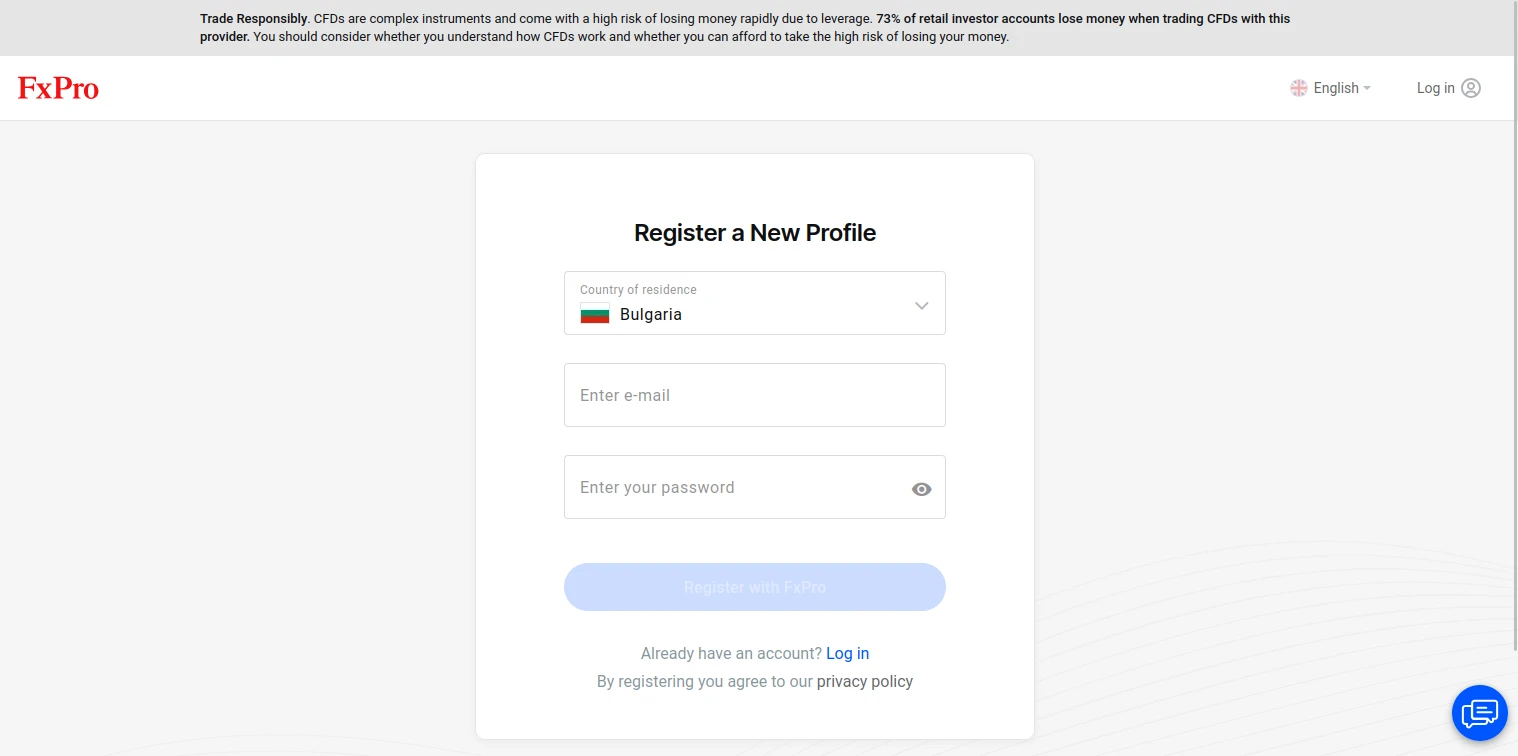
Select your country of residence, input your email, and create a secure password.
-
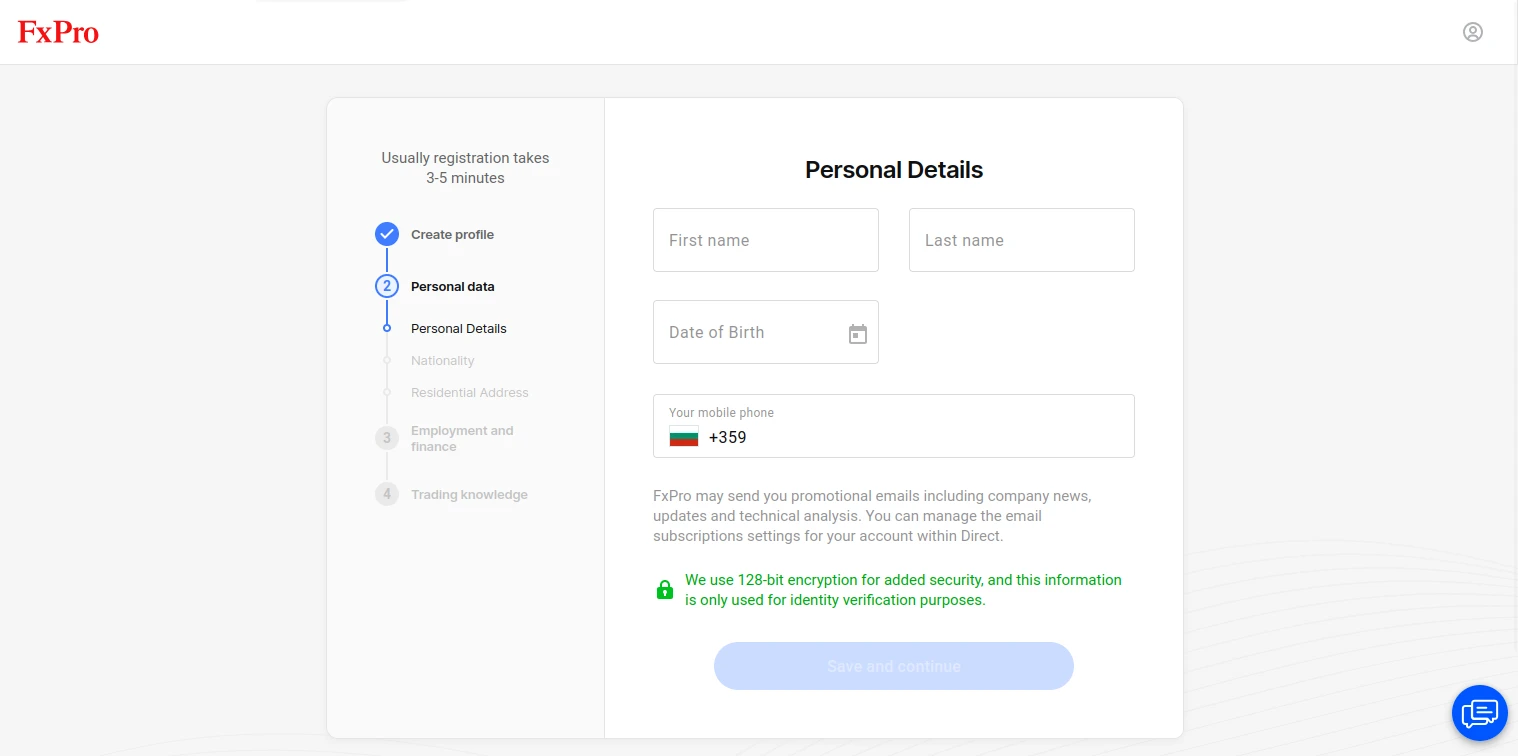
Next, write your first and last name, date of birth, and your phone number.
-
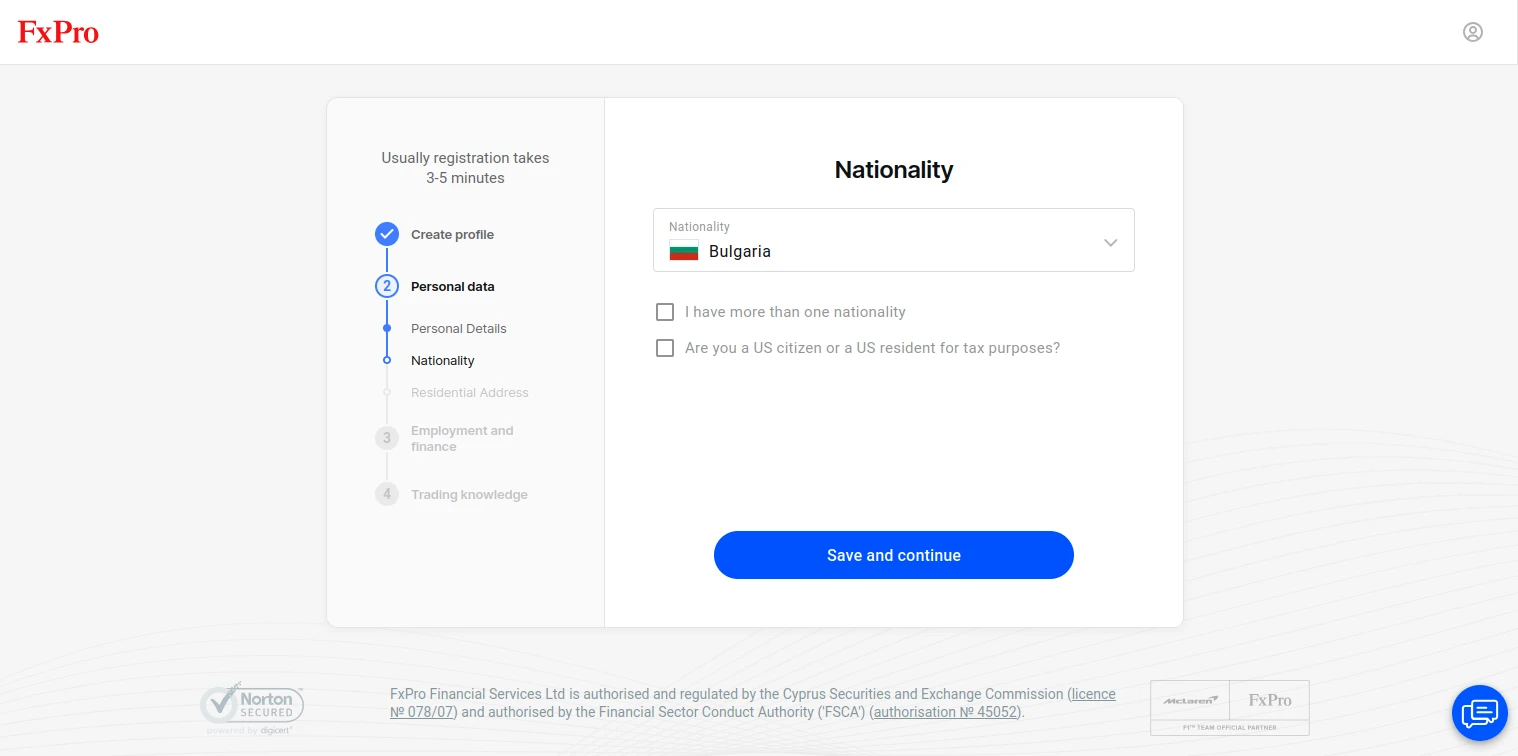
Here, you need to specify your nationality and whether you are a US resident.
-
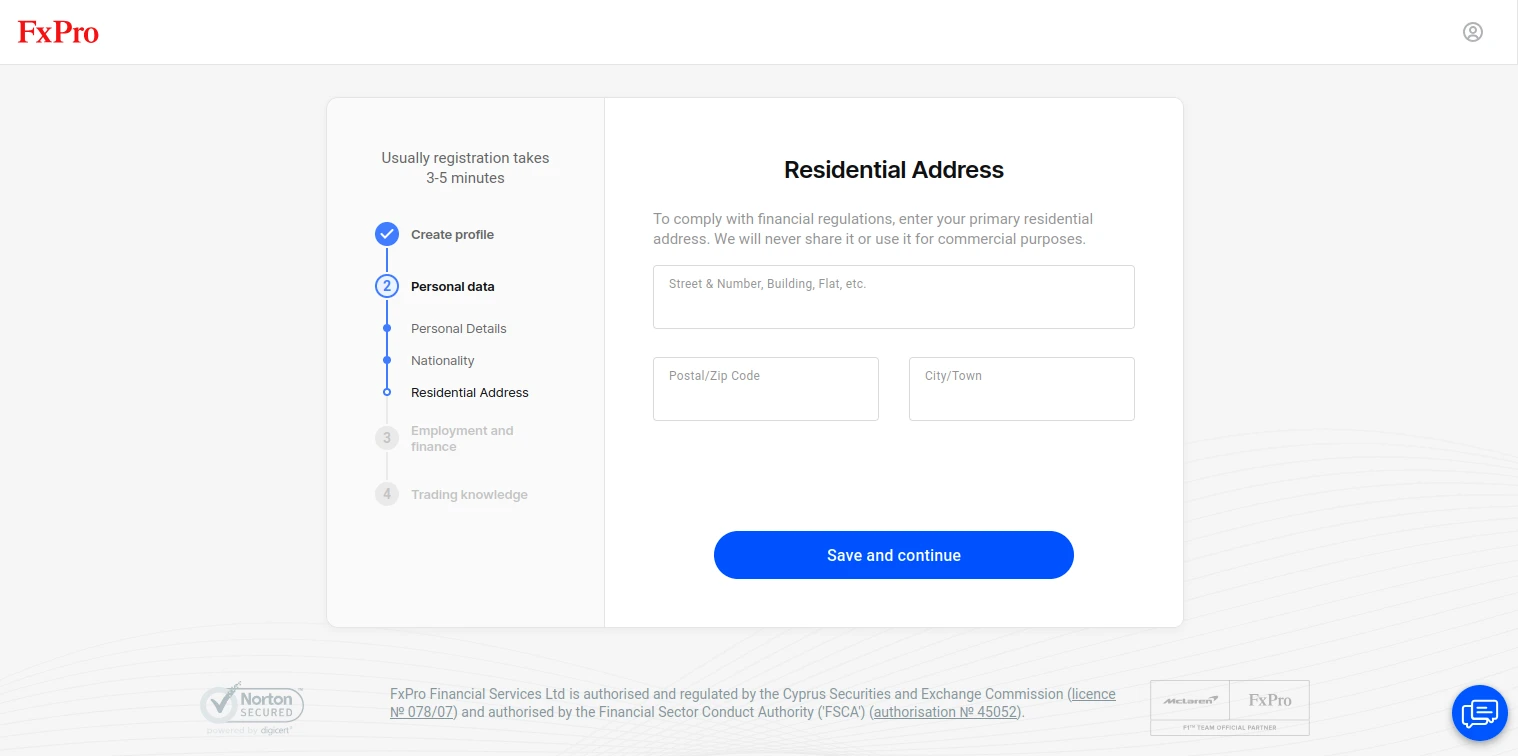
What you need to do next is input your residential address, including your street number, postal code, and city/town.
-
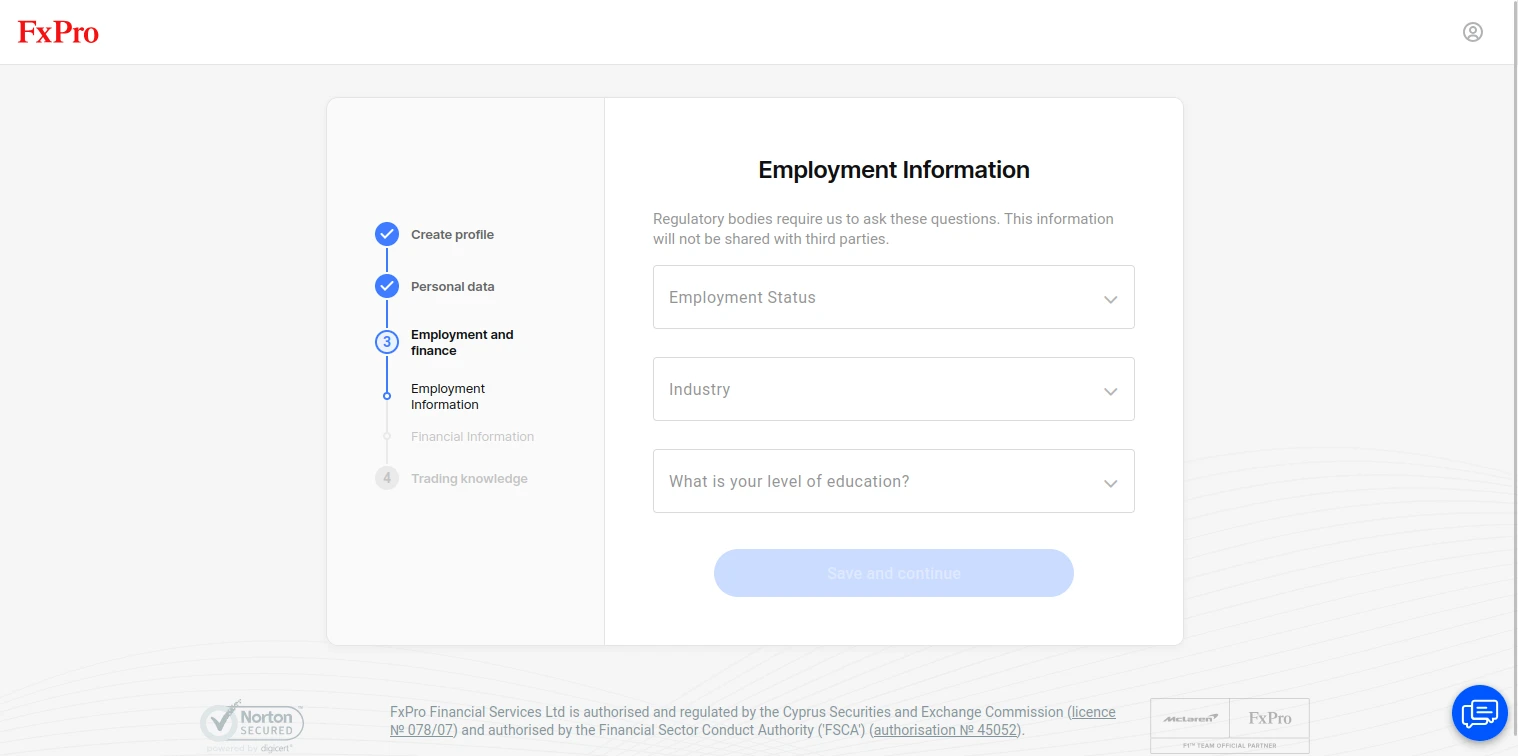
On this page, FxPro will inquire about your employment status and your level of education. Select the relevant answers from the drop-down menus, and finally, click Save and continue.
-
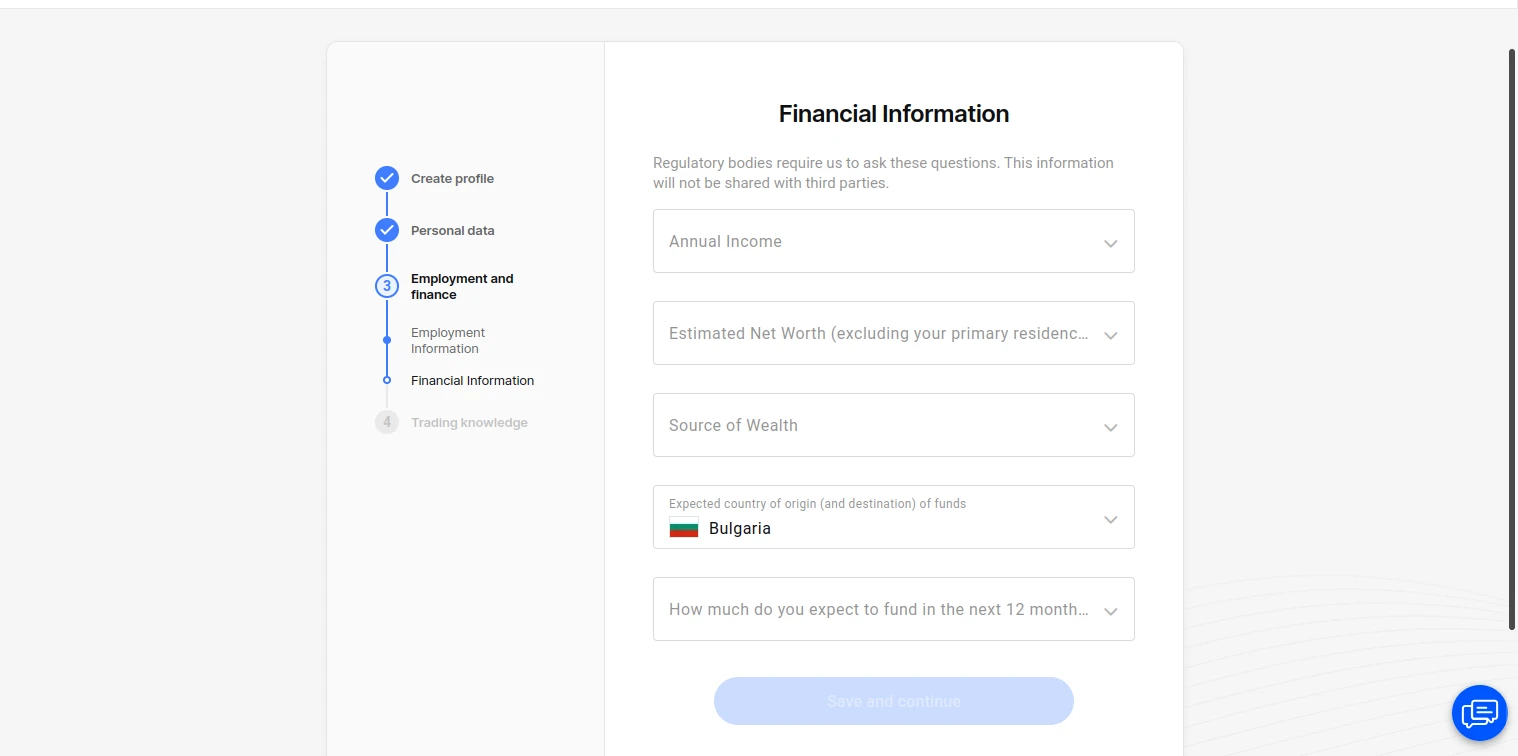
What follows is providing details regarding your finances, namely your annual income, net worth, where your money is sourced from, and the amount of money you plan on depositing in the upcoming 12 months.
-
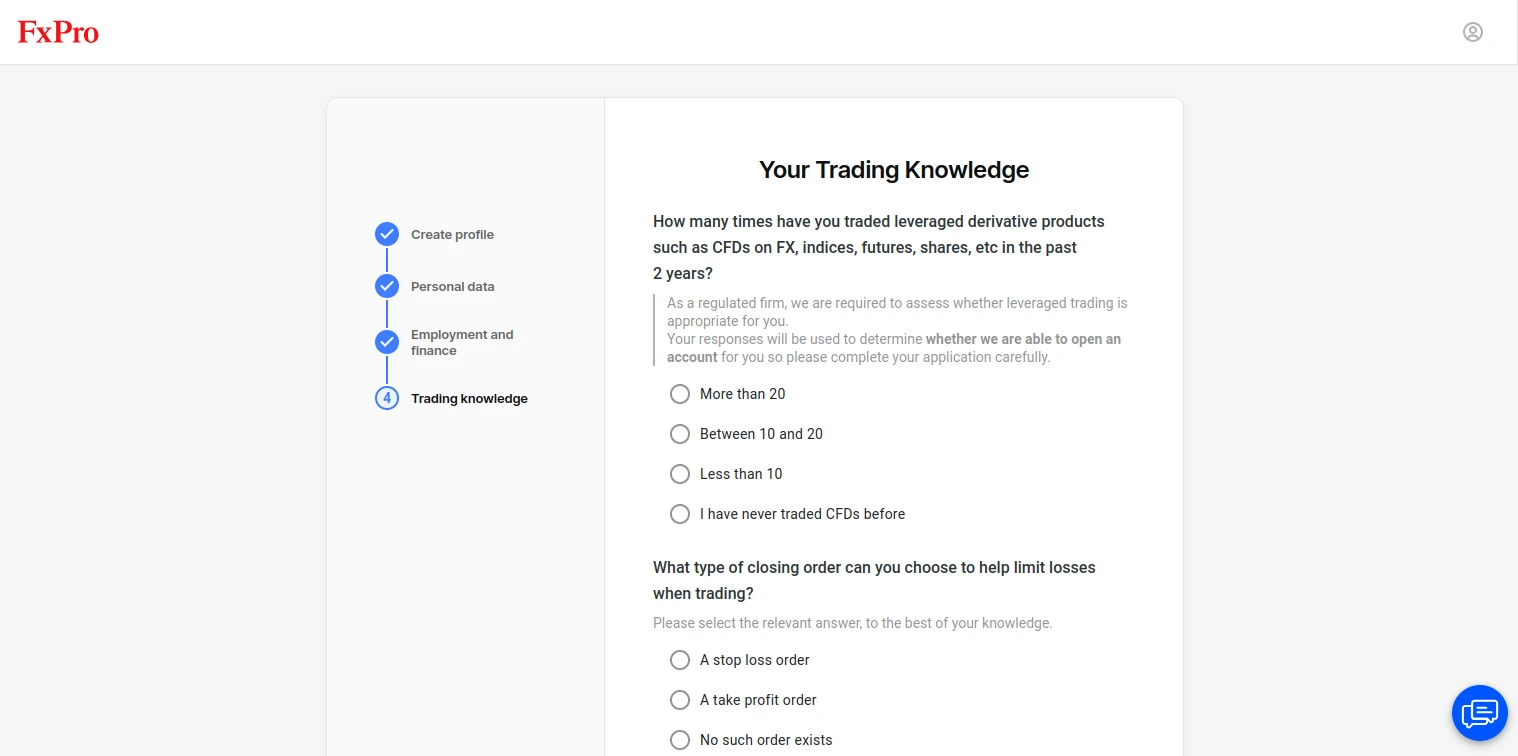
This is a brief questionnaire regarding your trading knowledge. The questions revolve around leverage and other trading aspects, as well as your experience and risk tolerance. Once you have answered everything, continue to the next step.
-
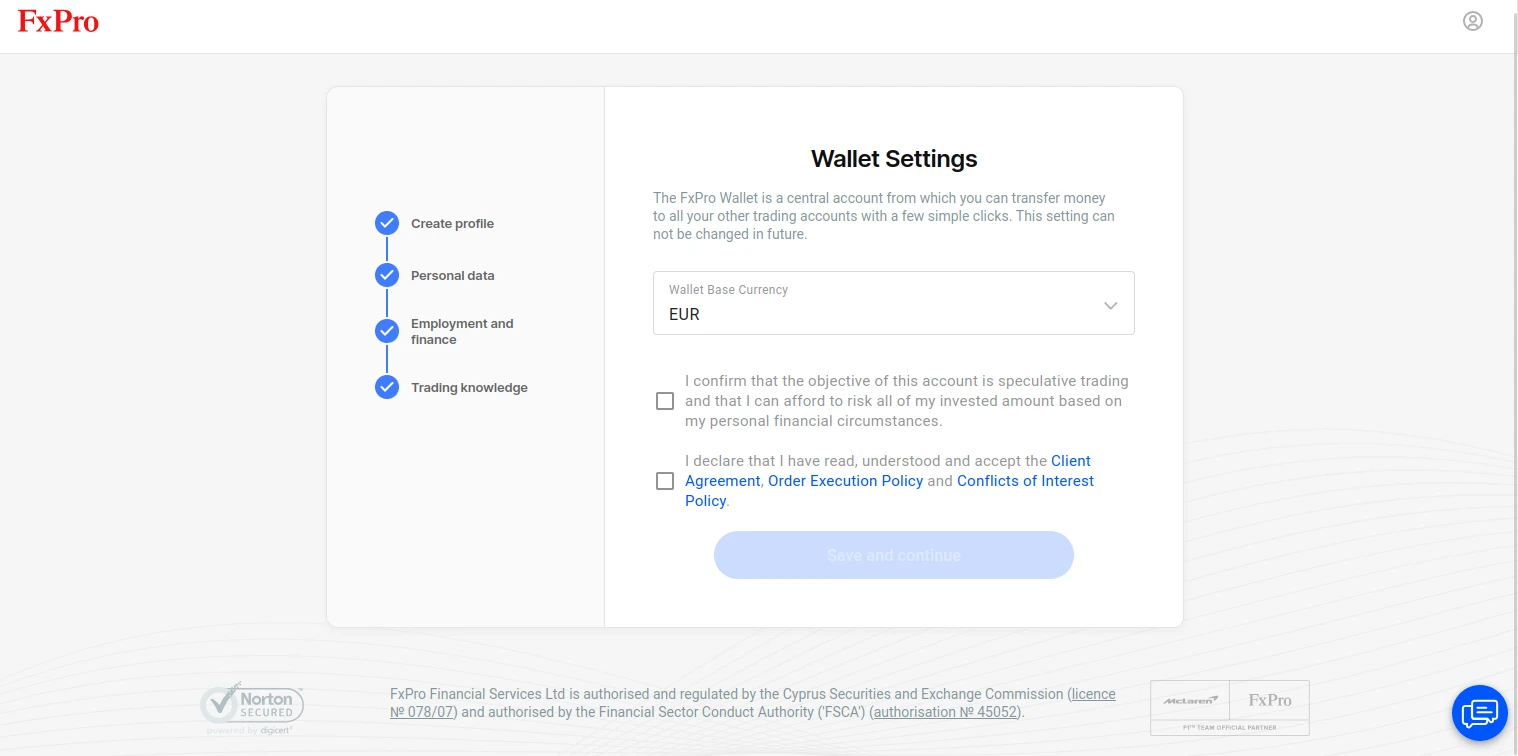
In this section, you can pick your account currency. The options are EUR, AUD, CHF, GBP, and HUF. This is also where you must confirm that you are prepared for the risks of trading and that you accept FxPro’s Client Agreement and policies.
-
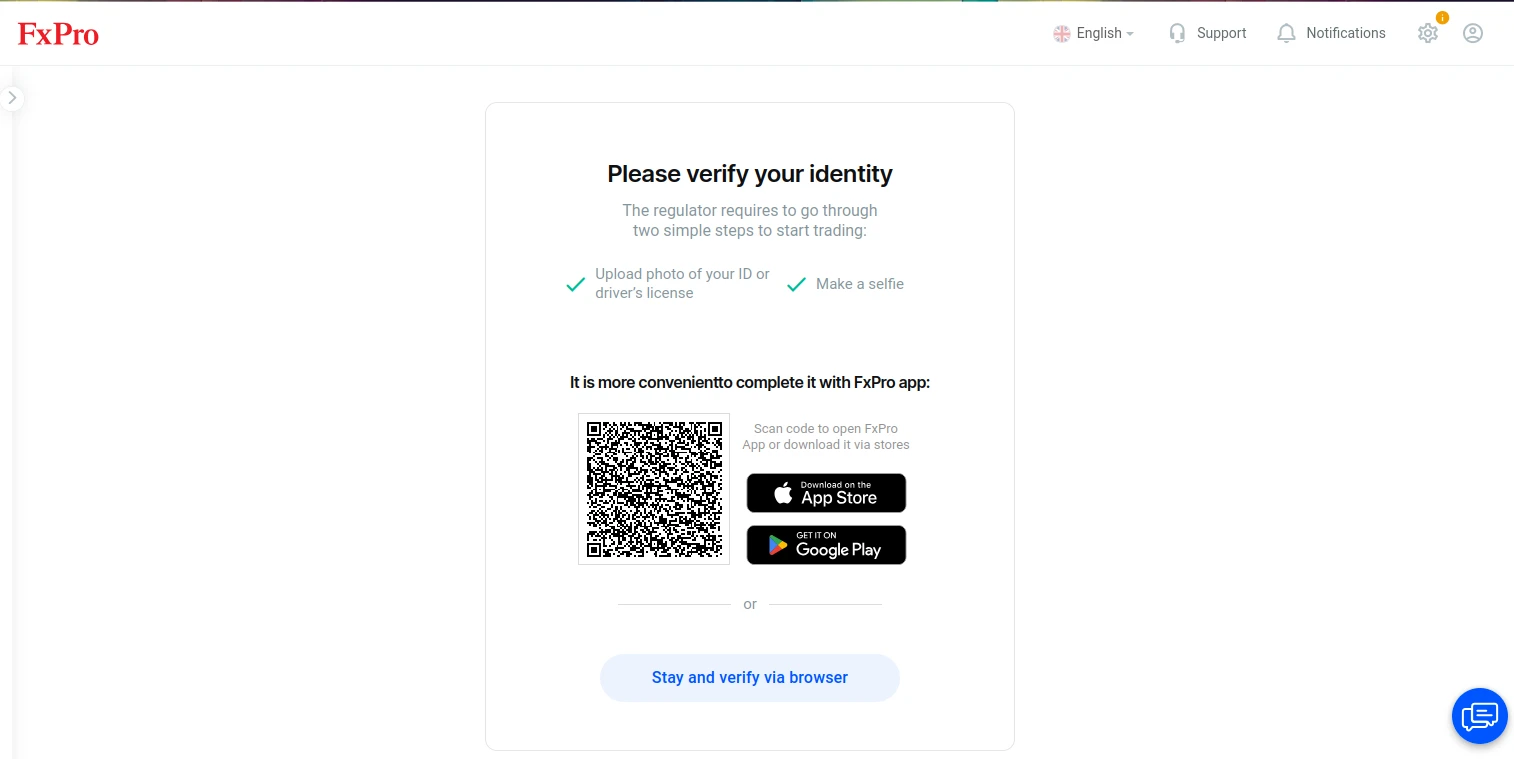
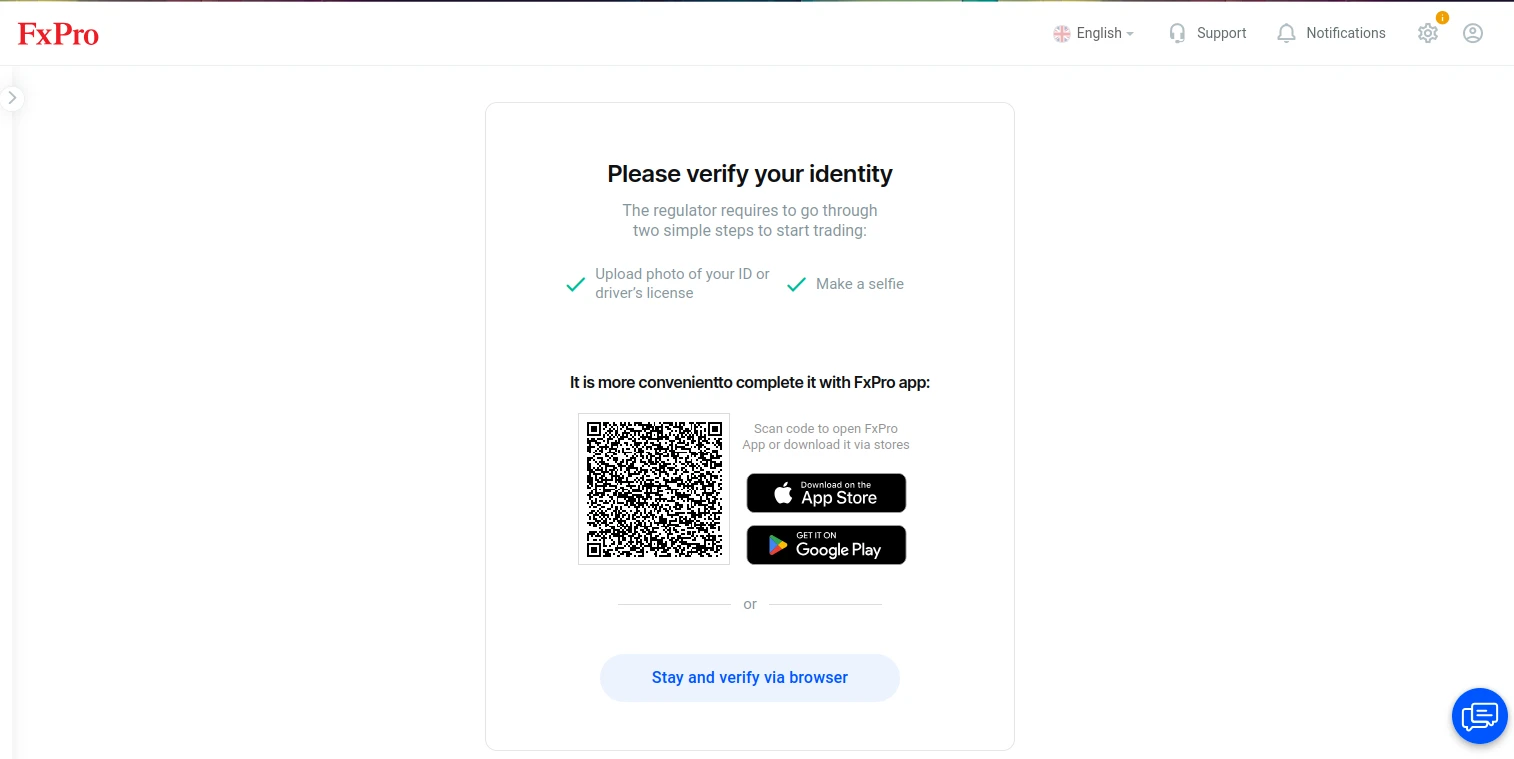
You will now be brought to the verification page. You can refer to FxPro Verification to learn more about the verification process.
-
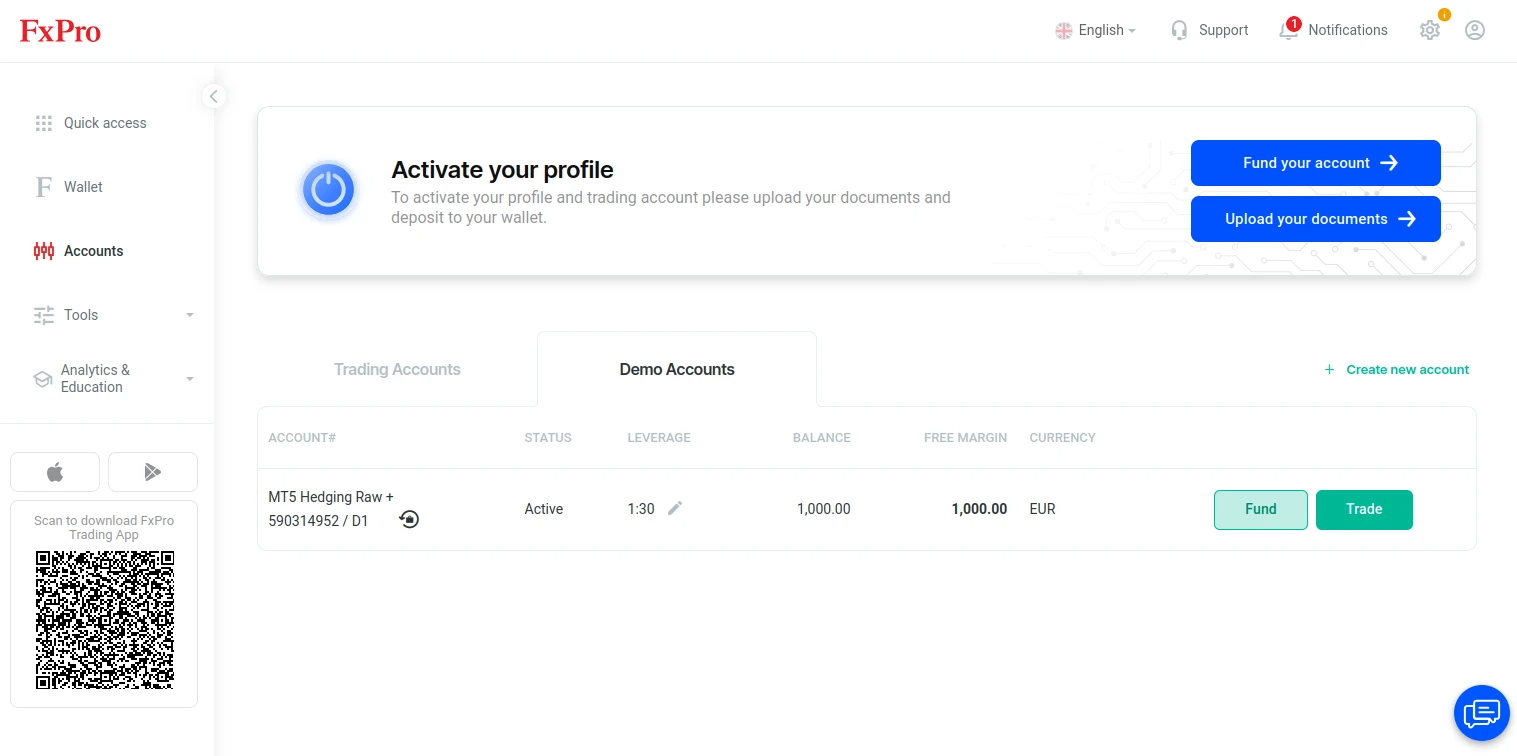
Once you have verified your account, you can open your account page. Your profile will already have a Standard hedging account created, but you can first open a demo account if you wish. On the Accounts page, select Demo Accounts. Then, click “Create new account.”
-
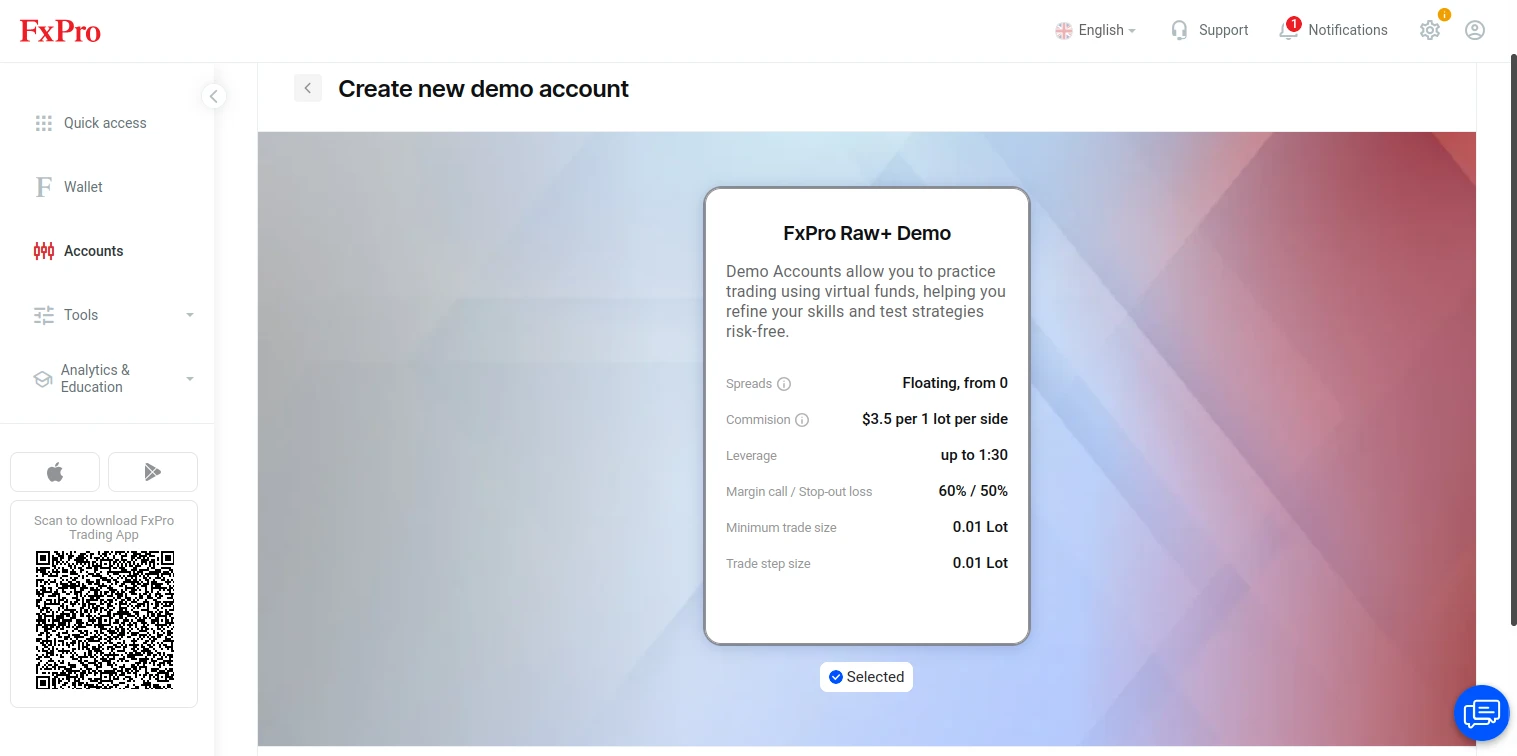
The only demo account option is FxPro Raw+. After checking the account’s features, click the Continue with Raw+ Demo button.
-
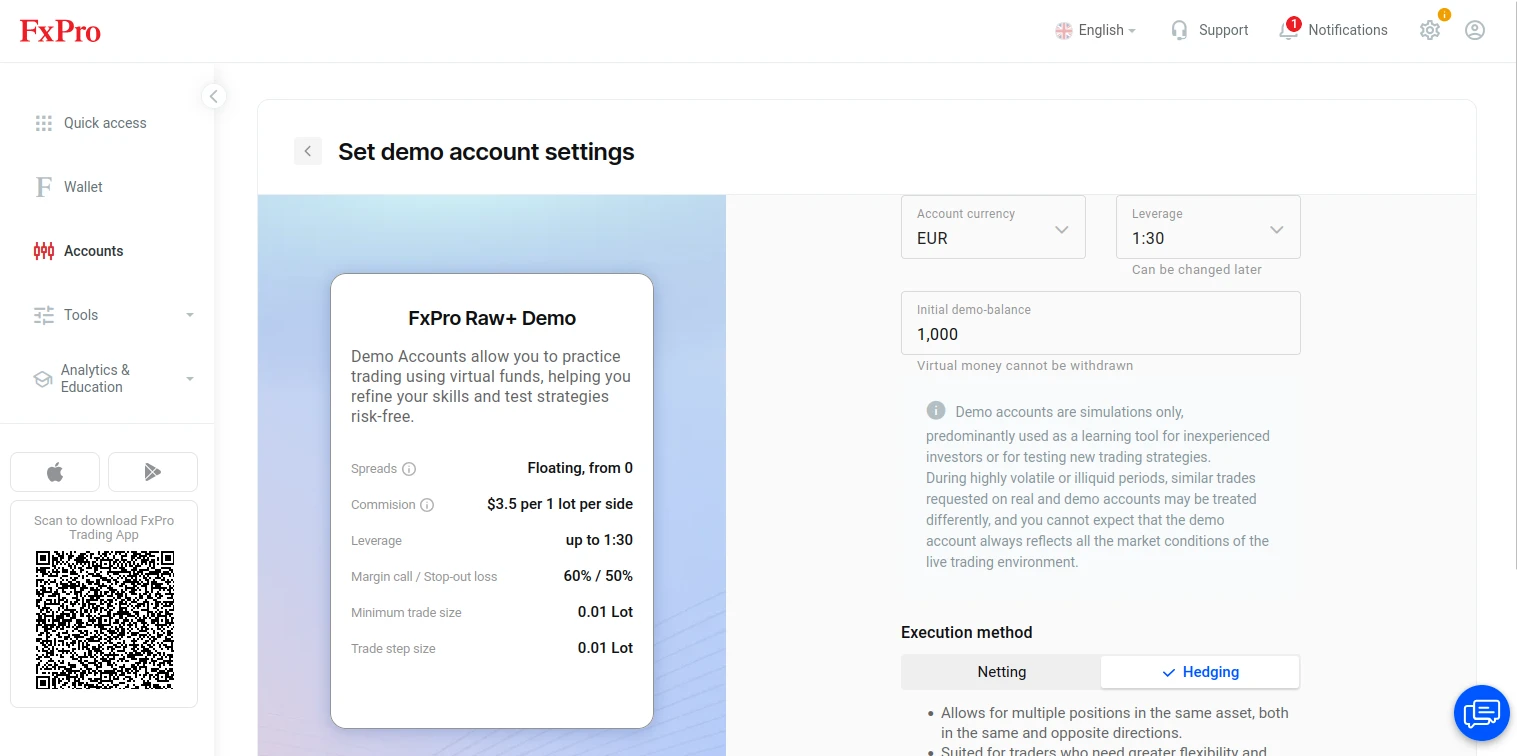
Specify how much virtual funds you wish to have in your demo balance, pick between Netting and Hedging, and click Create Demo Account. With this, your demo account is ready.

FxPro Verification (About 4 minutes)
FxPro’s platform has made presenting your verification documents quick and easy. You can refer to the following steps on how to do so.
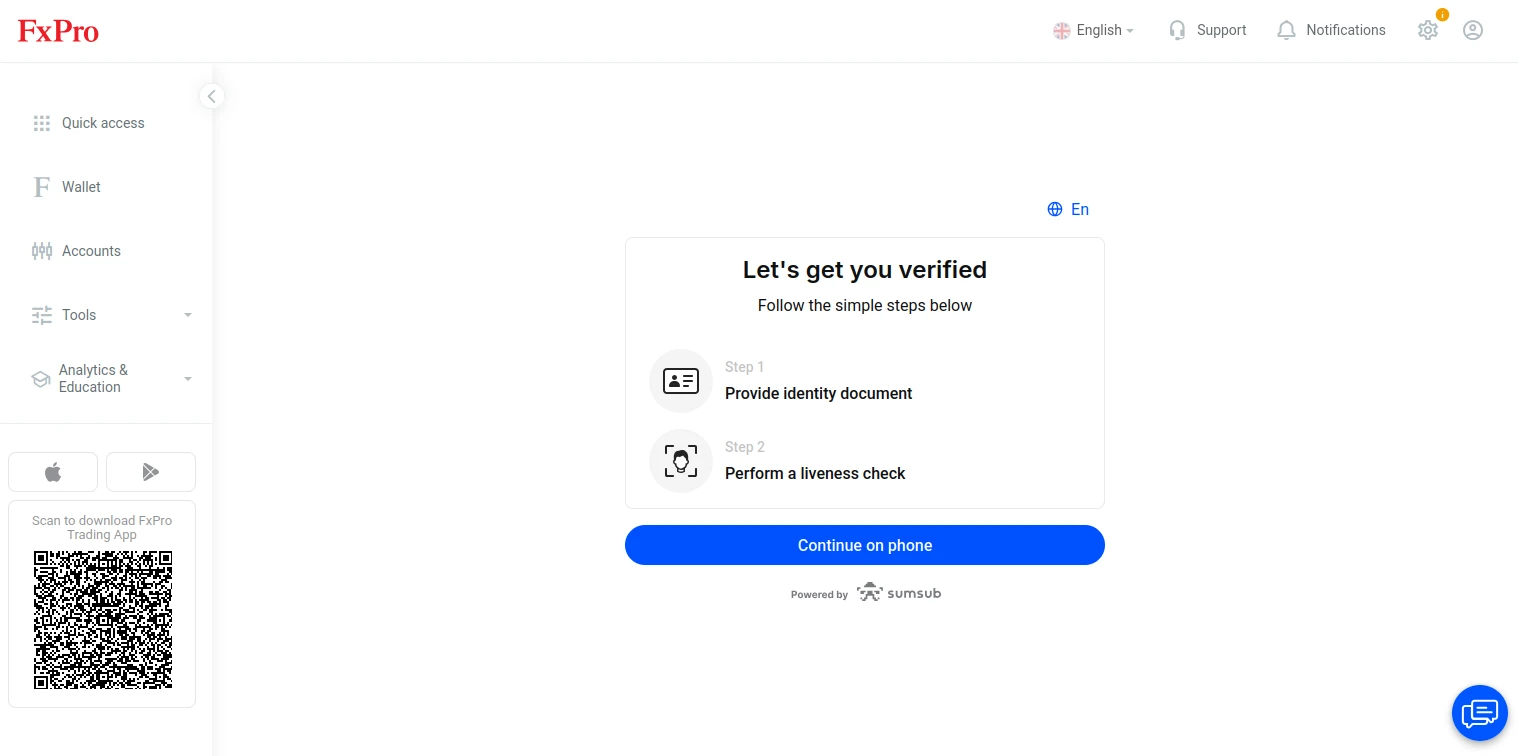
Back on the verification page, you can use the QR code to proceed to phone verification or stay on your PC browser for now. On the next page, click Continue.
-
Here, FxPro will clarify that the broker’s team needs you to upload an identity document and perform a liveness check. Click the Continue on phone button.
-
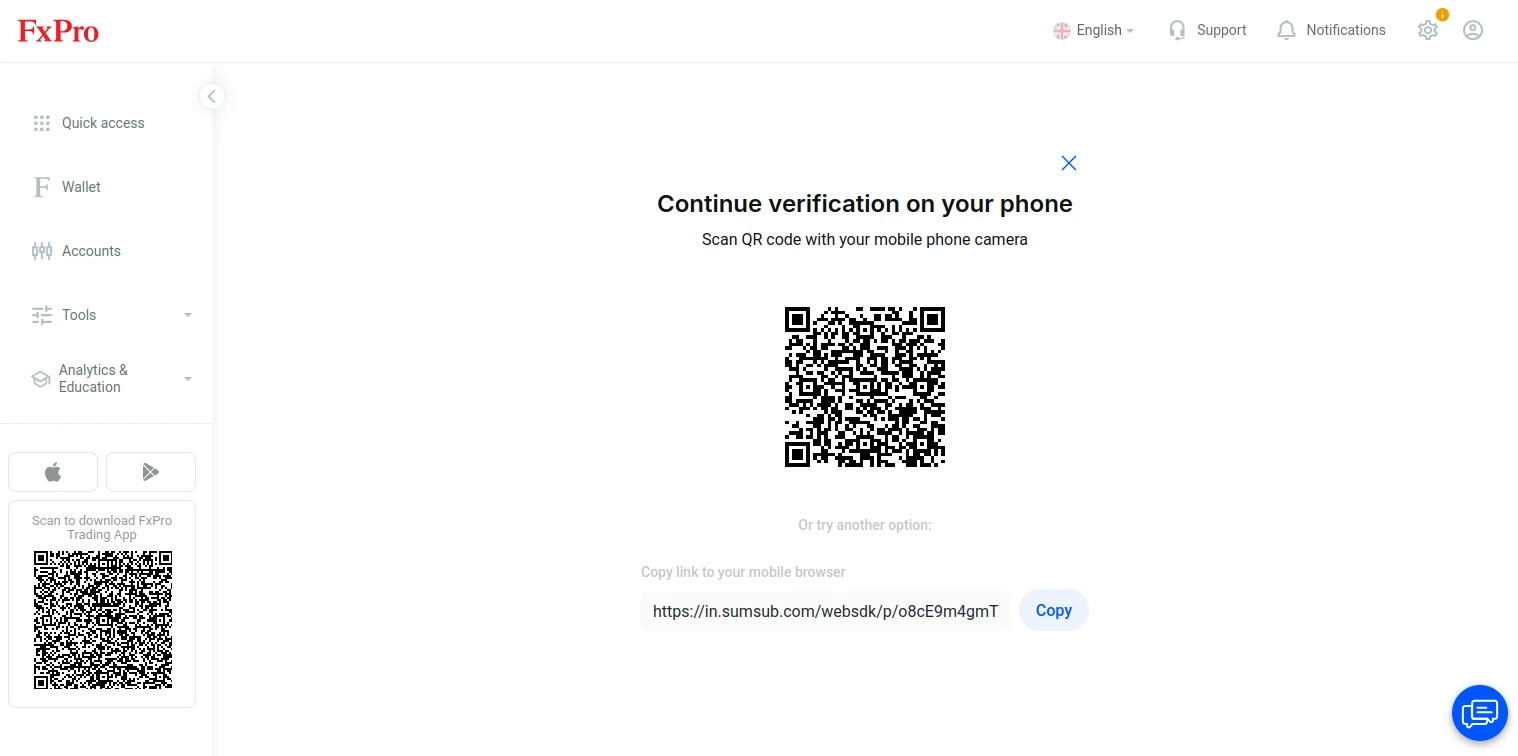
Use the provided QR code and continue the verification process on your smartphone. Note that you will need documents such as your ID, passport, or driver’s license. Proof of residence will also be necessary, and such documentation needs to be in the form of a utility bill that was issued sometime in the last 6 months. Additionally, you will need to perform a liveness check with your phone’s camera. When you are done, the FxPro team will need to examine your documents.
-
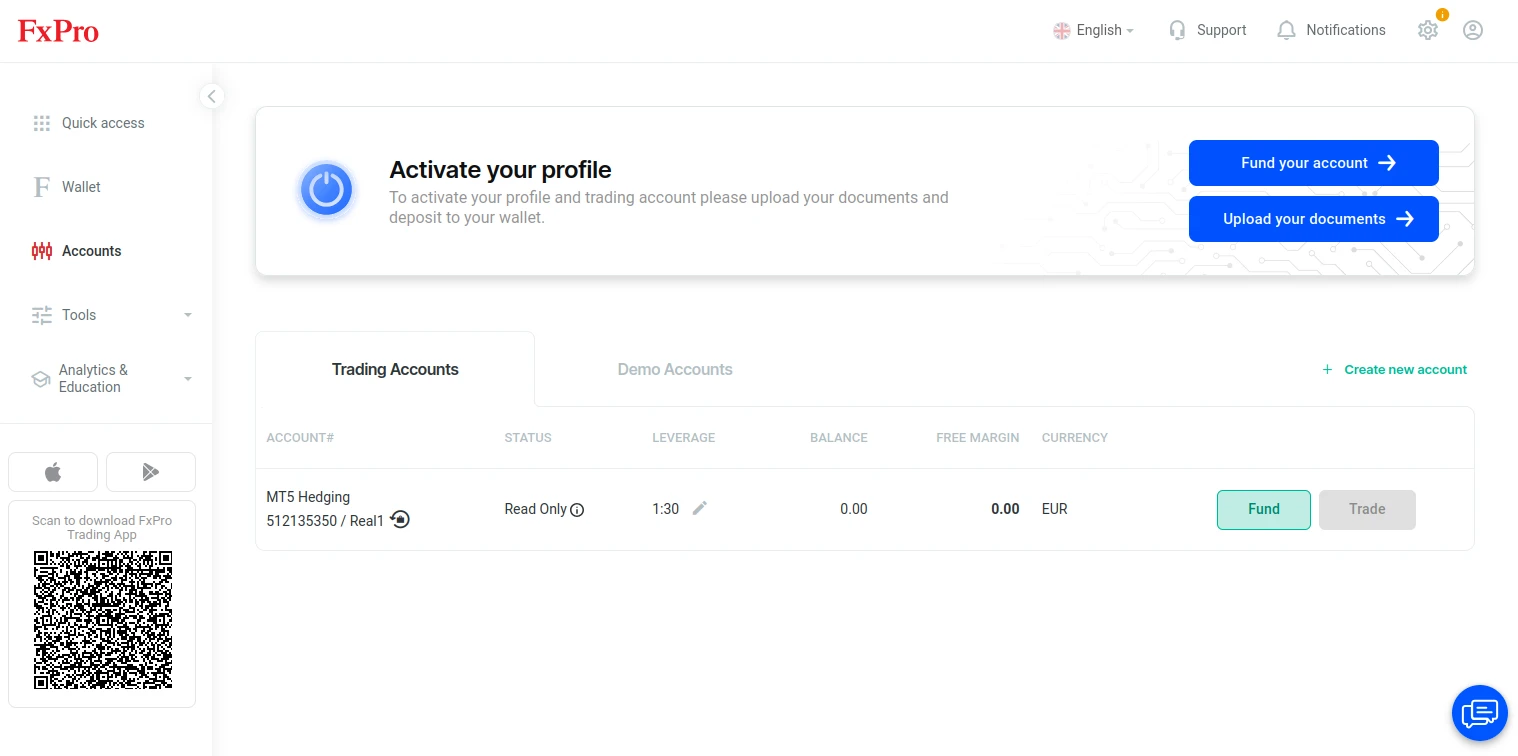
On the Accounts page, select the Trading Accounts type and click “Create new account.”
-
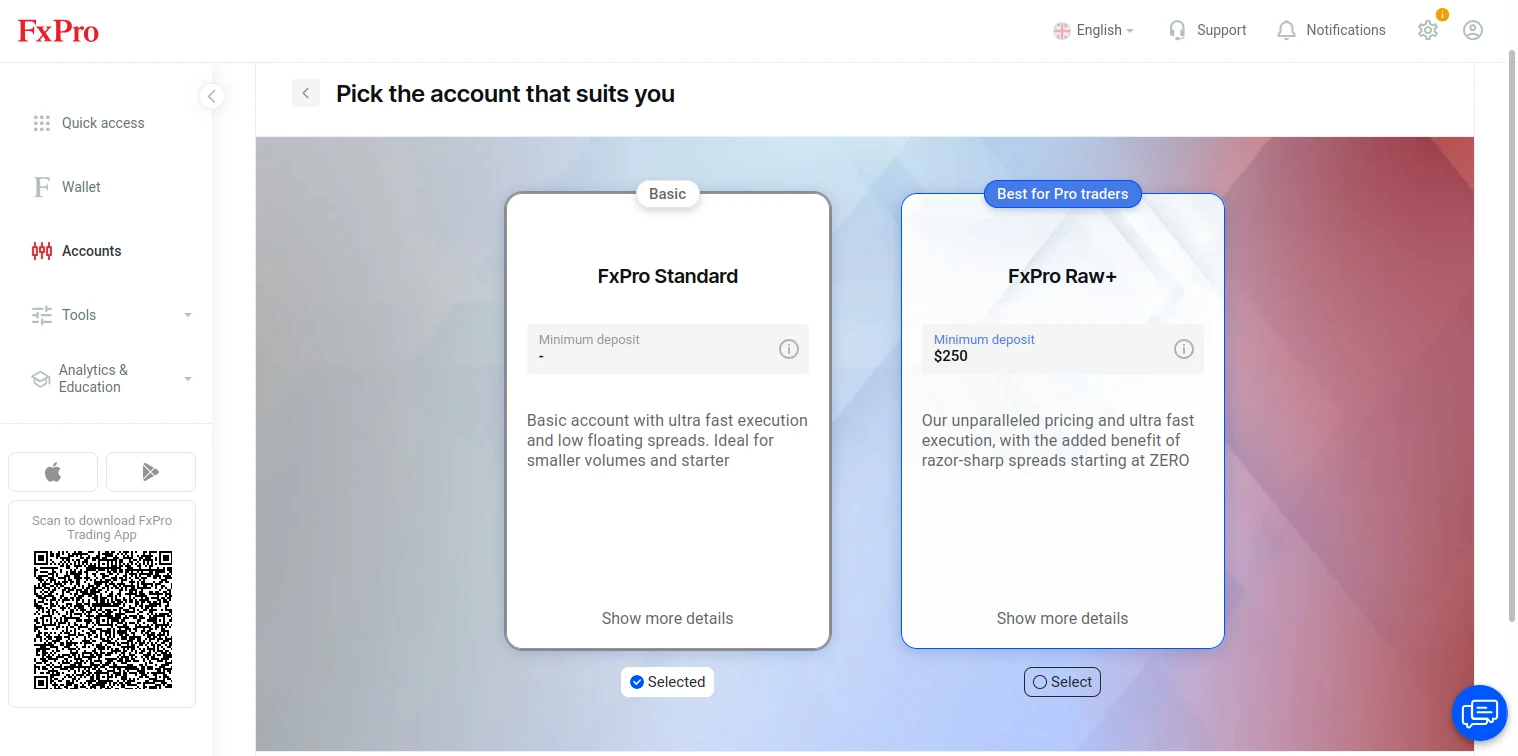
If you plan on opening a trading account, you will be presented with the option to pick between FxPro Standard and FxPro Raw+.
-
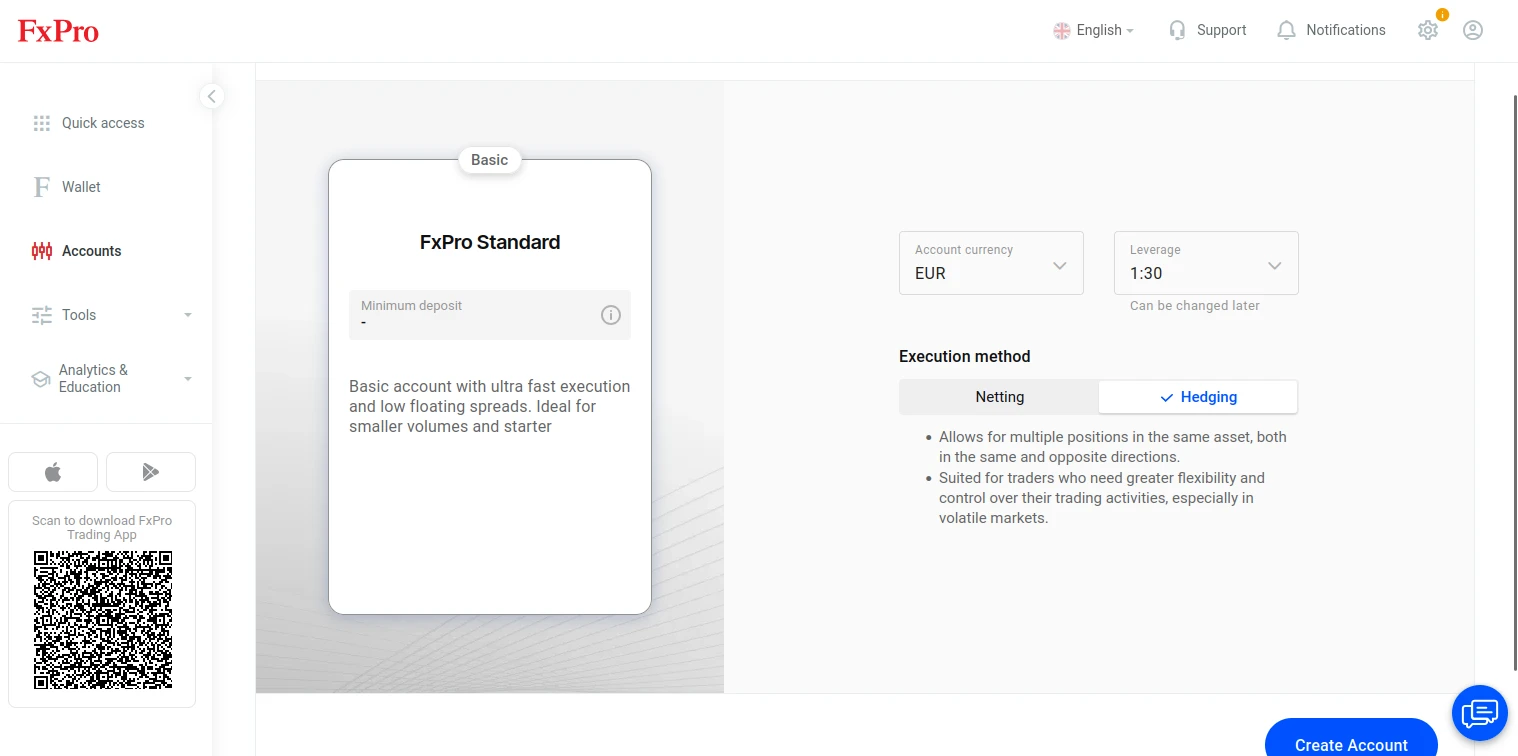
Once you have chosen your preferred account type, lower the leverage cap if you deem it necessary, pick an account currency, and choose between Netting and Hedging under the Execution method section. Then, click Create Account. Keep in mind that the status of this account will be read-only if you skipped the verification process. To activate an account, you need to send FxPro all the required documentation and make a deposit.
Overall Thoughts
Overall, our team did not encounter any hurdles while testing FxPro’s registration process. FxPro has made the required steps relatively straightforward and user-friendly, and in general, all actions required on your end can be done in under 10 minutes based on our team’s experience. Verification is swift as well, but do note that it will take slightly longer for FxPro to check your documents and either approve them or request that you reupload them in case something was amiss.